
Is your Amana washer showing the “Loc” error code and leaving you stuck with a locked door? You’re not alone—and more importantly, you don’t have to stay frustrated.
That “Loc” code means your washer’s control lock is active, preventing the door from opening during or after a cycle. But the good news is, with a few simple steps, you can unlock your washer and get back to your laundry routine fast.
You’ll discover easy, practical ways to reset the lock, troubleshoot common causes, and handle those stubborn situations when the door just won’t budge. Keep reading to take control of your Amana washer and say goodbye to that annoying lock code for good.
Loc Code Meaning
The “Loc” code on an Amana washer signals that the control lock is active. This feature stops accidental changes during a wash cycle. It keeps the door locked for safety and prevents children from altering settings.
Seeing “Loc” means the washer’s controls are locked. You cannot start or stop the machine until you unlock it. This lock also prevents the door from opening mid-cycle, avoiding water spills.
What Does The Loc Code Mean?
The Loc code means the control lock feature is on. It locks all buttons and the door. This stops any changes until the lock is turned off.
Why Is The Loc Code Important?
The lock keeps kids safe by stopping button presses. It also protects your clothes by avoiding accidental cycle changes. The door stays shut to stop water leaks.
How To Turn Off The Loc Code
Press and hold the Control Lock button for 3 seconds. This usually disables the lock. If no Control Lock button exists, try pressing Start/Pause for a few seconds.
What To Do If The Door Is Still Locked
Unplug the washer for 5 minutes to reset it. If the door stays locked, water might be inside. Manually drain the washer or use the door’s manual release.
Quick Fixes To Unlock
The Amana washer code “Loc” signals the control lock is active. It prevents accidental changes during a cycle. Sometimes, this lock stays on longer than needed. You can try simple steps to disable it quickly. These quick fixes help avoid waiting or calling a technician.
Follow easy methods to get your washer back to normal. Each step targets a common cause behind the lock code. These tips save time and reduce frustration.
Control Lock Button
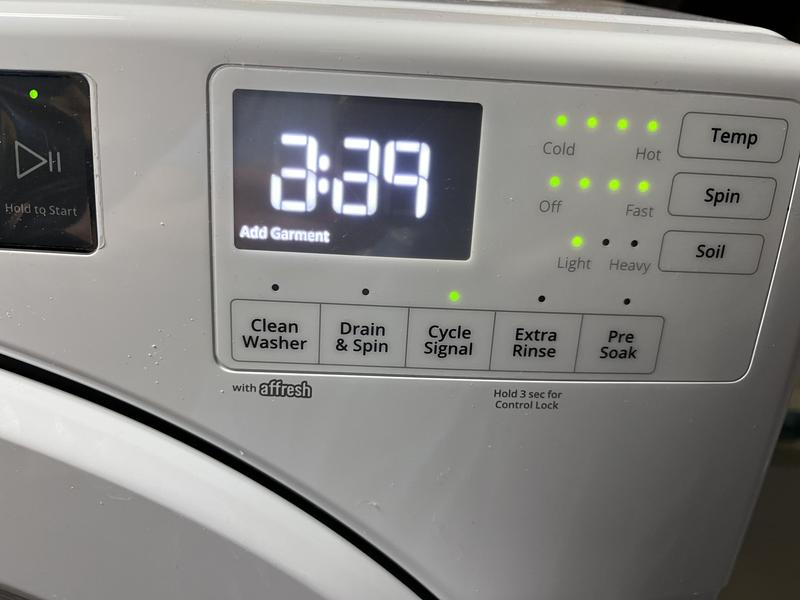
Find the control lock button on your washer’s panel. It often shows a lock icon or says “Control Lock.” Press and hold this button for three seconds. This action usually turns off the lock. The control panel lights should change, showing the lock is off.
This method works well when the lock was set by mistake. It is the fastest way to clear the code.
Start/pause Button
Press the Start/Pause button and hold it for five seconds. This can reset the cycle and unlock the door. The washer might beep or flash lights during this process. Wait for the door to unlock before opening it.
This step is useful if the washer is stuck during a cycle. It forces the machine to stop and release the lock.
Wait For Drain Cycle
The door lock stays active if water is inside the drum. The washer locks the door to prevent leaks. Wait for the drain cycle to complete fully. This can take a few minutes after the cycle ends.
Once the water drains, the lock should release automatically. If the door stays locked, check for clogs in the drain hose or pump. Clearing blockages helps the washer drain properly and unlock.
When Door Remains Locked
Sometimes, the Amana washer door stays locked and won’t open. This can stop your laundry and cause frustration. The lock may happen due to safety features or an error code. Knowing simple ways to unlock the door helps save time. Try these easy steps to fix the problem safely.
Unplug For Hard Reset
Unplug the washer from the power outlet. Wait at least five minutes to let the machine reset. This helps clear any error codes causing the door to lock. After waiting, plug the washer back in and try to open the door. This simple reset often solves the issue quickly.
Manual Water Drain
Water inside the washer may keep the door locked. Find the drain hose or drain pump filter. Use a shallow pan to catch water and slowly drain it. Removing water pressure allows the door lock to release. Always follow your washer’s manual for safe draining steps.
Manual Release Access
Some Amana washers have a manual release for the door lock. This is usually behind the bottom panel or near the door latch. Use a small tool or pull the release cord to unlock the door. Check the washer’s manual to locate this feature and learn how to use it correctly.
Credit: dufresne.ca
Manual Release Tips
Sometimes, the Amana washer door stays locked even after trying usual methods. Manual release tips help you open the door safely. These simple steps avoid damage and let you access the washer quickly. Follow easy instructions to unlock the door manually when needed.
Using Plastic Tab
Look inside the washer door frame for a small plastic tab. Gently pull this tab to release the door lock mechanism. Use a flashlight if the tab is hard to see. Pull slowly to avoid breaking the tab. This method works when the washer has drained but the door remains locked.
Removing Washer Top
Turn off and unplug the washer before starting. Remove screws at the back of the washer top panel. Slide the top panel off carefully to reach the door lock assembly. Locate the manual release lever or tab on the lock. Pull the lever to unlock the door manually. After unlocking, reattach the top panel securely.
Checking Error Codes
Checking error codes on your Amana washer helps identify problems quickly. These codes show what issue the washer faces. Understanding them saves time and avoids unnecessary repairs.
Each error code corresponds to a specific problem. The washer displays the code on the control panel. Knowing how to read these codes guides you on the next steps to take.
How To Find Error Codes On Amana Washer
Turn on the washer and look at the display panel. Error codes usually appear as two or three letters or numbers. Sometimes, you may need to enter a diagnostic mode to see the codes.
To access diagnostic mode, press specific buttons in a sequence. Check your user manual for the exact steps. Once in this mode, the washer will show all current error codes.
Common Amana Washer Error Codes
The “LOC” code means the control lock is active. This locks the buttons to prevent accidental changes. Other common codes include “UE” for unbalanced load and “F01” for motor errors.
Each code points to a different issue. Knowing these codes helps you fix or explain the problem to a technician. Keep a list of common codes handy for quick reference.
Steps To Clear Error Codes
First, try resetting the washer by unplugging it for a few minutes. This often clears minor errors. Next, press and hold the control lock or start/pause button to disable locks.
If the code remains, check for problems like clogged drains or stuck doors. Fix these issues before restarting the washer. If errors persist, contact professional repair support.

Credit: producthelp.amana.com

Credit: smartapplianceservices.com
Frequently Asked Questions
How To Deactivate Loc On Amana Washer?
Press and hold the Control Lock button for 3 seconds to deactivate LOC on your Amana washer. If unsuccessful, press Start/Pause. Wait for the drain cycle to finish. Unplug the washer for 5 minutes to reset if the door stays locked.
Manually drain water if needed.
What Does Loc Mean On An Amana Washer?
On an Amana washer, “LOC” means the control lock is activated. It prevents accidental changes during a cycle. Press and hold the Control Lock button for 3 seconds to deactivate it. If the door stays locked, wait for the drain cycle or unplug the washer to reset.
What To Do When The Washing Machine Says Loc?
Press and hold the Control Lock button for 3 seconds to unlock. If locked, press Start/Pause to pause or reset. Wait for draining to finish. Unplug the washer for 5 minutes to reset. Manually drain water if the door stays locked.
Why Is My Amana Washer Stuck On Lock?
Your Amana washer stays locked to prevent opening during a cycle. Press and hold Pause/Cancel or Start/Pause to unlock. If that fails, unplug for five minutes to reset. Manually drain water if the door won’t release after draining completes.
What Does The Loc Code Mean On An Amana Washer?
The LOC code means the control lock is active, preventing changes or door opening.
Conclusion
Understanding the Amana washer code LOC helps solve door lock issues fast. Try holding the Pause or Start/Pause button for a few seconds first. If that fails, unplug the washer for five minutes to reset it. Remember, the door stays locked until the water drains fully.
Using these simple steps can save time and avoid frustration. Keep this guide handy whenever the LOC code appears. Your washer will get back to normal quickly and safely.