
Are you tired of dealing with musty smells and stubborn residue in your washing machine? Your Samsung Self Clean Washer offers a smart solution that keeps your machine fresh and spotless without extra effort from you.
Imagine a washer that cleans itself by using hot water and powerful spinning to remove dirt, bacteria, and detergent buildup from deep inside the drum and other hidden parts. This means your laundry comes out cleaner, and your washer stays in top shape longer.
You’ll discover exactly how the Samsung Self Clean feature works, why it’s essential for your machine’s health, and easy steps to run it effectively. Keep reading to learn how to make your washer work smarter, not harder, and enjoy fresher, cleaner laundry every time.

Credit: www.youtube.com
Samsung Self Clean Feature
The Samsung Self Clean Feature keeps your washer fresh and hygienic. It cleans the drum and inner parts without harsh chemicals. This feature uses hot water and powerful spinning to remove dirt and residue. Regular use prevents mold, odors, and buildup. Enjoy cleaner clothes and a longer-lasting washer.
How It Works
The self-clean cycle soaks the drum with hot water. This loosens dirt and soap residue inside. Next, the drum spins at high speed to flush out grime. It also cleans the door gasket and detergent drawer. The process kills bacteria and removes mold. You only need to run it once a month.
Cycle Variations
Samsung offers different self-clean options for washers. The standard Self Clean cycle focuses on the drum. The Self Clean+ cycle adds extra rinses for deeper cleaning. Some models include a Pure Cycle for sanitizing. Each cycle uses hot water and strong spinning. Choose the cycle based on how dirty the washer is.
Cleaning Benefits
Using the self-clean feature improves washer hygiene. It removes detergent buildup and fabric softener residue. This stops bad smells and mold from forming. Clothes come out fresher and cleaner after every wash. The washer runs more efficiently and lasts longer. It also reduces the need for manual cleaning.
Running The Self Clean Cycle
The Samsung Self Clean Washer keeps your machine fresh and clean. Running the self clean cycle removes dirt, bacteria, and detergent buildup inside the drum. This process uses hot water and fast spinning to clean deep within the washer. Follow these steps to run the self clean cycle properly.
Preparing The Washer
First, make sure the washer is empty. Remove any clothes or items from the drum. Check the detergent drawer and clean it if needed. Leave the door open for a few minutes to air out the washer. Close the door firmly before starting the cycle.
Adding Bleach For Deep Clean
For a stronger clean, add liquid chlorine bleach. Pour about one cup of bleach into the detergent dispenser. Do not add bleach directly into the drum. Avoid using powdered bleach as it may not dissolve properly. Using bleach helps kill germs and removes tough stains.
Starting The Cycle
Turn on the washer and select the “Self Clean” cycle. This option is usually on the control panel or settings menu. Press the start button to begin the cycle. The washer will fill with hot water and spin at high speed. Let the cycle run fully without interruption.
Post-cycle Steps
After the cycle ends, open the washer door. Wipe the inside of the drum and the door seal with a clean cloth. Leave the door open for a few hours to dry completely. Clean the detergent drawer regularly to prevent buildup. Run the self clean cycle once a month to keep the washer fresh.
Self Clean Cycle Duration
The self clean cycle duration on Samsung washers varies by model type. This cycle uses hot water and strong spinning to clean the drum and remove buildup. It helps maintain the washer’s performance and hygiene. Knowing the cycle length helps plan your laundry routine better.
Top-load Washers
Samsung top-load washers usually run the self clean cycle for about 1 to 1.5 hours. The cycle heats the water to loosen dirt and residue inside the tub. Then, the drum spins fast to flush out grime. This process keeps the washer fresh without harsh chemicals. The cycle runs automatically once started, requiring no extra steps.
Front-load Washers
Front-load Samsung washers often have a self clean cycle lasting about 1 hour. The cycle uses hot water to soak the drum and clean internal parts. High-speed spinning removes detergent buildup and bacteria. Many models include a “Self Clean+” option for deeper cleaning. This cycle helps reduce odors and keeps clothes smelling fresh.
Maintaining Your Washer
Maintaining your Samsung Self Clean Washer keeps it running smoothly. Regular care prevents odors and buildup. Simple habits extend the life of your machine. Follow these steps to keep your washer fresh and efficient.
Wiping The Door Seal
After each wash, wipe the door seal gently. Remove any dirt, lint, or moisture. This area traps water and debris easily. Use a soft cloth to avoid damage. Keeping the seal clean prevents mold and bad smells.
Leaving The Door Open
Leave the washer door open after use. This allows air to circulate inside the drum. Moisture dries faster, stopping mildew growth. Do not close the door until the drum is dry. It helps keep the washer fresh and odor-free.
Regular Cleaning Schedule
Run the self-clean cycle every month. This cycle uses hot water to remove grime and detergent residue. Clean detergent drawers and filters regularly. A monthly routine keeps your washer in top condition. It helps avoid costly repairs and maintains washing quality.
Troubleshooting Self Clean Issues
The Samsung Self Clean Washer helps keep your machine fresh and efficient. Sometimes, the self-clean cycle may not work as expected. Troubleshooting these issues is simple and saves time. This guide covers common problems and easy fixes.
Cycle Not Starting
Check if the washer door is fully closed. The cycle will not start if the door is open. Make sure the power cord is plugged in securely. Confirm the water supply is turned on. Press the self-clean button correctly and wait for the cycle to begin. Reset the washer by unplugging it for a few minutes if needed.
Unpleasant Odors
Odors may remain if the self-clean cycle is skipped for long. Run the self-clean cycle regularly to remove buildup. Use the recommended cleaning agents designed for Samsung washers. Leave the washer door open after use to dry the drum. Clean the detergent drawer and rubber seal to prevent mold growth.
Error Messages
Error codes appear if the washer detects a problem during the self-clean cycle. Refer to the user manual for specific error codes and meanings. Common errors include water supply issues or drain blockages. Clear any blockages in the drain pump filter. Contact Samsung support if the error persists after troubleshooting.
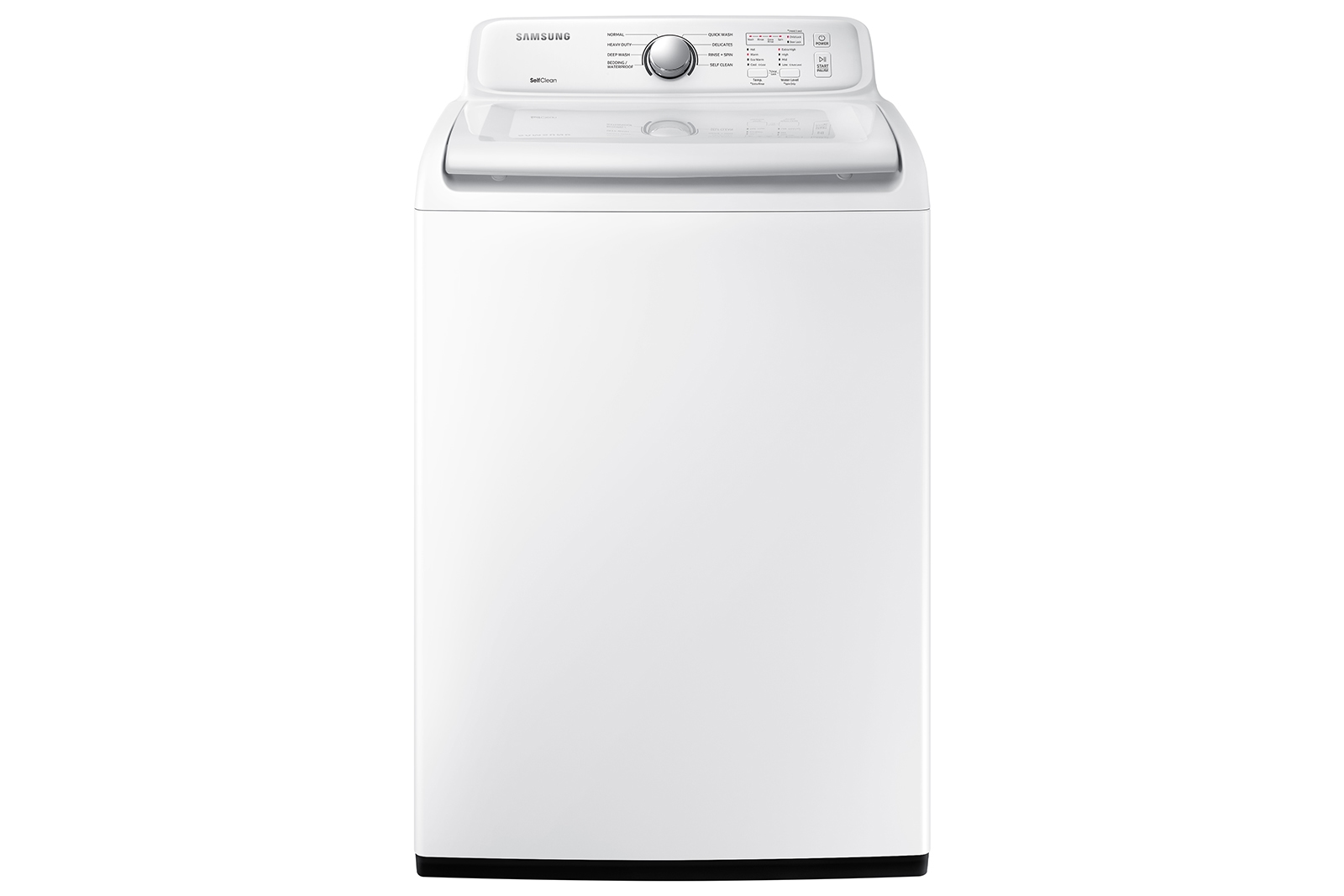
Credit: www.samsung.com
Additional Samsung Washer Features
Samsung washers offer several advanced features beyond the self-clean cycle. These features improve washing performance and user convenience. They ensure your laundry is clean, fresh, and well cared for after each wash.
Self Dry Function
The self dry function helps keep the washer drum dry. It uses warm air to remove moisture inside the drum. This reduces odor and prevents mold growth. Your washer stays fresh even after long use.
Activewave Agitator
The ActiveWave agitator moves clothes gently and efficiently. Its unique design creates water currents that clean deeply. It reduces wear on fabrics and improves detergent use. Clothes come out clean and soft every time.
Bespoke Ai Laundry Combo
The Bespoke AI laundry combo pairs a washer and dryer with smart technology. It learns your washing habits and adjusts settings automatically. This saves energy and optimizes wash cycles. Your laundry care becomes easier and more effective.
Tips For Spotless Laundry
Keeping clothes clean and fresh depends on more than just the washing machine. Proper washing habits matter a lot. Small changes can improve your laundry results. Follow these simple tips for spotless laundry every time.
Using a Samsung Self Clean Washer helps maintain the machine itself. This keeps your clothes cleaner and your washer working well. Learn how detergent, load size, and water temperature affect washing quality.
Detergent Use
Use the right amount of detergent for each load. Too much detergent leaves residue on clothes. Too little detergent may not clean well. Use detergent designed for high-efficiency washers. Add detergent to the correct dispenser. This prevents buildup inside the washer. Always check detergent instructions before use.
Load Size Recommendations
Do not overload the washer. Overloading stops clothes from moving freely. This reduces cleaning power and can cause damage. Wash large items separately for better cleaning. Leave enough space for water and detergent to circulate. Follow the washer’s load size guide for best results.
Water Temperature Settings
Choose the right water temperature for your laundry. Hot water cleans heavily soiled clothes well. Cold water saves energy and protects colors. Use warm water for most loads to balance cleaning and care. Adjust settings based on fabric type and soil level. Proper temperature helps remove stains and bacteria.

Credit: www.samsung.com
Frequently Asked Questions
How Does Self-clean Work On Samsung Washers?
Samsung washers use hot water and high-speed spinning to remove bacteria, detergent buildup, and residue from the drum and internal parts. The Self Clean+ cycle cleans the drum, gasket, and other components. Run it empty, optionally add bleach, start the cycle, then air dry the interior after completion.
Do I Put Anything In The Washer For Self-clean?
Run the washer’s self-clean cycle empty for best results. Adding bleach is optional but not required. The cycle uses hot water and spinning to clean the drum and internal parts. Leave the door open after to air dry and prevent odors.
How Long Does Self-clean Take On Samsung?
The Samsung self-clean cycle takes about 1 hour for top-loaders and up to 4 hours for front-loaders. It uses hot water and high-speed spinning to clean the drum and internal parts effectively.
Why Does The Samsung Washer Keep Saying Self-clean?
The Samsung washer shows “self-clean” to remind you to run its cleaning cycle. This cycle removes residue, bacteria, and detergent buildup inside the drum. Regular use keeps your washer fresh and functioning well.
What Is The Samsung Self Clean Washer Feature?
It cleans the washer drum using hot water and high-speed spins to remove dirt and residue.
Conclusion
Samsung’s Self Clean Washer keeps your machine fresh and clean easily. It uses hot water and strong spinning to remove dirt and grime. Running the self-clean cycle regularly helps stop smells and buildup. Just run it empty, and add bleach if you want deeper cleaning.
This simple step saves time and keeps your laundry smelling good. Choose Samsung for a washer that cares for itself and your clothes. Clean washer, clean clothes, every time.