
Is your Samsung dishwasher showing the SC error code? If so, you’re not alone—and you’re probably wondering what it means and how to fix it quickly.
The SC code usually points to a drainage problem that stops your dishwasher from working properly. Don’t worry; this isn’t something you have to call a technician for right away. By understanding what causes the SC code and following a few simple steps, you can save time, avoid frustration, and get your dishwasher back to cleaning your dishes like new.
Keep reading to learn exactly what the SC code means, why it appears, and how you can fix it yourself—fast and hassle-free.
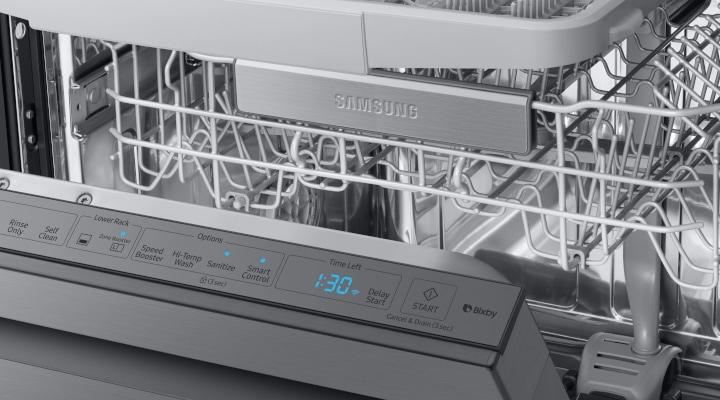
Credit: www.samsung.com
Samsung Sc Code Basics
The Samsung SC code is an important alert for your dishwasher. It signals specific issues that need attention. Understanding this code helps keep your dishwasher running smoothly. It also saves time and money on repairs.
Below, we explain the basics of the Samsung SC code. Learn what the code means and what usually causes it.
What Sc Code Indicates
The SC code usually means a drainage problem. It appears when water cannot drain properly. This error stops the dishwasher from completing its cycle. The machine detects a blockage or slow drainage. It then shows the SC code to warn you.
This code can also indicate a pump or hose issue. Sometimes, the drain pump fails or the hose is clogged. The dishwasher senses this and displays the SC code. It helps you know where to check first.
Common Causes Of Sc Code
Clogged drain hoses often cause the SC code. Food particles or debris block water flow. The dishwasher cannot push out water fast enough. This leads to the error message.
A faulty drain pump also triggers the SC code. The pump may stop working or work slowly. It cannot clear water from the dishwasher. This problem needs repair or replacement.
Other causes include a kinked drain hose. If the hose bends or twists, water cannot drain. The dishwasher senses this and shows the SC code. Check the hose for any sharp bends.
Quick Steps To Clear Sc Code
The Samsung dishwasher SC code signals a drainage issue. Clearing it fast helps resume normal washing. Follow these simple steps to fix the problem yourself. No special tools needed. Just some basic checks and resets.
Resetting The Dishwasher
Unplug the dishwasher from the power outlet. Wait for about five minutes. This pause lets the machine reset its system. Plug it back in and turn it on. Check if the SC code disappears. This step often clears minor errors.
Draining Remaining Water
Open the dishwasher door carefully. Look for water pooling at the bottom. Use a sponge or towel to soak it up. Locate the drain filter at the base. Remove and clean it from debris. Check the drain hose for any clogs. Clear any blockages to improve water flow.
Cleaning And Inspecting Components
Cleaning and inspecting key components helps keep your Samsung dishwasher running smoothly. Dirt and blockages cause error codes like SC. Regular checks stop problems early and improve performance. Focus on the drain pump filter, drain hose, and pump area.
Drain Pump Filter
Open the small door at the bottom front of the dishwasher. Unscrew the drain pump filter carefully. Remove any food scraps, dirt, or debris. Rinse the filter under running water until it looks clean. A clean filter ensures water flows freely and stops clogging.
Drain Hose
Locate the drain hose behind the dishwasher. Check for any bends or kinks that block water flow. Disconnect the hose and look inside for dirt or clogs. Use a long brush or water to clear any blockages. Proper hose cleaning prevents slow drainage and error codes.
Pump Area
After cleaning the filter and hose, inspect the pump area inside the dishwasher. Look for any stuck debris or foreign objects. Remove anything blocking the pump blades gently. Clear pump area helps the dishwasher drain water fully without error.
Testing After Maintenance
After completing maintenance on your Samsung dishwasher, testing is crucial. It confirms the appliance works well and that previous issues are resolved. This step avoids future problems and ensures the dishwasher runs smoothly.
Running A Short Cycle
Start by running a short cycle to check the dishwasher’s basic functions. This cycle uses less water and time but tests all main parts. Listen for unusual sounds and watch for leaks. The machine should complete the cycle without stopping or error codes.
Check if water drains properly during this test. Observe the spray arms and detergent dispenser to ensure they work correctly. Running a short cycle helps catch any faults quickly after maintenance.
Verifying Error Clearance
After the short cycle, check the display panel for error codes. The SC code or any other error should no longer appear. If codes return, maintenance may need repeating or deeper inspection is required.
Clear the dishwasher’s memory by turning it off and unplugging for a few minutes. Restart the dishwasher and watch for any error messages. Confirming error clearance gives peace of mind and confirms your repair success.
When To Call A Technician
Knowing when to call a technician for your Samsung dishwasher showing the SC code is important. This code often signals drainage problems or pump issues. Simple fixes may solve it, but some situations need expert help. Avoid letting the problem worsen or cause more damage. Below are signs that professional service is necessary.
Persistent Sc Code Issues
If the SC code returns after cleaning and resetting, call a technician. Repeated errors suggest deeper problems. The dishwasher may not drain properly despite your efforts. A professional can perform detailed checks and repairs. Avoid running the dishwasher with persistent errors. This can lead to water leaks or electrical faults.
Possible Pump Or Sensor Failures
The SC code may indicate pump or sensor failures. These parts control water drainage and flow. Faulty pumps or sensors need technical knowledge to fix. A technician can test parts and replace damaged ones safely. Attempting repairs without skill can cause more harm. Trust experts to restore your dishwasher’s function quickly and correctly.
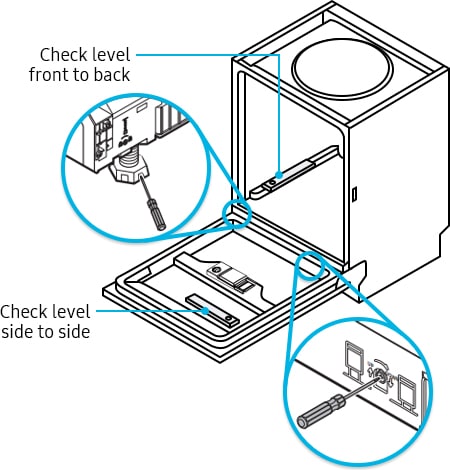
Credit: www.samsung.com
Preventing Future Sc Errors
Preventing future SC errors on your Samsung dishwasher saves time and effort. These errors often relate to drainage problems. Simple maintenance steps keep your dishwasher running smoothly. Regular care avoids blockages that trigger the SC code. Follow these tips to reduce the chance of errors.
Regular Filter Cleaning
Clean the dishwasher filter every few weeks. A clogged filter blocks water flow. This causes drainage issues that lead to SC errors. Remove the filter carefully and rinse it under running water. Use a soft brush to clear stubborn debris. Dry it before placing it back. Regular filter cleaning ensures proper water drainage. It also improves dishwasher performance and hygiene.
Avoiding Drain Hose Kinks
Check the drain hose for bends or kinks. A twisted hose stops water from draining correctly. Keep the hose straight and free from sharp bends. Ensure it is not pressed against walls or furniture. If the hose is damaged, replace it promptly. Proper hose positioning helps water flow smoothly. This prevents the dishwasher from showing the SC error code.

Credit: www.youtube.com
Frequently Asked Questions
How To Reset Samsung Washer Sc Code?
Unplug the Samsung washer, drain any water using the emergency hose, clean the drain pump filter, and check the drain hose for clogs. Plug it back in and run a short drain cycle to reset the SC error code. Contact support if the error persists.
How To Fix Sc Error Code?
Unplug the washer, drain any water using the emergency hose, and clean the drain pump filter. Check and clear the drain hose of clogs or kinks. Plug the washer back in and run a short drain cycle. Contact a technician if the SC error persists.
Is The Sc Code A Common Issue With Samsung Washers?
The SC code is a common Samsung washer issue indicating drainage problems. It often results from clogged filters or hoses. Cleaning the drain pump filter and checking the drain hose usually resolves the error. Persistent SC codes may require professional repair.
How Do I Reset The Error Code On My Samsung Dishwasher?
Unplug your Samsung dishwasher for one minute, then plug it back in. This resets most error codes. Run a short cycle to confirm the error clears. If the code persists, check and clean the drain filter and hose. Contact Samsung support if needed.
What Does The Samsung Dishwasher Sc Code Mean?
The SC code indicates a slow drainage issue in your Samsung dishwasher.
Conclusion
Samsung dishwasher SC code signals a drainage issue. Check and clean the drain pump filter first. Make sure the drain hose is not bent or clogged. Drain any remaining water using the emergency hose. After cleaning, reset the dishwasher by unplugging it briefly.
Run a short cycle to see if the error clears. Persistent issues might need professional help. Regular maintenance helps avoid the SC error code. Understanding this code saves time and frustration. Keep your dishwasher running smoothly with simple checks.