
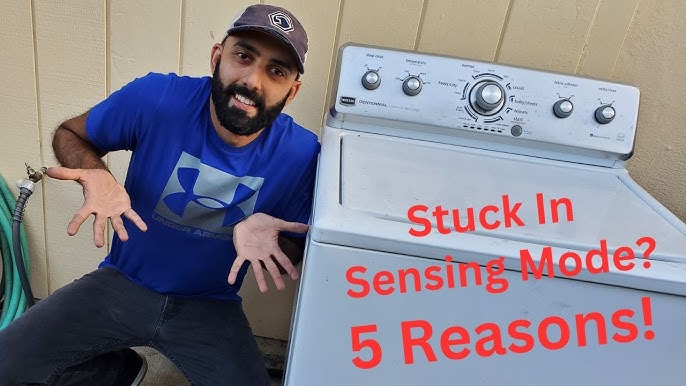
Is your Maytag Bravos washer stuck on the sensing mode and refusing to move forward? You’re not alone, and this frustrating issue can bring your laundry routine to a halt.
When your washer gets stuck here, it means the machine is having trouble detecting the load properly, which stops it from advancing to the next cycle. But don’t worry—you don’t have to call a repair technician just yet. You’ll discover simple, step-by-step solutions to reset and troubleshoot your Maytag Bravos washer.
Whether it’s a quick unplug reset, checking for clogs, or running diagnostic modes, these tips will help you get your washer back to working smoothly. Keep reading to take control and fix your washer without stress or extra expense.
Credit: www.youtube.com
Common Causes Of Sensing Mode Issues
The Maytag Bravos washer uses sensing mode to detect load size and water level. Sometimes, it gets stuck during this phase. This issue can stop the cycle and leave your laundry unfinished. Understanding the common causes of sensing mode problems helps to find the right fix. Below are some typical reasons why your washer may stay stuck on sensing.
Clogged Drain Pump
A clogged drain pump often causes sensing mode delays. Debris or lint can block the pump or hoses. This blockage prevents water from draining properly. The washer may think the load is still wet and stay in sensing. Cleaning the pump and hoses can restore normal operation.
Faulty Lid Lock Switch
The lid lock switch signals when the washer lid is closed. A faulty switch can stop the cycle from moving forward. The washer stays stuck, thinking the lid is open. Checking the switch for damage or dirt is important. Replacing a bad lid lock switch solves this problem.
Broken Drive Belt
The drive belt connects the motor to the drum. A broken belt stops the drum from turning during sensing. The washer cannot sense the load size correctly. This causes the washer to freeze in sensing mode. Inspecting and replacing the broken belt fixes the issue.
Control Board Malfunctions
The control board manages all washer functions. Malfunctions here can cause the washer to freeze on sensing. Faulty wiring or damaged components disrupt signals. Testing the control board and replacing it if needed restores function. This fix requires professional help in most cases.
Simple Reset Steps
When your Maytag Bravos washer is stuck on sensing, simple reset steps can help fix the issue fast. These steps clear minor errors and let the machine restart its cycle. Follow each step carefully to avoid further problems. Resetting often solves sensing problems without needing repair services.
Unplugging The Washer
Start by unplugging the washer from the power outlet. Leave it unplugged for about one to two minutes. This pause lets the washer’s internal computer reset. After waiting, plug the washer back in. This step often clears minor glitches causing the sensing mode to hang.
Plugging Back In
Once you plug the washer back in, watch the display panel. The washer should turn on normally without being stuck. If the sensing light stays on, try pressing the start or pause button. This action can help the washer exit the sensing mode. If it still does not work, move to the next step.
Basic Diagnostic Mode
Many Maytag Bravos washers have a diagnostic mode to find errors. To enter it, follow your model’s guide carefully. Usually, this involves pressing a sequence of buttons on the control panel. Diagnostic mode runs tests and shows error codes if any parts fail. Use these codes to understand the problem or decide if you need a technician.
Checking For Physical Blockages
Checking for physical blockages is crucial when the Maytag Bravos washer stays stuck on sensing. Blockages can stop the washer from draining water properly. This causes the machine to think it is still sensing the load. Physical obstructions may be in the drain pump or hoses. Clearing these can help the washer move past the sensing stage.
The process involves draining water manually and inspecting the drain pump and hoses. This helps to identify and remove any debris or clogs. Taking these steps often resolves the issue without needing professional help.
Draining Water Manually
First, unplug the washer for safety. Next, locate the drain filter or drain hose near the bottom front of the machine. Place a shallow pan or towels under the drain to catch water. Slowly open the drain filter or hose cap to let water flow out. Be careful as water may spill quickly. Draining water manually removes any trapped water that blocks sensors and stops the cycle.
Inspecting Drain Pump And Hoses
After draining, check the drain pump for debris or small objects. Remove any lint, coins, or fabric that may block the pump. Also, examine the drain hose for kinks or clogs. Straighten bent hoses and clear any buildup inside. A clean pump and hose help the washer drain efficiently. This allows the sensing mode to complete and the cycle to start.

Credit: soloappliancerepair.com
Inspecting Key Components
When a Maytag Bravos washer stays stuck on the sensing mode, checking key parts helps find the problem. These parts make sure the washer senses load size and water level properly. Faulty parts can stop the washer from moving past sensing. Start with simple tests to spot issues fast.
Testing The Lid Lock Switch
The lid lock switch stops the washer from spinning when the lid is open. A broken switch can cause the washer to freeze on sensing. Test it by closing the lid firmly and listening for a click. If no click, the switch might be faulty.
Use a multimeter to check the switch’s continuity. Remove the switch from the washer panel first. If the meter shows no continuity, replace the lid lock switch. A working switch ensures the washer moves beyond sensing safely.
Examining The Drive Belt
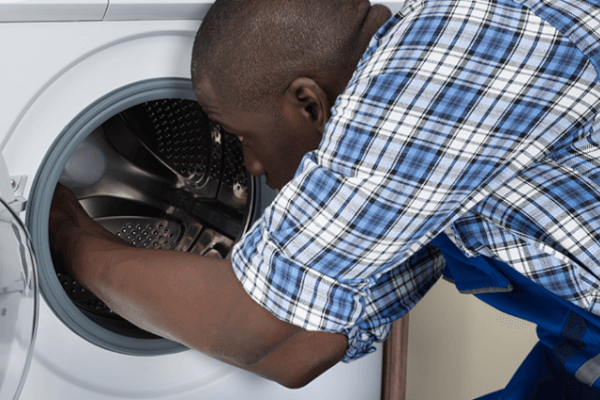
The drive belt turns the drum during wash and spin cycles. A worn or broken belt can stop the washer from starting. Open the washer’s back panel to see the belt around the motor and drum pulley.
Look for cracks, frays, or slack in the belt. Tighten or replace the belt if damaged. A good belt helps the washer spin and complete the cycle after sensing the load.
Advanced Diagnostic Procedures
Advanced diagnostic procedures help find the root cause of the Maytag Bravos washer stuck on sensing. These steps guide users through tests and resets that reveal hidden issues. Understanding these procedures can save time and prevent costly repairs.
Each method focuses on different ways to interact with the washer’s control system. These include using the dial, display menus, and special recalibration cycles. Follow the instructions carefully for accurate results and safe handling.
Using The Dial For Diagnostics
The dial on the Maytag Bravos washer can start special diagnostic modes. Turn the dial to specific settings following the manual instructions. This activates self-tests that check sensors and motors.
Watch the washer’s lights and sounds during the test. They provide clues about errors. Record any error codes shown. These codes help identify the problem quickly.
Navigating Display Screen Menus
The display screen on newer models offers a menu for diagnostics. Use the buttons to scroll through options. Select diagnostics or error history to see stored information.
Follow on-screen prompts to run tests. The screen shows step-by-step instructions. It also confirms if the washer components respond correctly.
Running Recalibration Cycles
Recalibration cycles reset sensors and motors to their default settings. This can fix sensing errors caused by misalignment or glitches. Start the recalibration through the dial or display menu.
Allow the cycle to complete without interruption. It may take several minutes. After recalibration, test the washer with a normal load to ensure the issue is resolved.
Credit: excellenceappliancerepair.com
When To Call A Technician
Knowing when to call a technician for your Maytag Bravos washer stuck on sensing saves time and frustration. Some issues need expert skills and tools. Trying to fix complex problems alone may cause more damage. Hiring a professional ensures a safe and proper repair. Below are signs that show it is time to get help.
Persistent Sensing Mode Problems
If your washer stays in sensing mode for a very long time, it signals a deeper problem. Resetting and simple fixes might not work. This could mean the machine’s sensors or software have issues. A technician can test these parts with specialized tools. They find hidden faults that are hard to spot. Continued sensing mode problems need expert attention to avoid further damage.
Control Board And Internal Issues
Control board problems cause strange washer behavior, including sensing mode errors. These electronic parts control the washer’s functions. Faulty wiring, burned components, or moisture damage can stop the board from working right. Internal mechanical parts like motors or pumps might also fail. A technician can open the washer safely, inspect internal parts, and replace damaged components. Handling control board and inside issues requires skill to prevent risks and fix the root cause.
Preventive Maintenance Tips
Preventive maintenance helps keep your Maytag Bravos washer running smoothly. It lowers the chance of the washer getting stuck on sensing. Simple, regular care can save you time and money. Follow these tips to avoid common issues and extend your washer’s life.
Regular Cleaning
Clean the washer drum regularly to remove dirt and detergent buildup. Wipe the door seal to prevent mold and mildew. Clean the detergent dispenser to stop clogs that affect sensing. Run a monthly cleaning cycle with washing machine cleaner or vinegar. This keeps sensors and parts free from residue.
Routine Component Checks
Check the drain pump and hoses for blockages or damage. Inspect the lid lock switch to ensure it works properly. Look over the drive belt for wear or breaks. Tighten loose connections and replace worn parts quickly. Routine checks prevent errors that cause the washer to stall in sensing mode.
Avoiding Common Mistakes
Do not overload the washer with too many clothes. Overloading can confuse the sensor and stop the cycle. Use the correct amount of detergent to avoid excess suds. Avoid using harsh chemicals that can damage sensors. Always close the lid fully before starting the wash. These simple steps help the washer sense load size correctly and work smoothly.
Frequently Asked Questions
How Do You Reset A Maytag Washer Stuck On Sensing?
Unplug the Maytag washer for 1-2 minutes, then plug it back in to reset. Check for clogs, lid lock issues, or a broken belt. For newer models, use the diagnostic dial sequence to reset and diagnose errors.
Why Is My Washer Stuck On Sensing Load?
Your washer may stay stuck on sensing due to clogged drain pumps, faulty lid lock switches, or broken drive belts. Unplug it for two minutes to reset. Run diagnostic or recalibration modes for your model. Check and clear blockages, inspect lid lock, and ensure the drive belt is intact.
How Do I Reset My Maytag Bravos Washer?
Unplug your Maytag Bravos washer for 1-2 minutes, then plug it back in to reset. For advanced reset, use the dial or display diagnostic sequence per your model instructions. Check for clogs, lid lock issues, or broken belts if problems persist.
Why Is My Maytag Dryer Stuck On Sensing Mode?
Your Maytag dryer may stay stuck on sensing mode due to a clogged drain pump, faulty lid lock, or broken drive belt. Unplug the dryer for 1-2 minutes to reset it. Run diagnostic mode or recalibrate as per your model’s instructions to fix the issue.
Why Is My Maytag Bravos Washer Stuck On Sensing Mode?
The washer may have a clogged drain, faulty lid lock, or a broken drive belt causing the issue.
Conclusion
Maytag Bravos washers stuck on sensing mode can feel frustrating. Simple steps like unplugging and checking the drain pump help most times. Inspect the lid lock and drive belt for any damage or blockages. Running the diagnostic mode often reveals deeper issues quickly.
Taking these actions can restore your washer’s normal cycle. Staying patient and methodical saves time and money. Keep your washer working smoothly with regular checks and timely fixes.