
Is your LG washer showing the frustrating “IE” error code? If so, you’re not alone—and more importantly, you don’t have to stress.
The IE code usually means your washer isn’t getting enough water, which can stop your laundry routine in its tracks. But before you rush to call a repair technician, there are simple steps you can take right now to fix the problem yourself.
You’ll discover easy-to-follow tips to identify what’s causing the IE error, how to check your water supply and hoses, clean filters, and when it might be time to seek professional help. Keep reading to get your LG washer back to working smoothly—and say goodbye to that stubborn IE code for good!

Credit: www.youtube.com
Causes Of Ie Code
Testing water pressure is an important step to fix the LG washer code IE. This error often means the washer is not getting enough water. Low water pressure can stop the machine from filling properly. This section helps you check water pressure at home and watch the water flow into the washer. These simple tests can save time and avoid costly repairs.
Check Household Water Pressure
Start by checking the water pressure in your home. Use a water pressure gauge on a nearby faucet. The ideal pressure for washers is between 20 and 120 psi. Low pressure can cause the IE error on your LG washer. If the pressure is low, check if other taps in the house have the same problem. Sometimes, the main water valve is partly closed. Open it fully to increase water flow. Also, check for leaks or blockages in your plumbing system.
Observe Water Flow Into Washer
Next, watch how water flows into your washer. Turn on the water taps connected to the washer. Look at the hoses for any weak flow or leaks. The water should flow steadily and strongly. Weak flow can mean clogged inlet filters or kinked hoses. Pull the washer out slightly and straighten the hoses. Remove and clean the small filters inside the hose connectors if dirty. Proper water flow ensures the washer fills quickly and avoids the IE error code.
Initial Checks
The IE error code on LG washers usually points to water supply issues. Preventing this problem helps keep your washer running smoothly. Simple care steps can stop the error from appearing again.
Following some easy preventive tips avoids costly repairs and saves time. Focus on water flow and machine upkeep for best results.
Regular Maintenance
Clean the water inlet filters regularly to remove dirt and debris. Check hoses for wear and replace them every few years. Wipe the door seal and drum to prevent mold and buildup. Keep the washer level to avoid stress on parts. Run a cleaning cycle monthly to clear detergent residue.
Using Proper Water Pressure
Ensure your home’s water pressure matches the washer’s requirements. Low pressure triggers the IE error code. High pressure may damage hoses and valves. Use a pressure regulator if needed. Open both hot and cold water taps fully before starting the wash.
Avoiding Hose Kinks
Check the water inlet hoses for bends or twists often. Kinks reduce water flow and cause the IE error. Keep hoses straight and free from sharp bends. Use hose guides or clips to secure them in place. Replace damaged or old hoses immediately to maintain good water supply.
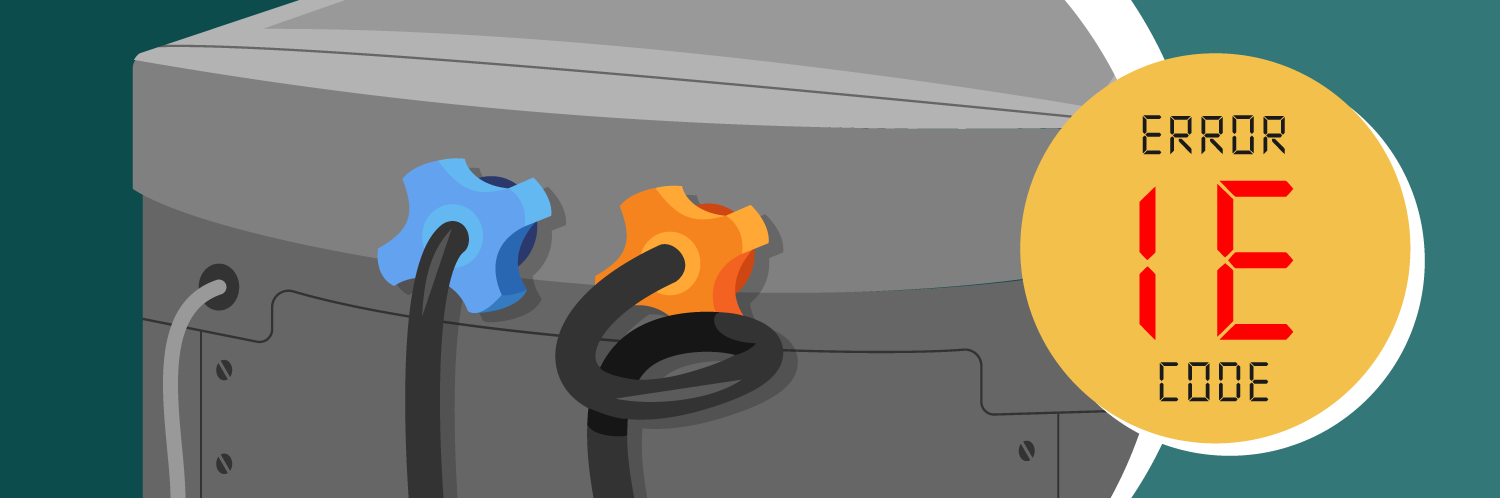
Credit: www.partselect.com
Frequently Asked Questions
How Do I Fix The Ie Error On My Lg Washer?
Check that water taps are fully open and hoses are not kinked. Clean inlet filters by unplugging, disconnecting hoses, and removing debris. Inspect water inlet valve and pressure sensor for faults. Replace parts if needed. Contact LG support or a technician if the IE error continues.
How To Fix 1e Error In Washing Machine?
Open water taps fully and straighten inlet hoses. Unplug machine, clean inlet filters carefully. Check water pressure and replace faulty inlet valve if needed. Inspect water level sensor or pressure switch. Contact a professional technician if error persists.
What Does Ie Mean On A Washing Machine?
IE on a washing machine means inadequate water supply. It indicates low water pressure, clogged filters, or valve issues. Check water taps, hoses, and clean inlet filters. If the error continues, the water inlet valve or pressure sensor might need replacement.
Contact a technician if needed.
Can I Fix An Ie Error Myself?
Yes, you can fix an IE error by checking water taps, straightening hoses, and cleaning inlet filters. If the error persists, replace the water inlet valve or contact a technician.
What Does Lg Washer Code Ie Mean?
The IE code means the washer is not filling with enough water.
Conclusion
The LG washer IE code means the machine has trouble filling with water. Check that water taps are fully open and hoses are straight. Clean the inlet filters to remove any dirt or debris. Make sure hoses are not old, kinked, or clogged.
If the error continues, inspect the water inlet valve and pressure switch. These steps usually fix the problem quickly. Keep your washer working well by doing simple maintenance often. This helps avoid future errors and keeps your laundry routine smooth.