
Is your KitchenAid dishwasher not working the way it should? Maybe it’s leaving your dishes dirty, not draining properly, or won’t even start.
You’re not alone—many KitchenAid owners face these frustrating issues. But don’t worry, you don’t need to call a repair service right away. With a few simple checks and fixes, you can troubleshoot common problems yourself and get your dishwasher back on track.
In this guide, you’ll discover easy steps to identify what’s wrong and how to fix it, saving you time and money. Keep reading to turn your dishwasher troubles into smooth, clean cycles again.
Credit: www.kitchenaid.ca
Common Cleaning Issues
KitchenAid dishwashers sometimes face cleaning problems that stop dishes from coming out spotless. These issues reduce the machine’s efficiency. Regular maintenance helps avoid these problems and keeps your dishwasher working well. Common cleaning problems often involve parts that get dirty or blocked during use. Understanding these parts helps fix the issues quickly and easily.
Clogged Spray Arms
Spray arms push water to clean dishes. Food bits and hard water can block their holes. Blocked spray arms stop water from spraying evenly. This leaves dishes dirty after a cycle. Remove the spray arms and rinse them with water. Use a toothpick to clear small holes. Regular cleaning keeps spray arms working properly.
Dirty Filters
Filters catch food scraps and dirt during washing. If filters get dirty, water cannot flow well. This causes poor cleaning and bad smells. Take out the filters and rinse them under running water. Use a soft brush to remove stuck debris. Clean filters at least once a month to keep your dishwasher fresh.
Blocked Water Jets
Water jets help spray water at high pressure. Dirt and mineral deposits can clog these jets. When blocked, water pressure drops and dishes stay dirty. Clean the jets with a needle or small brush. Check jets regularly to avoid build-up. Clear jets improve cleaning and save water.
Draining Problems
Draining problems in KitchenAid dishwashers can cause water to remain inside after a cycle. This issue affects the machine’s performance and can lead to unpleasant odors. Understanding the common causes helps fix the problem quickly and avoid damage.
Most draining problems occur due to blockages or part failures. Cleaning and checking key components often solves these issues. Below are the main reasons for drainage failure and how to address them.
Clogged Drain Hose
The drain hose carries water out of the dishwasher. Over time, food particles and debris can block this hose. A clogged hose stops water from draining properly.
To fix this, disconnect the hose and inspect it. Use a long brush or running water to clear any blockage. Make sure the hose is not kinked or bent, as this also restricts water flow.
Faulty Drain Pump
The drain pump pushes water out of the dishwasher. If the pump fails, water stays inside the machine. Signs of a bad pump include strange noises or no sound during draining.
Test the pump by running a drain cycle and listening closely. Replace the pump if it does not run or makes loud noises. A working drain pump is essential for proper drainage.
Drain Filter Blockage
The drain filter catches food particles before water exits. A blocked filter stops water flow and causes draining issues. Check the filter regularly and clean it to prevent clogs.
Remove the filter from the dishwasher bottom. Rinse it under running water and use a soft brush to remove stubborn debris. Keeping the filter clean improves drainage and dishwasher performance.
Leak Causes
Leaks in a KitchenAid dishwasher can cause water damage and disrupt cleaning cycles. Identifying the cause of leaks helps fix problems quickly. Several issues often lead to leaks, including door seal damage, cracked parts, and overloading effects.
Damaged Door Seals
The door seal keeps water inside during washing. If the seal is torn, cracked, or worn out, water can escape. Dirt and food particles can also damage the seal over time. Replacing or cleaning the door seal can stop leaks.
Cracked Components
Cracks in the dishwasher tub or spray arms allow water to leak out. Small cracks might start hidden but grow with use. Inspect the tub and parts regularly for damage. Replace any cracked component to prevent leaks and maintain efficiency.
Overloading Effects
Overloading the dishwasher blocks the door from closing tightly. Water leaks through gaps caused by poor sealing. Too many dishes also block spray arms, affecting cleaning. Load dishes properly and avoid overpacking to keep the dishwasher leak-free.
Control Panel Errors
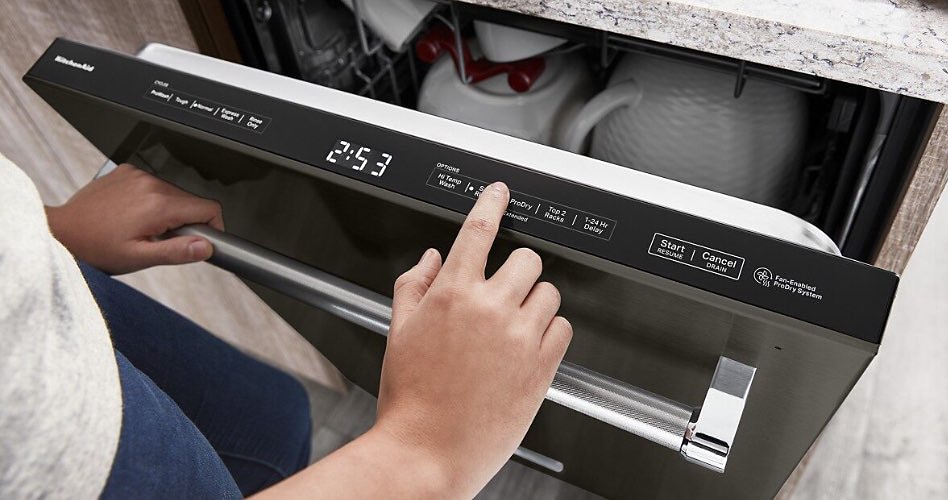
The control panel of your KitchenAid dishwasher acts as the main interface. It allows you to select cycles and monitor the appliance’s status. Control panel errors can stop the dishwasher from working properly. These errors often result from touchpad malfunctions, display issues, or problems with the control board. Knowing how to spot and fix these issues saves time and avoids costly repairs.
Touchpad Malfunctions
The touchpad controls all dishwasher functions. Dirt, moisture, or wear can cause it to stop responding. Sometimes, buttons may stick or not register your touch. Check if the touchpad feels sticky or unresponsive. Clean the surface gently with a soft cloth. Avoid using harsh chemicals that can damage the sensors. If the problem continues, the touchpad might need replacement.
Display Issues
The dishwasher display shows error codes and cycle progress. Dim, flickering, or blank displays make it hard to know what’s wrong. Loose wiring or a faulty display panel often cause these issues. Inspect the control panel for any visible damage or moisture. Resetting the dishwasher can sometimes fix display glitches. Persistent display problems usually require professional repair.
Resetting The Control Board
Resetting the control board can clear minor errors and glitches. To do this, turn off the dishwasher and unplug it from power. Wait for about five minutes to let the system reset. Plug it back in and turn it on. This simple step often restores normal function. If errors persist, the control board might be faulty and need replacement.
Starting And Stopping Issues
Starting and stopping issues with your KitchenAid dishwasher disrupt your cleaning routine. These problems often stem from simple mechanical or electrical faults. Identifying the cause helps restore your dishwasher’s normal function quickly. Below are common reasons why your dishwasher may not start or stop as expected.
Door Latch Problems
The dishwasher door must latch firmly to start. A loose or broken latch prevents the machine from running. Check if the door closes tightly without gaps. Inspect the latch for visible damage or wear. Replace the latch if it does not secure properly. A faulty door switch linked to the latch can also stop the dishwasher from starting. Test the switch with a multimeter and replace if needed.
Water Inlet Valve Faults
The water inlet valve controls water flow into the dishwasher. If it is clogged or defective, the dishwasher will fail to start or stop mid-cycle. Listen for a humming sound when the dishwasher tries to fill with water. A silent valve may indicate a failure. Inspect the valve screen for debris and clean it carefully. Replace the valve if it does not open or close properly during the cycle.
Float Switch Stuck
The float switch detects water levels inside the dishwasher. A stuck float switch stops the dishwasher from starting or causes it to stop unexpectedly. Check the float mechanism inside the tub for movement. Clean any dirt or debris blocking the float’s motion. Test the float switch with a multimeter for continuity. Replace the switch if it fails the test or remains stuck.

Credit: appliancegenie.ca
Routine Maintenance Tips
Routine maintenance keeps your KitchenAid dishwasher running smoothly. Small tasks prevent bigger problems. Regular care improves cleaning results and extends the machine’s life.
Cleaning Filters Regularly
Filters catch food particles and debris. Dirty filters block water flow. Remove the filter gently. Wash it with warm, soapy water. Rinse thoroughly before placing it back. Clean filters every few weeks for best results.
Inspecting Spray Arms
Spray arms distribute water during cycles. Clogged holes reduce cleaning power. Remove spray arms carefully. Check for blockages or build-up. Use a toothpick or brush to clear holes. Rinse under running water. Inspect spray arms monthly to keep water flowing.
Checking Door Seals
Door seals prevent leaks during washing. Dirt or damage can cause water to escape. Wipe seals with a damp cloth regularly. Look for cracks or tears. Replace seals if damaged. Proper seals ensure no water leaks and maintain efficiency.
Testing Key Components
Testing key components is a crucial step in fixing KitchenAid dishwasher issues. It helps identify the exact part causing trouble. This process saves time and avoids unnecessary repairs. You will learn how to check the water inlet valve, float switch, and control board. These parts often cause common dishwasher problems.
Water Inlet Valve Checks
The water inlet valve controls the flow of water into the dishwasher. Start by unplugging the machine for safety. Locate the valve near the bottom of the dishwasher. Use a multimeter to test for electrical continuity. No continuity means the valve is faulty and needs replacement. Also, check for any blockages or debris in the valve screen. Clean the screen if dirty to restore proper water flow.
Float Switch Testing
The float switch prevents the dishwasher from overfilling. Find the float inside the dishwasher tub. Lift the float gently and listen for a clicking sound. This click shows the switch is working. Test the switch with a multimeter for continuity as well. No click or no continuity means the float switch may be broken. Replace it to avoid water overflow or drainage issues.
Control Board Diagnostics
The control board manages the dishwasher’s functions. Check for any visible damage or burnt components on the board. Unplug the dishwasher before testing. Use a multimeter to test the board’s electrical parts. If the board fails these tests, it will need replacement. Sometimes, resetting the control board by unplugging the dishwasher for a few minutes helps fix minor errors.
Quick Fixes For Common Issues
Quick fixes can save time and avoid costly repairs. Most common KitchenAid dishwasher issues have simple solutions. These fixes often restore your dishwasher’s function fast. Try these steps before calling for professional help.
Clearing Blockages
Blockages often cause poor cleaning and draining. Start by removing the lower rack to access the spray arms and filter. Check spray arms for food debris or hard water buildup. Clean spray arms using a toothpick or soft brush to clear holes.
Remove and clean the filter under the spray arm. Rinse it under running water to clear trapped particles. Also, inspect the drain hose for kinks or clogs. Straighten the hose and flush it with water if needed. Clearing blockages improves water flow and cleaning.
Replacing Worn Seals
Worn or damaged door seals cause water leaks. Open the dishwasher door and inspect the rubber gasket around the edge. Look for cracks, tears, or flattening. Clean the gasket with warm soapy water to remove dirt or grime.
If the seal looks damaged, order a replacement gasket. Carefully remove the old seal from the groove and press the new one into place. Make sure it fits snugly for a tight door seal. A good seal stops leaks and maintains dishwasher pressure.
Resetting The Dishwasher
Resetting can fix minor electronic or control panel issues. First, turn off the dishwasher and unplug it from the power source. Wait for about five minutes to allow the system to reset. Plug it back in and turn the dishwasher on.
Resetting clears error codes and refreshes the control board. If the dishwasher still does not work correctly, try running a short cycle. This simple step often resolves issues like failure to start or stopping mid-cycle.
Preventing Future Problems
Preventing future problems with your KitchenAid dishwasher saves time and repair costs. Simple care steps keep your machine running smoothly. Regular attention helps avoid common issues like poor cleaning or draining problems. Follow these tips to extend your dishwasher’s life and maintain its performance.
Avoiding Overloading
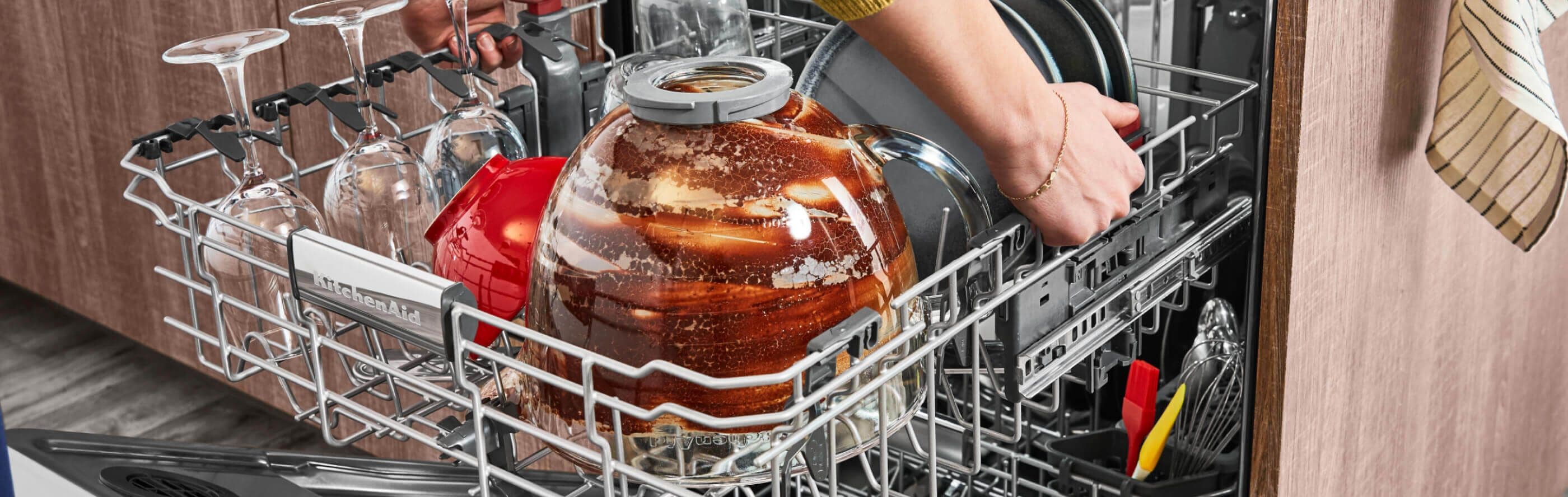
Do not overload your dishwasher. Overloading blocks water spray and reduces cleaning. Place dishes with enough space between them. Avoid stacking items too closely to improve water flow. Overloading can cause leaks by stopping the door from closing tightly. Load heavier items on the bottom rack and lighter ones on top.
Using Proper Detergents
Use detergents designed for dishwashers only. Avoid using regular dish soap as it creates excess suds. Choose detergents recommended by KitchenAid for best results. Follow the detergent manufacturer’s instructions for the right amount. Using too much detergent can leave residue on dishes and inside the machine.
Regular Inspections
Check your dishwasher regularly for any signs of wear or damage. Inspect spray arms for clogs or debris and clean them if needed. Look at the door seal for cracks or dirt buildup that can cause leaks. Clean the filter every few weeks to prevent blockages. Routine inspections catch small problems before they become major repairs.
Credit: www.kitchenaid.com
Frequently Asked Questions
What Is The Most Common Problem With The Kitchenaid Dishwasher?
The most common problem with KitchenAid dishwashers is poor cleaning caused by clogged spray arms or dirty filters. Blockages often lead to dirty dishes and drainage issues. Regularly cleaning filters and checking spray arms helps maintain performance and prevents leaks or cycle malfunctions.
Where Is The Reset Button On A Kitchenaid Dishwasher?
The reset button on a KitchenAid dishwasher is usually the “Cancel” or “Drain/Reset” button on the control panel. Press and hold it for three seconds to reset the dishwasher.
How Do I Run A Diagnostic On My Kitchenaid Dishwasher?
Press and hold the “Heated Dry” and “Normal” buttons for three seconds. The dishwasher enters diagnostic mode, displaying error codes. Use these codes to identify issues. Consult your manual to interpret them and follow recommended fixes.
Why Is My Kitchenaid Dishwasher Beeping And Flashing?
Your KitchenAid dishwasher beeps and flashes to signal errors like a door latch issue, clogged filter, or drainage problem. Check for blockages, ensure the door is closed properly, and clean filters to resolve the issue quickly.
Why Is My Kitchenaid Dishwasher Not Starting?
The door might be open or not latched properly. Check the latch and close the door firmly.
Conclusion
Troubleshooting your KitchenAid dishwasher can save time and money. Start by checking filters and spray arms for clogs. Make sure the door latches fully to avoid starting issues. Inspect hoses and pumps if the dishwasher won’t drain. Clean controls gently to prevent touchpad problems.
Regular maintenance keeps your dishwasher running smoothly. Small fixes often solve common problems quickly. Stay patient and follow simple steps for best results. Your KitchenAid dishwasher can work like new again with care.