
Is your Honeywell thermostat’s “Cool On” light blinking, but your air conditioner isn’t cooling your home? This common issue can be frustrating, especially when you rely on your AC to beat the Texas heat.
The blinking “Cool On” indicator usually means your system is trying to protect itself from damage, but it can also signal other problems that need your attention. You’ll discover simple reasons why this happens and easy steps you can take right now to fix it.
Whether it’s a dirty air filter, low batteries, or a system delay, we’ll guide you through what to check and when it’s time to call a professional. Keep reading to get your Honeywell thermostat and AC running smoothly again.
Cool On Blinking Meaning
The blinking “Cool On” light on your Honeywell thermostat signals a specific system status. It often shows that the air conditioner is in a temporary protective mode. This mode helps prevent damage to your AC unit by delaying the compressor’s start. Understanding this blinking light can help you know when your system is working normally or when it needs attention.
This blinking is not always a problem. It usually means the thermostat is waiting to protect the compressor from starting too soon. This delay ensures longer life and better performance of your AC system.
Protective Delay Mode
The “Cool On” blinking usually means the thermostat is in protective delay mode. This mode stops the compressor from starting immediately after the AC turns on. It prevents damage caused by frequent starts and stops. The delay lasts about 5 minutes. This short wait is normal and helps keep your system safe.
This mode often activates after a power outage or when you quickly switch the AC on and off. The thermostat waits to allow pressure to balance inside the system before the compressor runs again.
Common Causes
Several factors can cause the “Cool On” light to blink on your Honeywell thermostat. One common cause is a dirty air filter. A clogged filter limits airflow and can cause the system to overheat, triggering the delay. Check and replace the filter regularly to avoid this issue.
Low thermostat batteries can also cause blinking. Weak batteries may disrupt communication between the thermostat and the AC unit. Replace batteries when you see warnings or if the blinking persists.
Incorrect thermostat settings may cause confusion. A power surge can reset the thermostat to wrong settings. Make sure the system is set to “cool” and the temperature is below room temperature.
If the blinking continues, a deeper system issue might exist. In this case, contact a professional HVAC technician to inspect and fix the problem.
Delay Mode Details
The Honeywell thermostat’s “Cool On” blinking often signals the delay mode is active. This mode protects the air conditioner’s compressor from damage. It pauses system operation briefly before restarting the cooling cycle. Understanding delay mode helps you know if your system works normally or needs attention.
Power Outage Effects
A power outage can trigger delay mode on your Honeywell thermostat. When power returns, the thermostat pauses the cooling system. This pause avoids sudden compressor starts that can cause damage. The delay usually lasts a few minutes. During this time, the “Cool On” light may blink. It means the system is protecting itself and will start soon.
Rapid On-off Cycling
Turning your AC on and off quickly causes rapid cycling. The thermostat activates delay mode to stop this. Rapid cycling can harm the compressor by stressing it. Delay mode creates a necessary break between cycles. This pause stops damage and extends your AC’s life. If “Cool On” blinks often, avoid switching the system too fast.
Air Filter Issues
A dirty air filter often causes the Honeywell thermostat’s “Cool On” light to blink. The filter traps dust and debris but can get clogged over time. This limits airflow and affects the cooling system.
Reduced airflow makes the air conditioner work harder than usual. The system may overheat and trigger a protective delay mode. This delay causes the “Cool On” indicator to blink on the thermostat.
Impact Of Dirty Filters
Dirty filters block air from flowing freely through the HVAC system. This reduces cooling efficiency and raises energy bills. The air conditioner may shut down to prevent damage. Blinking “Cool On” light signals this protective action.
A clogged filter also harms indoor air quality. Dust and allergens build up, causing discomfort or health issues. Keeping the filter clean helps the system run smoothly and keeps the air fresh.
Replacing The Air Filter
Check your air filter regularly to avoid problems. Replacement depends on usage and filter type, but usually every 1 to 3 months is best. Turn off the system before replacing the filter for safety.
Remove the old filter carefully. Insert a new filter matching the size and rating. Make sure it faces the right direction for airflow. After replacement, the system should run without blinking “Cool On.”
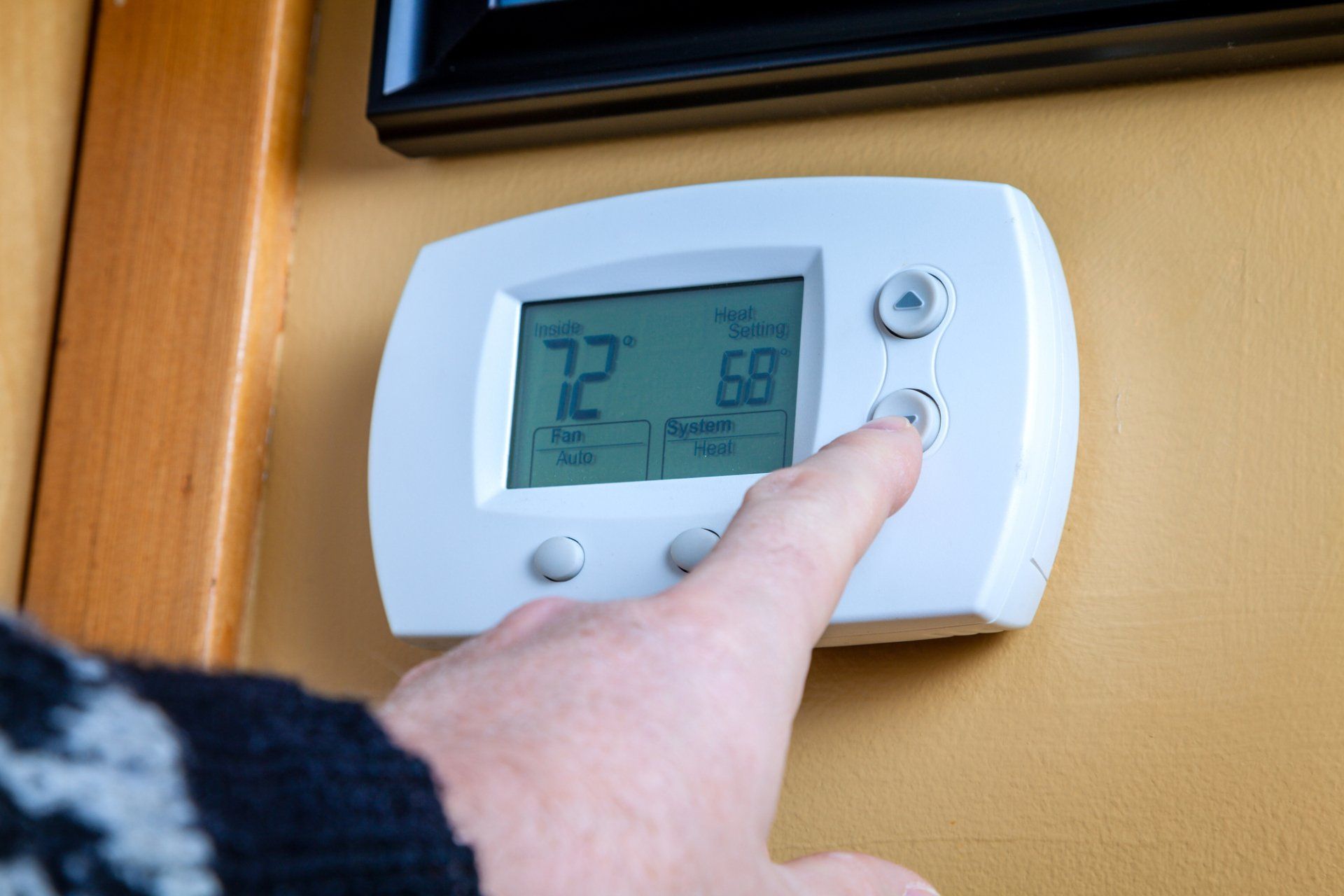
Credit: scala-santa.com
Battery Troubleshooting
Battery issues often cause the Honeywell thermostat’s “Cool On” light to blink. Checking and fixing battery problems can solve this quickly. Batteries power the thermostat’s display and controls. Low or dead batteries may stop the thermostat from working properly. This section helps spot battery problems and replace batteries safely.
Low Battery Symptoms
The thermostat may show unusual behavior when batteries are low. Blinking “Cool On” light is a common sign. The display might dim or turn off completely. Temperature settings may not respond or save correctly. The thermostat may turn off unexpectedly. These issues mean it is time to check the batteries.
Replacing Thermostat Batteries
Turn off the thermostat before changing batteries. Open the battery compartment, usually at the back or bottom. Remove old batteries carefully. Insert new batteries in the correct direction. Use fresh batteries recommended by Honeywell. Close the compartment securely. Turn the thermostat back on and check if blinking stops. Replace batteries every 6 to 12 months to avoid problems.
Thermostat Settings Check
Checking your Honeywell thermostat settings helps solve the blinking “Cool On” issue. Sometimes, the thermostat resets after power surges or shows incorrect settings. Verifying the temperature and mode can stop the blinking and restore normal function.
Start by reviewing the thermostat’s current settings carefully. This simple step often fixes minor glitches without needing extra tools.
Reset After Power Surge
Power surges can reset your thermostat to default settings. This reset may cause the “Cool On” light to blink. You need to reset the thermostat manually to fix this. Locate the reset button or remove batteries for a few seconds. After resetting, check that the time and date are correct. Set the system mode back to “Cool” and adjust the temperature.
Adjusting Temperature And Mode
The blinking “Cool On” often means the thermostat mode or temperature is wrong. Ensure the thermostat is set to “Cool” mode, not “Heat” or “Off.” Set the temperature lower than the current room temperature. If the temperature is too high, the AC will not turn on. Use the up and down arrows to adjust the temperature. Confirm that the fan is set to “Auto” for best results.
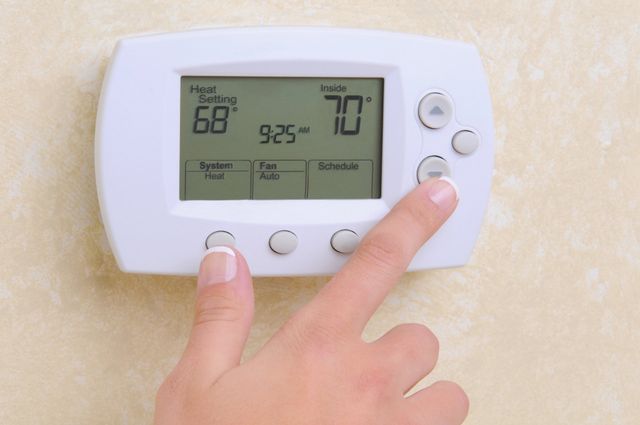
Credit: gerege.com
System Problems To Watch
Watching for system problems is important when your Honeywell thermostat shows the cool on blinking light. This blinking often signals that the cooling system has a fault. Early detection helps avoid bigger damage and costly repairs.
Check the system carefully for common issues. Some problems are simple to fix. Others may need a technician’s help. Knowing what to watch can save time and money.
Frozen Coil Concerns
Frozen coils reduce airflow and stop proper cooling. Ice forms on the evaporator coil when air cannot flow freely. This can cause the thermostat to blink cool on. Dirt or a dirty filter often causes this. Turn off the system and allow the ice to melt. Clean or replace filters regularly to prevent freezing.
Low Refrigerant Signs
Low refrigerant causes the system to work harder. The thermostat may blink cool on as a warning. Look for weak cooling or longer run times. Low refrigerant can also lead to frozen coils. Only a licensed technician should recharge refrigerant. Do not ignore these signs.
Failing Components
Failing parts cause many thermostat problems. The compressor, fan motor, or sensors may fail. This leads to the blinking cool on light. You might hear strange noises or notice the system stops working. Regular maintenance checks can catch these issues early. Replace broken parts quickly to restore proper function.
When To Call A Technician
Knowing when to call a technician for your Honeywell thermostat blinking “Cool On” is important. Some blinking issues resolve quickly with simple fixes. Other times, the problem may signal deeper system troubles. Calling a professional ensures proper diagnosis and repair. This keeps your air conditioner running smoothly and prevents further damage.
Persistent Blinking Issues
If the “Cool On” light keeps blinking despite basic checks, it signals a persistent problem. Replacing batteries or resetting settings may not stop the blinking. The air filter may be clean, and power outages are not recent. Continuous blinking can mean a system fault or wiring issue. Avoid guessing or forcing the thermostat to work.
Persistent blinking can also point to compressor or control board problems. These parts need expert handling. Ignoring the issue may lead to costly repairs or system failure. Timely professional help can save money and extend equipment life.
Professional Diagnostic Steps
A technician uses specialized tools to test your HVAC system. They check thermostat wiring, voltage, and sensor signals. The technician inspects the compressor and fan operation. They also test the control board for faults.
Advanced diagnostics identify hidden issues that simple troubleshooting misses. The technician can then recommend precise repairs or part replacements. After repair, they verify that the thermostat stops blinking and cool mode works well. Calling a professional ensures safety and restores comfort fast.

Credit: www.youtube.com
Resetting Your Honeywell Thermostat
Resetting your Honeywell thermostat can often clear the blinking “Cool On” light and restore normal function. This step is useful when the thermostat gets stuck in a protective delay or faces minor glitches. Resetting helps the device to start fresh without lingering errors.
There are two main ways to reset your Honeywell thermostat. You can perform a manual reset by handling the device directly. Alternatively, you can reset it through the thermostat’s interface. Both methods are simple and quick.
Manual Reset Steps
First, turn off the thermostat by switching it to the “Off” position. Next, remove the thermostat from its wall plate carefully. Look for the reset button or locate the battery compartment. Take out the batteries and wait for about one minute. Reinsert the batteries and place the thermostat back on the wall plate. Finally, turn the thermostat back on and check if the blinking stops.
Using The Thermostat Interface
Start by pressing the “Menu” button on the thermostat screen. Scroll to the “Reset” option using the arrow keys. Select the “Reset” option and confirm your choice. The thermostat will restart and clear any temporary errors. After the reset, set your preferences again, like temperature and mode. This method works well for digital models with touch screens or buttons.
Preventive Maintenance Tips
Preventive maintenance helps keep your Honeywell thermostat and AC system working well. Small checks and routine care stop issues before they start. This saves money and extends your system’s life. Follow these simple tips to avoid the “Cool On” blinking problem and keep your home comfortable.
Regular Filter Checks
Check your air filter every month. A dirty filter blocks airflow and stresses the system. This can cause the thermostat to blink “Cool On.” Replace the filter if it looks dusty or clogged. Clean filters help your AC run smoothly and use less energy.
Battery Replacement Schedule
Replace thermostat batteries twice a year or when low battery alerts appear. Weak batteries cause communication errors between the thermostat and AC unit. Fresh batteries keep the display clear and the system responsive. Always use the recommended battery type for best results.
System Inspection
Have a professional inspect your HVAC system yearly. They check electrical connections, refrigerant levels, and overall system health. Early detection of issues prevents costly repairs and unexpected breakdowns. A well-maintained system reduces blinking errors on your thermostat.
Frequently Asked Questions
Why Is The Cool Setting On My Thermostat Blinking?
The blinking cool setting means the thermostat is in protective delay mode, preventing compressor damage. Check air filters, batteries, and settings. If blinking persists, call an HVAC technician to inspect your AC system.
How Do I Reset My Honeywell Thermostat To Cool On?
To reset your Honeywell thermostat to cool on, set mode to “Cool,” lower the temperature below room level, and restart the unit. Check batteries and replace if low. Replace dirty air filters and wait for any delay mode to end.
Call HVAC if blinking persists.
Why Is My Honeywell Thermostat Not Kicking On The Ac?
Your Honeywell thermostat may not kick on the AC due to delay mode, dirty air filter, low batteries, incorrect settings, or system issues. Check and replace the air filter, ensure correct settings, and replace batteries. Persistent problems need a professional HVAC technician’s help.
Why Is My Thermostat Showing Cool On But Not Cooling?
Your thermostat shows “cool on” but doesn’t cool due to delay mode, dirty filters, low batteries, or AC system issues. Check filters and batteries first. If problem persists, call an HVAC professional to inspect for frozen coils, low refrigerant, or faulty components.
Why Is My Honeywell Thermostat Blinking “cool On”?
Blinking “Cool On” means the AC is in a delay mode to protect the compressor from damage.
Conclusion
The blinking “Cool On” light on your Honeywell thermostat often signals a delay to protect your AC. Check the air filter and replace it if dirty. Make sure the thermostat batteries are fresh and settings correct. If blinking continues, the AC might have a deeper issue.
Calling an HVAC expert can help find and fix the problem fast. Regular maintenance keeps your system working well and your home comfortable. Stay calm—most problems have simple solutions.