
If you rely on Widex hearing aids, a working charger is essential. But what if your Widex charger suddenly stops working? This can be frustrating and stressful, especially if you need your hearing aids every day. Many users don’t know where to start when troubleshooting. This guide will help you understand the main reasons why your Widex charger might not work, how to fix common problems, and what to do if you need professional help. You’ll also find expert tips and answers to the most frequent questions about Widex charger issues.
Understanding How A Widex Charger Works
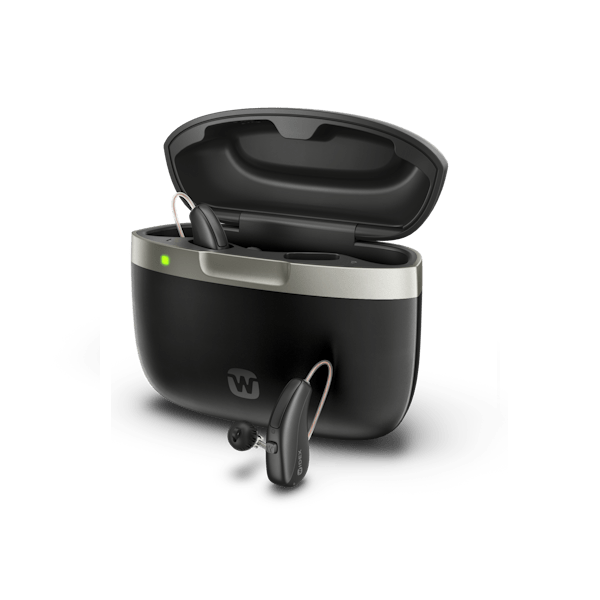
Before you try to solve a problem, it helps to know how your Widex charger functions. Widex manufactures several models of hearing aid chargers, but most work in a similar way. The charger supplies a steady, safe current to the rechargeable batteries inside your hearing aids. It usually has indicator lights to show charging status and errors.
Basic Widex charger features:
- Charging slots for each hearing aid
- LED indicators to show battery or charger status
- Power cord that connects to a wall outlet
- Microprocessor to control and monitor charging
Widex chargers use smart technology to prevent overcharging and overheating. They are designed for safety and long battery life. Still, like any electronic device, they can develop issues.
Common Reasons Why Your Widex Charger Is Not Working
There are many possible causes for a Widex charger not working. Some are simple, while others are more technical. Here’s a breakdown of the most common reasons:
1. Power Supply Problems
If your charger isn’t getting power, it won’t work. This could be due to a faulty outlet, a loose power cord, or a broken adapter.
2. Charger Damage
Dropping the charger or spilling liquid can damage internal components. Even small cracks can cause problems.
3. Dirty Charging Contacts
Dirt, earwax, or dust on the metal contacts can stop electricity from flowing correctly between the charger and hearing aids.
4. Hearing Aid Battery Issues
If the batteries in your hearing aids have reached the end of their lifespan, they may not charge even if the charger is fine.
5. Software Or Firmware Errors
Some advanced Widex chargers have microchips and may need a reset or software update.
6. Overheating
Placing the charger in a hot spot or covering it can make it overheat and stop working until it cools down.
7. Faulty Cables Or Accessories
Using the wrong cable or a damaged accessory can prevent charging.
8. Incorrect Hearing Aid Placement
If the hearing aids are not sitting correctly in the charger slots, charging will not start.
9. Indicator Light Confusion
Sometimes, users misread the LED lights, thinking the charger is not working when it’s actually functioning as intended.
Step-by-step Troubleshooting Guide
When your Widex charger stops working, it’s important to follow a clear, logical troubleshooting process. Here is a practical guide to help you find and fix the problem:
1. Check The Power Source
Start by making sure the charger is plugged into a working outlet.
- Try plugging another device (like a phone charger) into the same outlet.
- Make sure the charger’s power cord is fully inserted into both the charger and the wall.
- Look for damage on the cord or adapter.
2. Inspect The Charger For Physical Damage
Carefully examine your charger for:
- Cracks or breaks in the casing
- Signs of liquid damage (like corrosion or sticky residue)
- Damaged or bent charging pins
If you see serious damage, stop using the charger immediately.
3. Clean The Charging Contacts
Dirty or blocked contacts are a very common cause of charging problems.
- Use a dry, soft brush or a cotton swab to gently clean the metal contacts on both the charger and hearing aids.
- Never use water or cleaning chemicals.
4. Check The Hearing Aid Placement
Make sure your hearing aids are correctly seated in the charger:
- The hearing aid should click or fit snugly into the slot.
- The LED indicator should change when the hearing aid is placed.
5. Review The Indicator Lights
Widex chargers use different LED patterns to show status. Check your user manual for the exact meanings.
Typical indicator light meanings:
- Solid green: Charging complete
- Flashing green: Charging in progress
- Flashing red: Error or problem detected
If you see a red or unusual light, consult the manual or contact support.
6. Test With A Different Power Cable Or Adapter
If possible, try using a different power cable and adapter that are compatible with your Widex charger. Sometimes, the cable is the problem, not the charger.
7. Let The Charger Cool Down
If the charger feels hot, unplug it and let it cool for 30 minutes before trying again. Overheating can cause temporary shutdowns for safety.
8. Try A Reset (if Applicable)
Some Widex chargers have a reset button or a reset process. Check your manual to see if this is possible for your model.
9. Test With Another Hearing Aid
If you have a second set of hearing aids, try charging them. If one set charges but the other doesn’t, the problem may be with the hearing aids, not the charger.
10. Contact Widex Support
If none of these steps work, reach out to Widex support or your hearing aid provider for help. Do not try to open or repair the charger yourself.
Comparing Widex Charger Models And Features
Widex offers several charger models for their different hearing aids. Here’s a comparison of some popular Widex charger types:
| Charger Model | Compatible Hearing Aids | Charging Time | LED Indicators | Reset Option |
|---|---|---|---|---|
| Widex Standard Charger | Widex Moment RIC | 4 hours (full) | Yes | No |
| Widex Charge n Clean | Widex Moment RIC, BTE | 4 hours (full) | Yes | Yes |
| Widex Portable Charger | Widex Moment miniRIC | 4 hours (full) | Yes | No |
Some features, like the reset button and cleaning function, are only available on higher-end models.
Detailed Solutions To Specific Widex Charger Problems
Let’s look closer at solutions for the most common specific issues.
Charger Has No Power Or Won’t Turn On
- Check every connection: Make sure all cables are plugged in firmly.
- Try another outlet: Sometimes, outlets stop working.
- Inspect for damage: Look for frayed wires or bent plugs.
- Use the original power adapter: Third-party adapters may not supply the right voltage.
Non-obvious tip: Sometimes, surge protectors or extension cords can interfere with the charger. Plug directly into the wall if possible.
Charger Lights Are Flashing Red
A flashing red light usually signals a problem.
- Remove the hearing aids and reinsert them.
- Clean all contacts before trying again.
- Check the user manual for the meaning of the red light pattern.
If the light stays red, unplug the charger for a few minutes, then try again.
Hearing Aids Do Not Charge Fully
- Check battery age: Rechargeable batteries lose capacity over time (usually after 2-3 years).
- Confirm the aids are seated properly.
- Clean contacts as dirt can reduce charging efficiency.
- Try a different charger (if available) to rule out charger vs battery problem.
Non-obvious insight: If your hearing aids are very cold or hot, battery chemistry can be affected. Try to charge at room temperature.
Charger Overheats
- Place the charger on a hard, flat surface with good airflow.
- Keep it away from heat sources and direct sunlight.
- If it feels hot often, it may be defective.
Charger Only Works Sometimes
- Test with different power outlets and cables.
- Move the charger to a different room to rule out electrical interference.
- Check for loose connectors inside the charging port.
If the problem is random and frequent, the internal board may be failing.
Avoiding Common Mistakes When Using Widex Chargers
Many Widex charger problems are caused by simple mistakes. Here’s how to avoid them:
- Never force hearing aids into the charger. If they don’t fit easily, check alignment.
- Don’t use water or alcohol to clean contacts. Moisture can cause corrosion.
- Always use the original Widex power adapter. Other adapters may damage the charger.
- Keep the charger dry. Spilled drinks or high humidity can ruin electronics.
- Don’t cover the charger while in use. It needs airflow to prevent overheating.
- Store hearing aids and charger in a cool, dry place when not in use.
- Don’t ignore warning lights. Red or blinking lights mean something needs attention.
Credit: www.amazon.com
When To Replace Your Widex Charger
Even with care, chargers don’t last forever. Here’s how to know it’s time for a replacement:
- The charger does not turn on, even with working outlets and cables.
- The indicator lights do not work at all.
- The charger becomes very hot or makes a burning smell.
- Repeated errors or random shutdowns happen.
- The charger is physically damaged.
Widex chargers usually last between 3 and 5 years with normal use. If your charger is older than this, consider buying a new one.
How To Choose The Right Replacement Charger
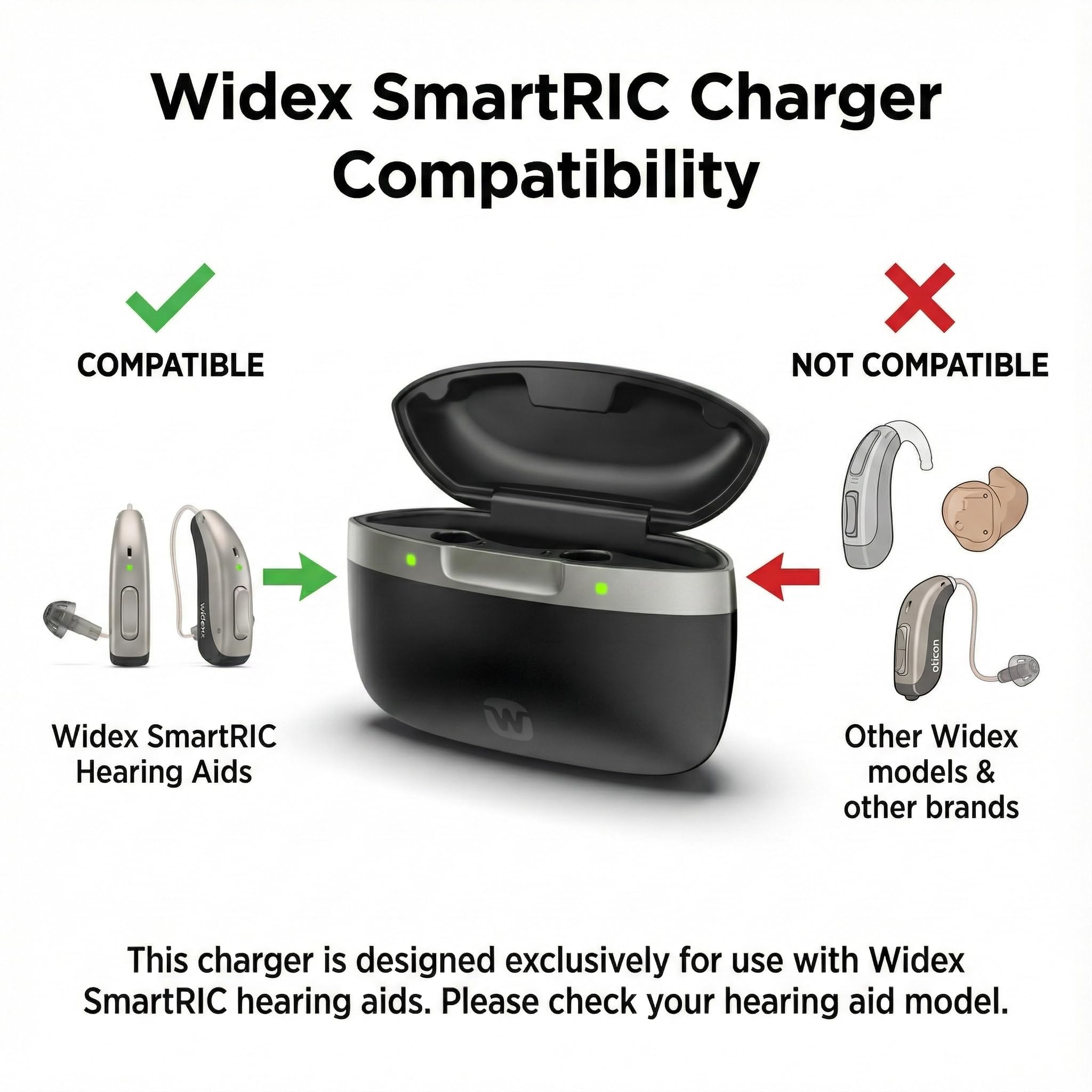
Not all Widex chargers work with all hearing aids. Check these factors before buying a replacement:
| Hearing Aid Model | Compatible Chargers | Special Features |
|---|---|---|
| Widex Moment RIC | Standard, Charge n Clean | Fast charging, cleaning |
| Widex Moment BTE | Charge n Clean | Cleaning function |
| Widex Moment miniRIC | Portable, Standard | Travel-friendly |
Tips for buying the right charger:
- Check your hearing aid’s exact model number.
- Buy from an authorized Widex dealer or your hearing care provider.
- Avoid buying used chargers online; internal damage is hard to see.
Credit: www.widex.com
How To Care For Your Widex Charger
Proper care will help your charger last longer and work better. Here’s what you should do:
- Clean the contacts once a week with a dry brush.
- Store the charger in a cool, dry place.
- Unplug the charger if you won’t use it for a long time.
- Avoid wrapping the cord tightly, as this can break wires inside.
- Check for dust or pet hair in the charging slots regularly.
Non-obvious tip: Traveling? Use a carrying case to protect both the charger and your hearing aids from bumps and dirt.
Advanced Tips For Troubleshooting
Sometimes, problems are not obvious. Here are advanced troubleshooting steps:
1. Check For Software Updates
Some Widex hearing aids and chargers can be updated by your provider. If your charger is new but not working, ask about updates.
2. Look For Electrical Interference
Strong magnets, Wi-Fi routers, or even some cordless phones can cause electronic issues. Move the charger to a different location if you notice problems near such devices.
3. Try A Different Room Or Building
Rarely, house wiring problems can affect sensitive electronics like hearing aid chargers.
4. Use A Surge Protector
Spikes in electricity can damage chargers. A quality surge protector can help prevent this.
When To Contact Professional Support
If you’ve tried all steps above and your Widex charger is still not working, it’s time to get help. Here’s what to expect:
- Contact your hearing care professional or Widex support: They may ask for your charger’s serial number and purchase date.
- Describe the problem clearly: Note any error lights, noises, or smells.
- Bring both the charger and hearing aids to your appointment.
- Ask about warranty: Widex chargers typically have a 1-2 year warranty.
For more details, you can visit the official Widex support page.
How Widex Chargers Compare To Other Brands
How does Widex stack up against other hearing aid chargers? Here’s a quick comparison:
| Brand | Charging Time | Indicator Lights | Cleaning Function | Average Lifespan |
|---|---|---|---|---|
| Widex | 4 hours | Yes | Available | 3-5 years |
| Phonak | 3 hours | Yes | No | 3-4 years |
| Oticon | 3 hours | Yes | No | 3-5 years |
| ReSound | 3 hours | Yes | No | 3-4 years |
Widex chargers are competitive in charging speed and features, especially with cleaning options on premium models.
Real-world Examples: User Experiences With Widex Chargers
Case 1:
Maria noticed her Widex charger’s light was blinking red. She cleaned the contacts and checked the cord, but the problem continued. After calling her provider, she learned her hearing aid batteries needed replacement, not the charger.
Case 2:
John’s charger would not power on after a thunderstorm. His provider discovered that a power surge had damaged the charger. Using a surge protector could have prevented this.
Case 3:
Linda found that the charger worked at home but not while traveling. She realized her travel adapter didn’t supply enough power for the Widex charger. Using the official adapter fixed the issue.
These stories highlight why careful troubleshooting and correct accessories matter.
Frequently Asked Questions
Why Is My Widex Charger’s Light Blinking Red?
A blinking red light usually means an error has occurred. This could be due to dirty contacts, hearing aids not being seated properly, or a problem with the charger itself. Remove the hearing aids, clean the contacts, and try again. If the red light remains, contact Widex support.
How Long Does It Take To Fully Charge My Widex Hearing Aids?
Most Widex chargers need about 4 hours to fully charge hearing aids from empty. Some models offer a quick charge feature, giving several hours of use with just 30 minutes of charging.
Can I Use A Different Brand’s Charger With My Widex Hearing Aids?
No, you should only use Widex chargers with Widex hearing aids. Other chargers may not provide the correct voltage or fit, which can damage your hearing aids or cause safety issues.
What Should I Do If My Widex Charger Gets Wet?
Unplug the charger immediately and dry it with a soft cloth. Do not use it again until it is completely dry. If it does not work after drying, or if you smell burning, contact your hearing care professional.
How Often Should I Clean My Widex Charger?
Clean the charging contacts once a week with a dry, soft brush. Keeping the contacts clean helps ensure reliable charging and extends both charger and hearing aid life.
If your Widex charger is not working, don’t panic. Start with simple checks and cleaning, and follow the troubleshooting steps in this guide. With careful use and the right accessories, your Widex charger can provide years of reliable service. If problems continue, professional support is always available to help you get back to clear, comfortable hearing.

Credit: www.widexpro.com