
Is your Whirlpool washer showing the stubborn “LF” code and leaving your laundry unfinished? You’re not alone—and the good news is, you don’t have to be a repair expert to fix it.
The “LF” error stands for “Long Fill,” meaning your washer isn’t filling with water as it should. This can be frustrating, especially when you need clean clothes fast. But before you call a technician or consider replacing your machine, there are simple checks and fixes you can try right now.
You’ll discover easy-to-follow steps to diagnose and resolve the LF code, saving you time, hassle, and money. Keep reading, and you’ll have your Whirlpool washer back to normal in no time!
Lf Code Meaning
The LF code on a Whirlpool washer signals a long fill issue, meaning water isn’t entering properly. It often points to water supply problems, clogged inlet filters, or a faulty valve. Checking hoses and water flow usually helps fix this error quickly.
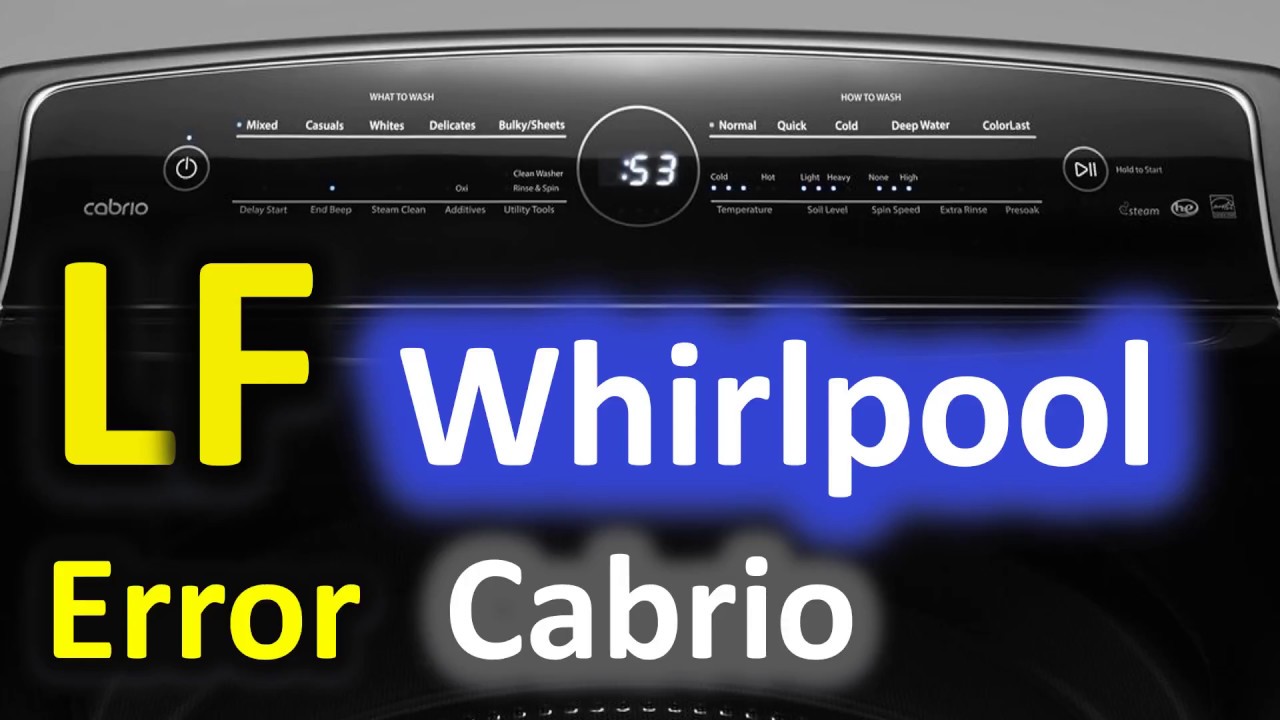
The LF code on a Whirlpool washer stands for “Long Fill.”
This code appears when the washer takes too long to fill with water.
The machine expects a certain water level within a set time.
If water does not reach that level, the LF error shows up.
This helps users know the washer has a filling problem.
What Causes The Lf Code?
The most common cause is low water flow to the washer.
Closed or partially open water valves stop enough water from entering.
Kinked or bent hoses reduce water flow and trigger the error.
Dirty or clogged inlet valve filters block water from flowing freely.
A faulty water inlet valve or water level sensor can also cause the issue.
How To Check Water Supply
First, ensure both hot and cold water valves are fully open.
Next, look at the hoses behind the washer for any bends or kinks.
Remove hoses if needed to inspect and clean the inlet valve filters.
Clear any debris or mineral buildup with a soft brush and mild soap.
Drain Hose And Installation Issues
An incorrect drain hose position can cause the LF error.
If the drain hose is too deep, water may siphon out during filling.
Do not seal the drain hose tightly; leave a small gap for air.
Check the drain hose height to avoid water draining too early.
Credit: www.youtube.com
Check Water Supply
The LF code on your Whirlpool washer signals a water fill issue. Checking the water supply is the first step to fix this. Water must flow freely to the washer for proper operation.
Problems often start with the water valves or supply hoses. Confirming these parts work well helps solve the LF error quickly.
Verify Water Valves
Check that both hot and cold water valves are fully open. Valves closed halfway or more reduce water flow. This can trigger the LF code.
Turn the valves counterclockwise to open them completely. Listen for water flowing when the washer tries to fill.
Sometimes valves may be faulty or clogged. Replace them if water flow seems weak despite being open.
Inspect Supply Hoses
Look at the hoses connecting your washer to the water supply. Hoses bent or kinked block water flow. Straighten any bends or replace damaged hoses.
Disconnect hoses from the washer and check for blockages inside. Clean any dirt or debris found in the hose ends.
Ensure hoses are firmly attached and not leaking. Loose connections reduce water pressure and cause errors.
Clean Water Inlet Filters
Clean water inlet filters play a crucial role in the proper functioning of your Whirlpool washer. These filters prevent dirt, rust, and other debris from entering the machine through the water supply. Over time, the filters can become clogged, causing the washer to display the LF code, which means a long fill or slow water filling issue. Keeping these filters clean ensures smooth water flow and prevents error codes from appearing.
Regular maintenance of the water inlet filters helps avoid costly repairs. Cleaning is simple and can restore your washer’s normal operation quickly. Follow the steps below to handle the filters safely and effectively.
Turn Off Water
Start by shutting off the water supply to your washer. Locate the water valves on the wall behind the machine and turn them clockwise until fully closed. This step prevents water from spilling when you disconnect the hoses. Safety first.
Remove And Clean Screens
Next, detach the water hoses from the back of the washer. Inside the hose ends, you will see small mesh screens. These screens catch debris before water enters the washer. Carefully remove any dirt or buildup using a soft brush or cloth. Mild soap and water work well for cleaning. Rinse thoroughly and reattach the hoses securely. This clears blockages that cause the LF code.
Drain Hose Setup
The drain hose setup plays a key role in preventing the Whirlpool washer LF code. This code often appears when the washer does not fill properly with water. A wrong drain hose setup can cause water to drain out as the tub tries to fill. Proper installation stops this issue and helps the washer work smoothly.
Setting the drain hose right is simple but important. The hose must be at the correct height and position. It should allow water to flow out without any blockages or backflow. Careful attention to these details can prevent the LF error from showing up on your washer.
Correct Height And Position
Place the drain hose between 30 and 96 inches from the floor. This range keeps water from siphoning out of the washer tub. The hose end should be above the washer’s base to avoid water flow problems. Also, secure the hose so it does not move during the wash cycle.
Avoid Sealing Drain Hose
Do not seal the drain hose opening with tape or glue. Sealing stops air from entering the hose. Air prevents water from draining back into the washer. Without air, water can siphon out, causing the LF error. Leave the hose end open to the air for proper drainage.
Check Insertion Depth
Insert the drain hose into the standpipe or laundry tub about 6 to 8 inches deep. Too deep can cause water to siphon out. Too shallow can lead to water splashing or spilling. Adjust the depth to ensure steady water flow without leaks or backflow.
Test Water Inlet Valve
The water inlet valve controls the flow of water into your Whirlpool washer. Testing this valve helps find causes of the LF error code. The LF code means the washer takes too long to fill with water. A faulty inlet valve can block water flow and trigger this error.
Testing the valve requires simple tools and steps. Start by checking the valve’s electrical parts. Then, replace the valve if needed. Proper testing saves time and money on repairs.
Use Multimeter For Continuity
Begin by unplugging the washer from power. Locate the water inlet valve at the back of the machine. Remove the valve carefully to access its terminals.
Set your multimeter to measure continuity or resistance. Touch the probes to the valve’s terminals. A reading shows if the valve coil works properly. No continuity means the coil is broken and the valve is faulty.
Check both inlet valve coils this way. Each coil controls either hot or cold water. Accurate testing avoids replacing a good valve by mistake.
Replace Faulty Valve
If the multimeter shows no continuity, replace the water inlet valve. Turn off the water supply to the washer first. Disconnect the hoses from the old valve carefully to avoid damage.
Install the new valve by attaching hoses and wiring connectors. Tighten all connections securely. Turn on the water supply and power to test the washer. The LF code should clear if the valve was the problem.
Replacing the valve fixes water flow issues quickly. Use a valve that matches your Whirlpool model for best results.
Inspect Water Level Sensor
The water level sensor plays a key role in your Whirlpool washer’s operation. It tells the machine how much water to fill for each cycle. If this sensor fails, the washer may show the LF code, meaning it takes too long to fill. Inspecting the water level sensor helps find if it causes the problem.
Start by unplugging the washer to stay safe. Locate the water level sensor inside the washer, often near the top or behind the control panel. Check the sensor and its air tube for any damage or blockages. Dirt or debris can stop it from working right.
Remove And Examine The Sensor
Carefully detach the water level sensor from the washer. Look for cracks or signs of wear. Check the air tube connected to the sensor. If the tube is clogged or cracked, it won’t send the correct signal.
Clean The Air Tube
Use a small brush or compressed air to clear any dirt or buildup inside the air tube. A clean tube allows the sensor to measure pressure correctly. This helps the washer fill with water at the right speed.
Test The Sensor With A Multimeter
Set a multimeter to check resistance. Connect the probes to the sensor terminals. A healthy sensor shows a certain resistance range. If the reading is very high or low, the sensor may be faulty and need replacing.
Reinstall And Check Washer Operation
After cleaning and testing, reinstall the sensor and air tube. Plug in the washer and run a test cycle. Watch if the LF code still appears. If the code clears, the sensor was the issue. Otherwise, continue to other parts.
Control Board Issues
The Whirlpool washer LF code signals a problem with filling water. One common cause is control board issues. The control board manages all washer functions. A fault here can stop water from filling properly. This leads to the LF (Long Fill) error code appearing.
Control board problems may cause the washer to misread water levels. It might not open the inlet valve at the right time. This results in no water entering the machine. Sometimes, the board sends wrong signals, causing the washer to fill too slowly or not at all.
Symptoms Of Control Board Failure
Common signs include the LF code showing repeatedly. The washer may stop mid-cycle. Buttons might stop responding or work erratically. The display panel can flicker or freeze. These symptoms suggest the control board is malfunctioning.
Causes Of Control Board Issues
Power surges or electrical shorts can damage the board. Moisture or leaks inside the washer can cause corrosion. Normal wear and tear may also degrade the board over time. Physical impact or poor installation can lead to faults.
Diagnosing The Control Board
Visual inspection can reveal burnt components or corrosion. Testing with a multimeter checks for electrical continuity. Error codes like LF combined with other faults point to the board. Professional diagnostic tools help confirm the problem.
Repair Or Replace The Control Board
Minor damage may be fixed by cleaning or soldering. Severe damage requires full replacement of the board. Using genuine Whirlpool parts ensures compatibility. Always disconnect power before servicing the control board.

Credit: www.wikihow.com
When To Contact Service
Knowing when to contact service for your Whirlpool washer showing the LF code is important. The LF code means the washer takes too long to fill with water. You can try simple fixes first. Sometimes the problem needs a professional to solve.
Here are key signs that mean you should call a service technician. Acting fast can save your washer from more damage and save you money.
When Water Supply Checks Don’t Work
Check if the water valves are fully open. Look for any kinks in the hoses. If water still does not fill the tub, the issue might be beyond basic fixes. Contact service if water flow remains low or no water enters the machine.
If Cleaning Filters Does Not Help
Clean the inlet valve filters to remove dirt and debris. Sometimes mineral buildup blocks water flow. After cleaning, if the washer still shows the LF code, the inlet valve may be faulty. Service help is needed to replace parts safely.
When Drain Hose Problems Persist
The drain hose must be in the correct position and height. If water drains out while filling, it causes the LF error. If adjusting the hose does not fix the issue, a technician should check the drain system and sensors.
For Suspected Electrical Or Sensor Issues
The water level sensor or control board may fail. These parts control water filling and timing. If basic checks do not fix the LF error, service technicians can diagnose electrical faults and replace broken parts.

Credit: www.wikihow.com
Frequently Asked Questions
How Do I Fix The Lf Code On My Whirlpool Washer?
To fix the LF code on a Whirlpool washer, ensure the water supply is fully open and hoses are not kinked. Clean inlet valve filters and check the drain hose position. Test the water inlet valve with a multimeter. Replace faulty valves or sensors.
Contact service if issues persist.
What Does Lf Mean On A Washing Machine?
The “LF” error on a washing machine means “Long Fill. ” It indicates the washer takes too long to fill with water. Check water supply valves, hoses for kinks, and clean inlet filters. Faulty inlet valves or water level sensors may cause this and might need replacement.
How Do I Fix The Fl Code On My Whirlpool Washer?
To fix the FL code on your Whirlpool washer, ensure water supply valves are fully open. Check hoses for kinks and clean inlet valve filters. Verify drain hose is correctly installed without sealing. Test water inlet valve with a multimeter and replace if faulty.
Contact professional service if needed.
How Do I Fix A Low Flow Error On My Washing Machine?
Check that water supply valves are fully open and hoses aren’t kinked. Clean inlet valve filters. Ensure drain hose is properly installed. Test water inlet valve with a multimeter and replace if faulty. Inspect water level sensor and control board.
Contact professional service if issue persists.
What Does The Lf Code Mean On Whirlpool Washers?
The LF code stands for “Long Fill. ” It means the washer is not filling with water fast enough.
Conclusion
The LF code on a Whirlpool washer means it takes too long to fill with water. Check that water supply valves are open and hoses are not kinked. Clean the inlet valve filters to remove any blockages. Make sure the drain hose is positioned correctly to avoid siphoning.
If problems continue, test the water inlet valve with a multimeter. Replace faulty parts as needed. Following these steps helps fix the LF error and keeps your washer running smoothly. Simple checks can save time and money on repairs.