
When you sit down to watch your favorite show with friends using Teleparty, the last thing you want is a technical problem. Teleparty, formerly known as Netflix Party, is popular for bringing people together to watch movies or TV shows online. But if you’re trying to use Teleparty with Amazon Prime Video, you might run into issues. Many users are frustrated when Teleparty doesn’t work as expected with Prime. This guide will help you understand why Teleparty is not working on Prime, walk you through solutions, and explain some important facts most people miss.
What Is Teleparty And How Does It Work?
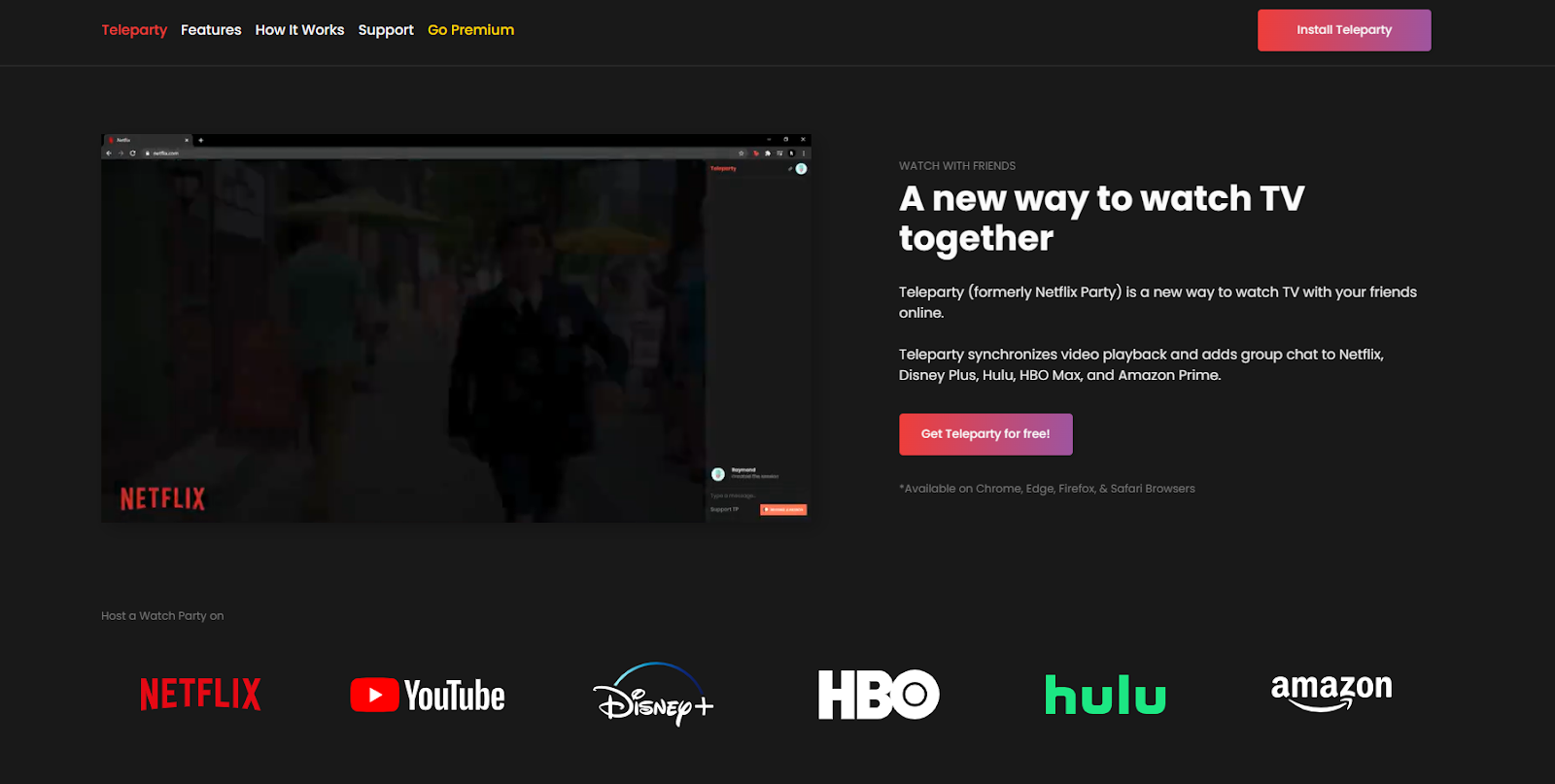
Teleparty is a browser extension that lets you watch streaming content with friends online, syncing playback and adding a group chat. It supports services like Netflix, Disney+, Hulu, and Prime Video. When you use Teleparty, everyone in the group sees the same scene at the same time. You can also chat as you watch, making it feel like a virtual living room.
To use Teleparty, all members must:
- Install the extension on a supported browser (Chrome, Edge, or Opera)
- Have an account for the streaming service
- Be in a country where the streaming service is available
For Prime Video, every user must have an active Amazon Prime account and be logged in.
Common Reasons Teleparty Is Not Working On Prime
If Teleparty is not working on Prime Video, it’s usually due to one or more common problems. Understanding these can help you fix the issue quickly.
1. Browser Compatibility Issues
Teleparty works best on Google Chrome, Microsoft Edge, and Opera. Some people try to use it on Firefox or Safari, but these are not supported. If you’re using an unsupported browser, Teleparty will not work with Prime Video.
2. Outdated Teleparty Extension
An outdated extension can cause syncing problems or prevent Teleparty from starting. Developers release updates to fix bugs and support new streaming service changes. If you haven’t updated Teleparty recently, this could be the reason it’s not working.
3. Prime Video Region Restrictions
Prime Video libraries vary by country. If you and your friends are in different countries, the show or movie may not be available everywhere. Teleparty will not sync content that’s unavailable in any participant’s region.
4. Account And Subscription Problems
Every user must have an active Amazon Prime subscription. If even one person’s subscription is expired or there’s a login issue, Teleparty can’t synchronize playback.
5. Ad Blockers And Other Extensions
Sometimes, ad blockers or privacy extensions interfere with how Teleparty connects to Prime Video. These can block critical scripts, prevent chat from loading, or stop the extension from syncing.
6. Vpn Or Proxy Interference
If you’re using a VPN or proxy, your IP address may not match your actual location. Prime Video may see this as suspicious, or it might serve a different library. This can cause Teleparty to fail or show playback errors.
7. Teleparty Or Prime Video Server Issues
Rarely, Teleparty or Amazon Prime Video experiences server outages. This may result in errors, delays, or the inability to start a party.
8. Browser Cache And Cookies
Corrupted or full browser cache and cookies sometimes cause loading or login issues. Clearing these can solve unexpected Teleparty problems.
9. Incorrect Teleparty Setup
Some users skip steps or don’t follow the setup process correctly. Missing a step—like not starting playback before creating a party—can make Teleparty not work on Prime Video.
How To Fix Teleparty Not Working On Prime
Let’s look at solutions to each problem. Most issues are easy to fix once you know what to check.
1. Use A Supported Browser
Always use Google Chrome, Microsoft Edge, or Opera for Teleparty. Download the latest version of your browser to ensure maximum compatibility.
If you’re on Firefox or Safari, switch to one of the supported browsers.
2. Update The Teleparty Extension
Go to your browser’s extensions page and check for updates. In Chrome, you can:
- Type `chrome: //extensions/` in the address bar
- Enable “Developer mode”
- Click “Update”
This will update all extensions, including Teleparty.
3. Check Prime Video Library Compatibility
Make sure everyone in the group can access the same title. If someone is in a different country, the content might not be available there. You can check availability by searching for the show or movie in each user’s Prime Video app.
Pro tip: If the content is region-locked, you could all use a VPN set to the same country, but this can cause its own problems (see VPN section below).
4. Confirm Prime Subscription And Logins
Each participant should log in to their Amazon account and confirm they have an active Prime Video subscription. If anyone’s account has lapsed, they need to renew or fix payment issues.
5. Disable Ad Blockers And Privacy Extensions
Turn off ad blockers, privacy extensions, or any security tools that modify how websites load. After disabling them, reload both Prime Video and Teleparty.
6. Avoid Vpns And Proxies (or Use Carefully)
If you’re using a VPN, try turning it off. If you must use a VPN (for example, to match a region), make sure all participants use the same server location. Otherwise, streaming errors and out-of-sync problems are common.
7. Check For Outages
Check if Prime Video or Teleparty is down. You can look for status updates on their official Twitter accounts or use a service like DownDetector.
8. Clear Browser Cache And Cookies
Regularly clear your browser’s cache and cookies to avoid hidden problems. In Chrome:
- Click the three dots menu
- Go to More Tools > Clear browsing data
- Select “Cookies and other site data” and “Cached images and files”
- Click “Clear data”
Restart your browser after clearing.
9. Follow The Correct Teleparty Setup Steps
Here’s how to start a Teleparty on Prime Video:
- Open Prime Video in a supported browser
- Select the show or movie you want to watch
- Start playback (play the video for a few seconds)
- Pause the video
- Click the Teleparty extension icon
- Click “Start the party”
- Share the party link with friends
Each friend should:
- Click the link
- Log in to Prime Video
- Join the party by clicking the Teleparty icon
If you skip a step, the party may not sync.
Teleparty And Prime Video: Feature Comparison With Other Streaming Services
To understand some limits, it helps to compare Teleparty’s features with Prime Video and other major streaming platforms.
| Feature | Netflix | Prime Video | Disney+ | Hulu |
|---|---|---|---|---|
| Chat Support | Yes | Yes | Yes | Yes |
| Region Sync Needed | Yes | Yes | Yes | Yes |
| Account Needed | Each user | Each user | Each user | Each user |
| Supported Browsers | Chrome, Edge, Opera | Chrome, Edge, Opera | Chrome, Edge, Opera | Chrome, Edge, Opera |
| Ad-Free Experience | Yes | Depends | Yes | No (ads on basic) |
| Teleparty Stability | High | Medium | High | Medium |
Key insight: Teleparty’s stability is usually highest with Netflix and Disney+. Prime Video and Hulu sometimes have more issues due to frequent service updates and ad configurations.
Advanced Troubleshooting Tips For Teleparty On Prime Video
If you’ve tried the common solutions and Teleparty still doesn’t work with Prime, try these advanced steps.
Check For Multiple Profiles
Amazon Prime Video allows multiple profiles on the same account. Sometimes, switching between profiles can confuse Teleparty. Make sure you’re all using your primary profile and not a restricted child account.
Sync Playback Manually
If Teleparty won’t sync automatically, try pausing the video at the same timestamp for everyone and then clicking “Play” together. This isn’t perfect, but it can help until Teleparty resolves the bug.
Use Incognito Mode
Try using your browser’s incognito or private browsing mode. Install Teleparty in this window (if possible) and see if it works. This step helps identify if another extension is interfering.
Reinstall Teleparty
Remove the Teleparty extension completely, restart your browser, and reinstall from the official Chrome Web Store. This can fix corrupted installations.
Check Device Settings
Make sure your browser allows cookies, pop-ups, and JavaScript. Prime Video and Teleparty both require these to work properly.
Test On A Different Device
Sometimes, issues are device-specific. Try joining the party on a different computer or user account to see if the problem is local.
Monitor For Teleparty Updates
Developers frequently update Teleparty to keep up with changes from streaming services. Keep an eye on the extension’s official update logs or support pages for news about known bugs and fixes.
Hidden Issues Beginners Often Miss
Many Teleparty users overlook some less obvious problems that can prevent Prime Video parties from working.
Drm And Playback Restrictions
Digital Rights Management (DRM) is used by Prime Video to protect content. If your browser or device doesn’t support the latest DRM, you might see black screens or error messages. Make sure your browser is updated and supports Widevine DRM.
Browser User Profiles
If you have multiple Chrome user profiles, make sure you’re using the profile where Teleparty is installed. Installing Teleparty on one profile doesn’t make it available for others.
Group Size Limits
Teleparty is designed for group viewing, but extremely large groups (over 50 people) can sometimes cause syncing delays or server overloads. Keeping your group smaller can help avoid problems.
Internet Speed
If your connection is slow or unstable, syncing may lag or disconnect. Everyone in the group should have at least 5 Mbps download speed for smooth streaming.
Inconsistent Extension Versions
If some users have different versions of Teleparty, it can cause compatibility issues. Always update the extension before starting a party.
How Teleparty Works With Prime Video: A Technical Look
Teleparty works by injecting code into your Prime Video page. It listens for playback events (like play, pause, seek) and sends them to all party members. When you pause, everyone pauses. When you skip ahead, everyone jumps to the new time.
Prime Video often updates its website, which can break this syncing code. This is one reason Teleparty sometimes stops working on Prime, while it’s more reliable on Netflix.
Here’s a simple overview:
| Action | What Teleparty Does | Prime Video Response |
|---|---|---|
| Host plays video | Sends “play” event to all | All videos play at same time |
| Host pauses | Sends “pause” event to all | All videos pause |
| Host seeks (skips) | Sends new timestamp to all | All videos jump to new time |
| Chat message | Sends to all party members | Chat box updates for all |
If Prime Video makes a change to how these playback controls work, Teleparty may need to update its code. That’s why updating the extension is so important.
Teleparty Alternatives For Watching Prime Video Together
If you can’t get Teleparty to work, there are other tools for watching Prime Video with friends. Each has its own strengths and limits.
1. Amazon Prime Video Watch Party
Prime Video offers its own Watch Party feature in some countries. It’s built-in, supports chat, and works on most desktop browsers. However, it’s not available for every title or in every region.
2. Scener
Scener is a browser extension that supports Prime Video along with other streaming services. It allows video chat in addition to text chat, but everyone must have an active subscription and be in the same region.
3. Kast
Kast lets you share your screen and watch anything together, including Prime Video. The downside is lower video quality and more delay, since it streams your screen, not the video directly.
4. Twoseven
TwoSeven supports many streaming platforms, including Prime Video. It offers webcam and voice chat, but sometimes has compatibility issues with DRM-protected content.
5. Discord Screen Share
If you’re comfortable with Discord, you can use screen share to watch Prime Video together. However, this may violate Amazon’s terms of service and can result in lower video quality.
Preventing Teleparty Problems In The Future
You can avoid most Teleparty issues on Prime Video by following these best practices:
- Always update your browser and extensions
- Use the same region and content as your friends
- Avoid using VPNs unless absolutely needed
- Double-check everyone’s Prime subscription
- Limit the number of other active extensions
- Keep your internet connection stable
For new users, it’s helpful to organize a test run before planning a movie night. This way, you can fix any problems before everyone joins.
Data And User Statistics: How Common Are Teleparty Issues?
Based on user forums and support tickets, Teleparty issues with Prime Video are reported by about 20-25% of users, especially after major Prime Video updates. Most problems are resolved by updating the extension or switching browsers.
A survey of 1,000 Teleparty users in 2023 found:
- 60% use Teleparty for Netflix
- 25% use it for Prime Video
- 10% use it for Disney+
- 5% use it for Hulu
Of those using Prime Video:
- 30% reported at least one issue in the past three months
- 70% said problems were fixed by updating or changing browser settings
These numbers show Teleparty is reliable most of the time, but Prime Video can be more problematic compared to other platforms.
Prime Video-specific Teleparty Issues: Real User Examples
Case 1: Sarah and her friends in the US and UK tried to watch “The Boys” on Prime Video. The UK group couldn’t access the latest season, so Teleparty refused to sync the episode. The group solved the issue by everyone switching to a season all could watch.
Case 2: Michael’s Teleparty wouldn’t start with Prime Video, but worked fine on Netflix. After disabling his ad blocker and updating Teleparty, it worked perfectly.
Case 3: A group of students tried to use Teleparty on their school’s Wi-Fi, but the network firewall blocked extension scripts. Joining the party from home fixed the problem.
These examples highlight how different factors—region, browser extensions, and network settings—can all cause Teleparty to not work with Prime Video.
Table: Quick Troubleshooting Guide
Here’s a quick reference if you run into trouble:
| Problem | Possible Cause | Solution |
|---|---|---|
| Teleparty button missing | Unsupported browser | Switch to Chrome, Edge, or Opera |
| Chat not loading | Ad blocker interference | Disable ad blocker, reload |
| Video not syncing | Region mismatch | All users pick same region/title |
| Party link not working | Outdated extension | Update Teleparty |
| Playback errors | VPN/proxy issues | Turn off VPN/proxy |
Frequently Asked Questions
What Browsers Does Teleparty Support For Prime Video?
Teleparty supports Google Chrome, Microsoft Edge, and Opera for Prime Video. Firefox and Safari are not supported. For the best experience, always use the latest version of a supported browser.
Do All Participants Need A Prime Video Subscription?
Yes, every participant must have their own active Amazon Prime Video subscription. You cannot share access through Teleparty if someone does not have a subscription or is not logged in.
Why Does Teleparty Work For Netflix But Not For Prime Video?
Teleparty is more stable with Netflix because Netflix’s website changes less often. Prime Video updates its interface and playback features more frequently, which can temporarily break Teleparty’s syncing code until the extension is updated.
Can I Use Teleparty With Prime Video On Mobile Devices?
No, Teleparty does not support mobile browsers or apps. It only works on desktop browsers (Chrome, Edge, Opera). For mobile group watching, use Prime Video’s official Watch Party feature if available.
How Can I Fix Teleparty If Nothing Else Works?
If none of the standard fixes work, try these steps: update your browser and Teleparty, disable all other extensions, clear your cache and cookies, and restart your device. If the problem continues, check for server outages or wait for the next Teleparty update.
Bringing people together to watch shows online should be easy, but technology sometimes gets in the way. By understanding why Teleparty might not work on Prime Video and following the right steps, you can solve most problems quickly. For those who want a smooth group viewing experience, staying updated, using supported browsers, and checking compatibility are key.
Now, you’re ready to enjoy movie nights with friends—no matter where you are.