
If you own a boat with a Simrad depth finder, you know how important it is for safety and navigation. A reliable depth finder helps you avoid underwater hazards, find good fishing spots, and safely anchor in shallow water. But sometimes, your Simrad depth finder may stop working or give wrong readings. This can be stressful, especially if you’re on the water and need it most.
Many boaters face this problem, and the causes are not always obvious. Sometimes it’s a simple fix, like cleaning the transducer. Other times, the issue is more complicated, like electrical faults or software glitches. Understanding how to troubleshoot and repair your Simrad depth finder can save you time and money.
It also helps you feel confident and safe on your boating trips.
This guide will walk you through the most common reasons why your Simrad depth finder isn’t working. You’ll learn how to check connections, test the transducer, fix display problems, and more. Whether you’re a new boater or have years of experience, this article will help you solve the problem and get back on the water with confidence.
How Simrad Depth Finders Work
Before you begin troubleshooting, it helps to know how a Simrad depth finder operates. These devices use sonar technology. A transducer sends sound waves down into the water. When the waves hit the bottom, they bounce back to the transducer. The device measures the time it takes for the sound to return and calculates the depth.
Most Simrad units display this information on a screen. Advanced models add GPS, fish-finding features, and even map overlays. The main parts of the system are:
- The display unit (the screen at your helm)
- The transducer (mounted under the boat or on the transom)
- Power and data cables
If any part of this system fails, the whole unit can stop working or give incorrect readings.
Common Signs Your Simrad Depth Finder Is Not Working
Some problems are obvious, while others can be confusing. Here are common signs that your Simrad depth finder is not working as it should:
- No depth reading: The display shows only dashes or a blinking number.
- Incorrect depth: The reading is far off from actual water depth.
- Flickering or freezing screen: The display is hard to read or stuck.
- Loss of bottom tracking: The device “loses” the bottom, especially at speed.
- No power: The unit will not turn on at all.
- Intermittent operation: Works sometimes, then fails.
- Distorted images: Fish or bottom images look wrong or noisy.
Each of these signs points to a different type of problem. Let’s look at how to diagnose and solve them.
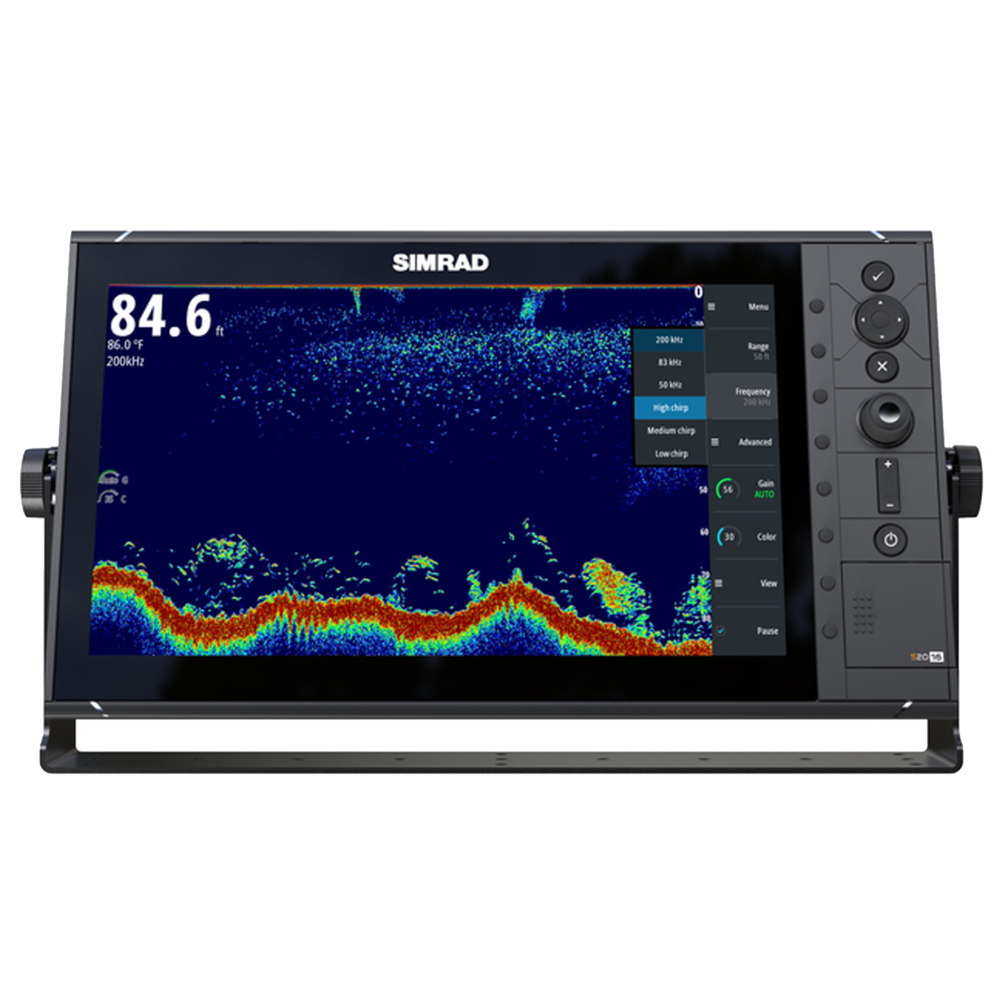
Credit: www.simrad-yachting.com
Quick Troubleshooting Steps
Before you dig into complex repairs, try these simple steps. Many problems can be fixed in minutes.
- Restart the unit: Turn it off, wait 30 seconds, then turn it back on.
- Check for obvious damage: Look for broken wires, cracks in the screen, or loose connectors.
- Clean the transducer: Remove any weeds, barnacles, or mud.
- Review settings: Make sure the depth range and sensitivity are correct.
If these steps don’t help, read on for more detailed solutions.
Power And Wiring Problems
A very common reason for Simrad depth finder failure is power supply issues. If the unit doesn’t turn on, or turns off during use, check the following:
Battery Voltage
Depth finders need a steady power supply. If your battery is low, the unit may behave oddly.
- Use a multimeter to check battery voltage. It should be between 12.0 and 13.5 volts.
- Start your engine and see if the voltage drops. If it falls below 11 volts, recharge or replace your battery.
Fuse And Circuit Breaker
Find the fuse for your depth finder, usually near the power source.
- Pull out the fuse and look for a broken wire inside.
- Replace blown fuses with the same rating.
- If your boat uses a circuit breaker, reset it and see if the problem goes away.
Wiring Connections
Loose or corroded connections are a top cause of electrical problems.
- Inspect all plugs and terminals for corrosion (green or white powder).
- Use a small brush and electrical contact cleaner to remove corrosion.
- Tighten loose connections. Tug gently on wires to check for weak spots.
Power Cable Condition
- Look for cuts, pinches, or worn spots in the power cable.
- Replace any damaged cable; do not tape over faults.
Grounding Issues
A poor ground can cause flickering screens or strange behavior.
- Make sure the ground wire is firmly attached to a clean metal part of the boat.
- Avoid sharing grounds with noisy devices like radios or bilge pumps.
Transducer Problems
The transducer is the heart of your Simrad depth finder. It sends and receives sonar signals. If it fails, you get no depth reading or bad data.
Transducer Location
The transducer must be in water at all times. If it’s out of water, it cannot send or receive signals.
- Check if the transducer is mounted below the waterline.
- If it’s on a trailer, lower the boat into the water before testing.
Transducer Cleaning
Growth like algae, barnacles, or weeds can block sonar signals.
- Gently clean the face of the transducer with a soft cloth and water.
- Avoid strong chemicals or sharp tools, which can damage the surface.
Transducer Mounting
If the transducer is not mounted flat and level, it will not work well.
- Check the angle. The face should be parallel to the water when the boat is on plane.
- If mounted inside the hull, make sure there are no air bubbles under it.
Cable And Connection Checks
- Inspect the cable for cuts or tight bends.
- Make sure the plug is firmly connected to the display unit.
- If possible, test with a spare transducer.
Water Conditions
Some water types can cause poor performance.
- Muddy or aerated water (with lots of bubbles) can scatter sonar.
- Very deep or very shallow water can also confuse the unit.
Transducer Comparison Table
Here’s a quick comparison of common Simrad transducer types and their strengths:
| Transducer Type | Best For | Common Issues |
|---|---|---|
| Transom Mount | Small boats, easy install | Vulnerable to damage, air bubbles at speed |
| Thru-Hull | Large boats, best signal | Complex install, can leak if not sealed |
| In-Hull | Fiberglass hulls, no holes | Needs solid contact, no metal hulls |
Knowing your transducer type helps you spot possible mounting or wiring issues.
Display And User Interface Issues
Sometimes, your Simrad unit has power and the transducer is working, but you still have problems. The issue may be with the display screen or user settings.
Screen Brightness And Contrast
If the display is hard to read, adjust the brightness and contrast.
- Use the menu to set the screen for sunny or night conditions.
- If the screen is always dim, the backlight may be failing.
Software Glitches
Like any electronics, Simrad units can freeze or act strangely.
- Turn the unit off and on again.
- Look for a “reset” or “restore defaults” option in the menu.
- Update the software if your model allows. Check the Simrad website for firmware updates.
Faulty Buttons Or Touchscreen
If buttons do not respond, check for salt or dirt under the keys.
- Clean gently with a dry cloth.
- If you have a touchscreen, make sure your fingers are dry and clean.
Incompatible Settings
Some user settings can stop the depth finder from working.
- Check that the correct transducer type is selected.
- Make sure “Depth Lock” or other features are not blocking normal operation.
Display Problem Table
Here’s a quick guide to common display issues and solutions:
| Problem | Likely Cause | Suggested Action |
|---|---|---|
| Blank Screen | No power or failed backlight | Check power, try in dark, replace backlight |
| Frozen Image | Software crash | Restart, update software |
| Dim Display | Low brightness or failing LCD | Adjust settings, contact service if needed |

Credit: www.youtube.com
Sonar Signal Interference
Depth finders use sonar, and sometimes other devices or environmental factors can cause interference. This may result in strange images, flashing depth numbers, or a loss of bottom signal.
Electrical Noise
- Radios, lights, or pumps can create electrical noise.
- Try running the depth finder on a separate battery or circuit.
- Use shielded cables and avoid running sonar wires next to power lines.
Other Sonar Devices
If you have more than one sonar or fish finder, they may interfere with each other.
- Run only one sonar device at a time.
- Try changing the frequency on one device (e.g., from 83 kHz to 200 kHz).
Engine And Propeller Noise
- Some engines or propellers create bubbles or vibrations that disturb sonar.
- Move the transducer to a quieter spot if possible.
Water Conditions
- Heavy chop, fast speeds, or lots of air bubbles can block sonar.
- Slow down or move to calmer water to test the unit.
Sonar Interference Table
A quick look at causes and fixes for interference:
| Source of Interference | Impact | How to Fix |
|---|---|---|
| Other sonar units | False images, lost bottom | Change frequency, use one at a time |
| Electrical systems | Flickering, noise on screen | Re-route cables, use noise filters |
| Engine/prop noise | Signal loss at speed | Move transducer, slow down |
Software And Firmware Issues
Modern Simrad units use complex software. Sometimes, a software bug or old firmware can cause problems.
How To Check For Updates
- Go to the Simrad website and download the latest firmware for your model.
- Use an SD card to install the update, following the instructions.
- After updating, reset the unit to factory settings.
Common Software Problems
- Slow response or laggy menus
- Random reboots
- Loss of settings after power off
Most of these are fixed by a firmware update. If not, contact Simrad support.
Restoring Factory Settings
If the depth finder acts strangely after a software update:
- Use the menu to “Restore Defaults” or “Factory Reset.”
- Be aware this will erase your custom settings.
Advanced Troubleshooting
If you’ve tried all basic steps and your Simrad depth finder is still not working, it may be time for more advanced checks.
Test With A Different Transducer
If possible, swap the transducer with a known good one. If the unit works, your old transducer is faulty.
Test The Unit On Another Boat
Bring your display unit to another boat with a working system. If it works there, the problem is with your boat wiring or transducer.
Use Diagnostic Tools
Some Simrad models have built-in diagnostics. Check the manual for instructions.
- Look for error codes or warning messages.
- Record any codes and contact Simrad support.
Contact Simrad Support
If you cannot solve the problem, take notes on what you’ve tried. Call or email Simrad with:
- Your model number and serial number
- Description of the problem
- Steps you’ve already tried
Preventing Future Problems
Many depth finder problems can be avoided with simple maintenance.
Regular Inspection
- Check cables and plugs for wear or corrosion every month.
- Clean the transducer before each trip.
Keep Software Updated
- Check for new firmware at least once a year.
- Updates often fix bugs and add new features.
Protect From The Elements
- Cover the display when not in use.
- Avoid spraying the display with high-pressure water.
Battery Care
- Charge your boat battery fully before each trip.
- Replace weak batteries early.
Non-obvious Insights Most Boaters Miss
Many boaters focus only on the display or assume the problem is a broken unit. But two often-missed causes are:
- Air bubbles under the transducer: Even a small bubble can block sonar signals. If your transducer is inside the hull, check that it is fully surrounded by solid epoxy or oil with no gaps.
- Shared power circuits: If your depth finder shares a circuit with a noisy device (like a bilge pump), you may get flickering or resets. Run a dedicated power line if possible.
Also, always check for software compatibility when adding new gear. Some GPS or chartplotter modules can conflict with depth finders if not properly installed.
When To Replace Versus Repair
Not all problems can be fixed. Here’s how to know when to repair or replace:
- If the display is cracked or the backlight has failed, repairs can be expensive. Consider replacing.
- If the unit is more than 7-8 years old, new models offer better features and reliability.
- If only the transducer is damaged, replacing it is usually cheaper than buying a whole new system.
Simrad Depth Finder Not Working: Real-world Scenarios
Let’s look at two quick examples:
- Case: No Reading After Cleaning Boat Bottom
- After cleaning the hull, a boater noticed the depth finder showed only dashes. The cause? They had knocked the transducer loose from its mounting bracket. Reseating the transducer fixed the issue.
- Case: Random Power Loss on Rough Water
- A fisherman’s Simrad unit kept turning off in choppy seas. After checking all connections, he found the battery terminal was loose. Tightening the terminal solved the problem.
Small issues like these are very common. Careful inspection and a step-by-step approach save time and stress.
External Resources For Help
Simrad has a helpful support section on their website. You can find manuals, software updates, and troubleshooting guides. For more complex problems, their support team can help.
Frequently Asked Questions
Why Does My Simrad Depth Finder Only Show Dashes Instead Of Numbers?
When the display shows only dashes, it means the unit cannot detect a bottom signal. Check that the transducer is clean, fully in the water, and that cables are not damaged. Also, try restarting the unit and checking user settings for the correct depth range.
What Should I Do If The Depth Reading Is Always Wrong?
Incorrect readings are often caused by a misaligned or dirty transducer. Make sure it is mounted flat and clean. Also, check for air bubbles or electrical interference. Review your user manual for proper sensitivity settings.
Can Software Updates Fix A Non-working Simrad Depth Finder?
Yes, sometimes a firmware update can fix bugs or glitches. Visit the Simrad website, download the latest software for your model, and follow the instructions for updating. Always reset the unit after updating.
Is It Safe To Use My Boat If The Depth Finder Isn’t Working?
You can still use your boat, but it’s riskier, especially in unknown or shallow waters. Without a working depth finder, you may hit underwater hazards. Try to repair the device or use a backup method, like a lead line, if possible.
How Do I Know If My Transducer Needs Replacement?
If you have cleaned and checked the transducer and it still doesn’t work—even after swapping cables or trying the display on another boat—it is likely faulty. Replace with a compatible Simrad transducer and test again.
Conclusion
Getting your Simrad depth finder working again can often be done with simple checks and a little patience. With good maintenance and careful troubleshooting, you’ll keep your boating safe and enjoyable for years to come.