
Is your Samsung washer flashing the SE or 5E error code? If so, you’re not alone—and you’re probably wondering what it means and how to fix it quickly.
These error codes usually signal a drainage problem, which can stop your laundry routine in its tracks. But don’t worry—you don’t have to call a technician just yet. You’ll discover simple steps you can take right now to troubleshoot and solve the issue.
By the end, you’ll know exactly what causes these errors and how to get your washer back to working smoothly. Keep reading to save time, avoid extra costs, and take control of your laundry again!
Safety Tips Before Fixing
Before fixing the Samsung washer error codes SE or 5E, safety must come first. These errors often involve water drainage issues. Handling water and electrical parts can be risky. Taking simple safety steps protects you from harm and damage. Follow these tips carefully before starting any repair work.
Unplugging The Washer
Always unplug the washer from the power outlet. This stops electricity flow to the machine. It lowers the risk of electric shock while you work. Do not rely only on the power button. Physically disconnecting the plug is the safest method. Wait a few minutes after unplugging to let the machine rest.
Preparing For Water Spills
Water may spill when you open the drain pump filter or hoses. Place towels around the washer to catch drips. Keep a shallow pan nearby to collect draining water. This prevents water damage to your floor. Have extra cloths ready to wipe up any spills quickly. Preparing this way keeps your workspace dry and safe.
Resetting The Washer
Resetting your Samsung washer can clear error codes like Se or 5E quickly. This process refreshes the machine’s internal system. It may fix small glitches causing the error. Resetting is easy and often solves the problem without extra tools or parts.
Use caution and follow safety steps before resetting. Always unplug the washer to avoid electric shock. Keep towels nearby as some water might leak during the process. Resetting can save time and money by avoiding unnecessary repairs.
Performing A Hard Reset
Start by unplugging the washer from the power outlet. Leave it unplugged for at least five minutes. This pause lets the machine’s system reset fully. After five minutes, plug the washer back in. Turn on the machine and check if the error code is gone. A hard reset often clears temporary faults causing the Se or 5E code.
When To Try Resetting
Try resetting your washer after spotting the Se or 5E error code. Use reset as the first step before any repairs. If the error returns after resetting, check the drain pump filter next. Avoid resetting repeatedly without checking for mechanical issues. Resetting works best for simple electronic glitches or after power surges.
Cleaning The Drain Pump Filter
Cleaning the drain pump filter is key to fixing the Samsung washer SE or 5E error codes. Dirt, lint, and small objects can block the filter. This blockage stops water from draining properly. Clearing the filter helps the washer work smoothly and avoids error messages. Follow these simple steps to clean the drain pump filter safely and easily.
Locating The Access Panel
Find the access panel at the washer’s bottom front. It is usually a small door or cover. Open it carefully. Behind the panel, you will see the drain pump filter. You may also spot a small drain hose nearby. This is your starting point for cleaning.
Draining Water Safely
Prepare towels and a shallow pan to catch water. Pull out the small drain hose gently. Remove its plug slowly to let water flow into the pan. This prevents spills and keeps your floor dry. Wait until all water drains out before moving on.
Removing And Cleaning The Filter
Turn the filter cap counter-clockwise to unscrew it. Take it out carefully. Remove lint, coins, hairpins, or other debris trapped inside. Rinse the filter under running water to clean it fully. Wipe the filter housing to remove any leftover dirt. Put the filter back and screw it tightly to avoid leaks.
Checking The Drain Pump Impeller
Look inside the filter opening for the impeller. It is a small fan that spins to push water out. Make sure it moves freely without blockage. Clear any debris that stops the impeller from turning. A stuck impeller can cause the SE or 5E error. After checking, close the access panel securely.

Credit: www.youtube.com
Checking The Drain Hose And Standpipe
Checking the drain hose and standpipe is essential when your Samsung washer shows the SE or 5E error code. These errors often point to drainage problems. The drain hose and standpipe can become blocked or kinked, stopping water from leaving the washer. Properly inspecting and clearing these parts can restore your machine’s normal operation quickly.
Inspecting For Kinks Or Clogs
Start by unplugging the washer to stay safe. Next, pull the drain hose away from the wall. Look closely along the entire hose length. Check for any bends or sharp kinks that might block water flow. Straighten any kinks carefully to allow smooth drainage. Also, inspect the hose inside and out for debris or buildup. A clogged hose can trap water and cause the SE or 5E error. If you find dirt or residue, remove it by flushing the hose with water or using a flexible brush.
Clearing Blockages In The Standpipe
The standpipe is the vertical pipe where the drain hose empties water. Blockages here can cause water to back up. Remove the drain hose from the standpipe. Use a flashlight to look down inside. If you see any debris or buildup, remove it with a plumber’s snake or a flexible brush. Pour water slowly into the standpipe to check if it drains freely. If water flows out without resistance, the standpipe is clear. Repeat this step if needed to ensure no blockages remain.
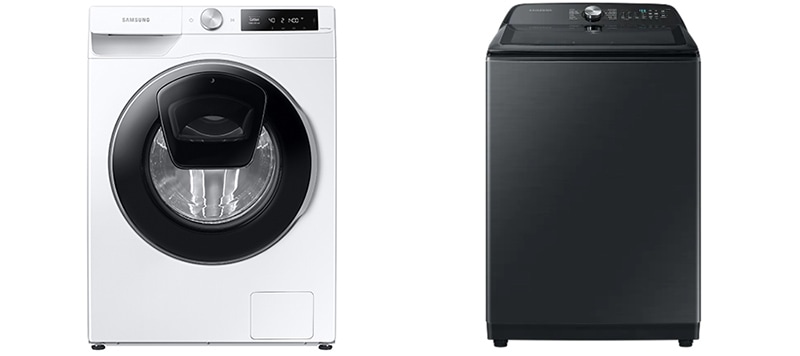
Balancing The Washer Load
Balancing the washer load is key to preventing the Samsung Washer Error Codes SE or 5E. An unbalanced load causes the washer to stop and display these errors. It happens when clothes are unevenly packed or too heavy on one side. This makes the drum spin unevenly, triggering the error and stopping the cycle.
Keeping the load balanced helps the washer work smoothly. It reduces noise, wear, and the chance of errors. Simple steps can keep your laundry balanced and your washer running well.
Redistributing Clothes Evenly
Start by spreading clothes evenly around the drum. Avoid bunching items on one side. Large items like blankets or towels should be spread out to balance the weight. Mixing small and large items helps even out the load. Stop the washer mid-cycle to check and adjust clothes if needed. This simple act can prevent the SE or 5E error from appearing.
Avoiding Overloading
Do not fill the washer too full. Overloading puts extra strain on the motor and drum. It makes balancing hard and causes the washer to stop. Follow the washer’s load capacity guide. Leave some space for clothes to move freely. Washing smaller loads reduces the chance of error codes. Overloading can also reduce cleaning performance and damage clothes.
Credit: www.samsung.com
Motor And Sensor Issues
Motor and sensor issues often cause the Samsung washer to display the SE or 5E error codes. These errors usually signal problems with parts that control the drum’s motion and water drainage. Understanding these issues can help you identify what needs fixing and avoid bigger repairs. Two main components to check are the motor tachometer sensor and the lid switch. Both play key roles in the washer’s operation.
Motor Tachometer Sensor Problems
The motor tachometer sensor tracks the drum’s speed during cycles. If this sensor malfunctions, the washer cannot control the motor properly. The SE or 5E error often appears when the sensor fails or sends wrong signals. Dirt, water damage, or electrical faults can cause sensor problems.
Signs of a bad motor tachometer sensor include the washer stopping mid-cycle or not spinning at all. Testing the sensor with a multimeter can confirm if it works. Cleaning the sensor or replacing it usually resolves the issue. Repairing this part restores smooth drum movement and stops the error code.
Lid Switch Malfunctions
The lid switch tells the washer if the lid is open or closed. This safety feature prevents the drum from spinning while the lid is open. A faulty lid switch can cause the washer to think the lid is open even when it is closed. This triggers the SE or 5E error code.
Common signs of lid switch problems are the washer not starting or stopping unexpectedly. The switch may fail due to wear, dirt, or electrical problems. Testing the lid switch with a multimeter helps find the fault. Replacing a broken lid switch fixes the problem and allows normal washing cycles.
When To Contact A Technician
Knowing when to contact a technician for your Samsung washer showing SE or 5E error codes is crucial. These errors often point to drainage or motor issues that need expert attention. Some problems are simple fixes, but others signal serious mechanical faults.
Acting quickly can prevent further damage and costly repairs. Here are signs that show when professional help is necessary.
Signs Of Severe Mechanical Problems
Persistent SE or 5E errors after resets indicate deeper problems. If the washer stops mid-cycle repeatedly, it suggests motor or sensor failure. Water not draining despite cleaning filters can mean pump malfunction. Watch for repeated error codes; they often mean parts need replacement.
Dealing With Loud Noises
Loud banging, grinding, or squealing sounds signal mechanical trouble. These noises could come from worn bearings or a broken pump. If the washer shakes violently during spin, it may have unbalanced loads or faulty suspension springs. Avoid running the machine until a technician inspects it.
Finding Professional Support
Choose certified Samsung repair services for accurate diagnosis and repair. Ask for technicians who use genuine parts to maintain warranty and performance. Local repair shops often provide quick service and fair pricing. Check reviews and ratings before hiring to ensure quality support.

Credit: www.youtube.com
Frequently Asked Questions
Why Is My Samsung Washing Machine Displaying Se 5e Error Code?
The SE 5e error on Samsung washers means a drainage issue. Clean the drain pump filter and check the drain hose for clogs or kinks. Redistribute clothes evenly to avoid unbalanced loads. Persistent errors may require motor or sensor inspection by a professional.
How Do I Fix The Se Code On My Samsung Washer?
Unplug your Samsung washer for a hard reset. Clean the drain pump filter behind the bottom front panel. Check for clogs in the drain hose and balance the load. If the SE code remains, inspect the motor tach sensor or call a technician.
What Does 5e Mean On A Samsung?
The 5e error on a Samsung washer means a drainage problem. It indicates the machine cannot drain water properly. Check and clean the drain pump filter, drain hose, and remove clogs. Redistribute laundry evenly to fix unbalanced loads causing this error.
Can I Fix The Se Error Myself?
Yes, you can try fixing the SE error yourself by unplugging the washer, cleaning the drain pump filter, and checking for clogs. Redistribute clothes to balance the load. If the error continues, contact a professional to inspect motor sensors or electrical issues.
What Does The Samsung Washer Se Or 5e Error Mean?
The SE or 5E error shows a draining problem in Samsung washers. Water is not draining properly.
Conclusion
Samsung washer SE or 5E error codes often mean a drainage problem. Start by unplugging the machine to reset it. Clean the drain pump filter carefully and remove any debris. Check the drain hose for clogs or kinks. Make sure the laundry load is balanced inside the drum.
These simple steps can help fix the error quickly. Regular maintenance can prevent this problem from coming back. Taking action early saves time and avoids costly repairs later. Your washer will run smoothly again with just a little care.