
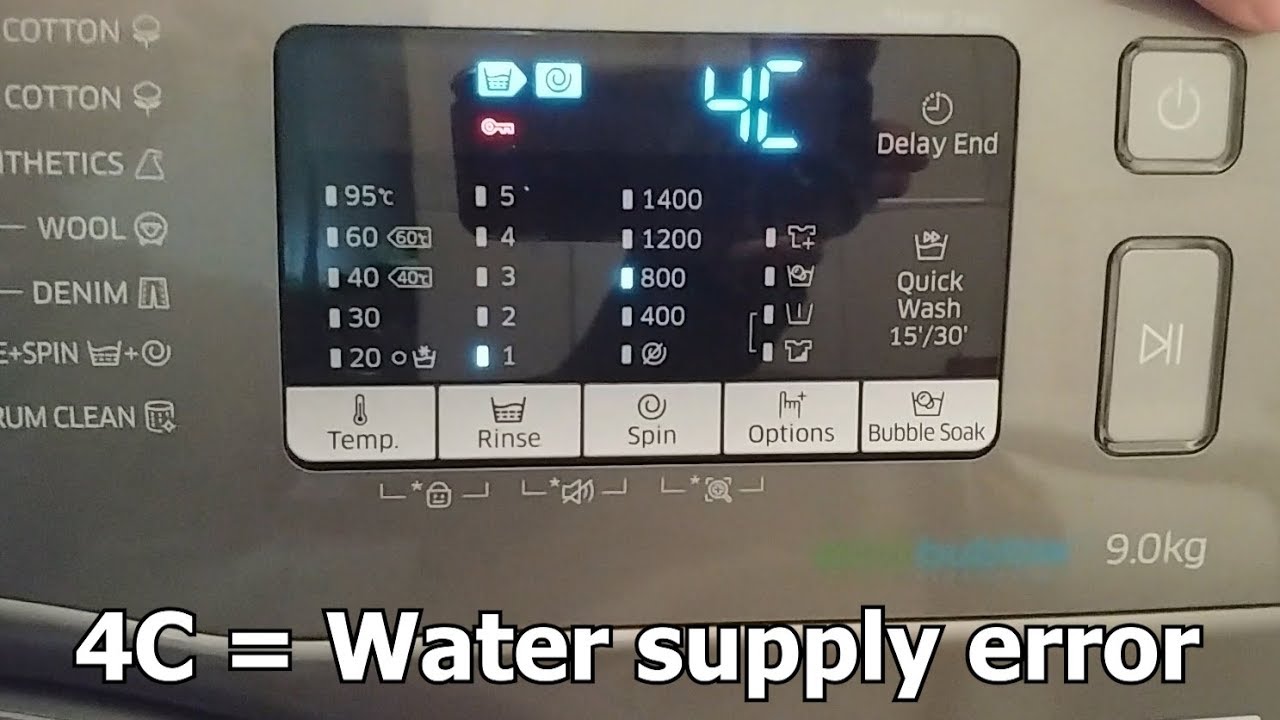
If your Samsung washer is flashing the code 4C, you’re probably wondering what it means and how to fix it quickly. This error code usually points to a water supply problem, which can be frustrating when you need your laundry done.
But don’t worry—you’re in the right place. You’ll learn simple steps to check your water connections, clear any blockages, and get your washer running smoothly again. Keep reading, and you’ll save time, avoid costly repairs, and have your laundry routine back on track in no time.
Cause Of Code 4c
The Samsung washer code 4C indicates a problem with water supply. This error appears when the washer cannot fill with water properly. Several issues can cause this problem. Understanding these causes helps fix the washer faster and avoid damage.
Water Supply Issues
Check if the water faucets are fully open. Closed or partly closed taps stop water flow. Also, inspect the water hoses for kinks or bends. These block water from reaching the washer. Ensure hoses connect tightly to both the faucet and washer.
Blocked Filters
The washer has small mesh filters where hoses attach. Dirt and debris can clog these filters. This stops water from flowing freely. Remove the filters gently with pliers if needed. Rinse them under running water and clean with a soft brush. After cleaning, check for damage before putting them back.
Faulty Water Inlet Valve
The water inlet valve controls water entry into the washer. A broken valve fails to open or close properly. This causes the 4C error code. Test the valve with a multimeter to check for electrical faults. Replace the valve if it shows signs of damage or wear.
Check Water Supply
Checking the water supply is a key step to fix the Samsung Washer Code 4C error. This code usually means the washer is not getting enough water. Start by making sure water flows well to the machine. Follow simple steps to confirm the water supply is ready.
Ensure Faucets Are Fully Open
Look at the faucets connected to your washer. They must be fully open for water to flow easily. Partially closed faucets reduce water pressure. Turn the handles all the way counterclockwise. This allows water to enter the machine without any block.
Inspect Hoses For Kinks And Bends
Trace the water hoses from the faucets to the washer. Check for any sharp bends or kinks. These can block water flow or slow it down. Straighten any twisted hoses carefully. Make sure water can pass through smoothly without interruption.
Secure Hose Connections
Look at the points where hoses connect to the faucets and washer. These connections must be tight and leak-free. Loose hoses can cause water leaks or poor water supply. Use your hands to tighten the connectors gently. Confirm they are snug but not over-tightened.
Clean Mesh Filters
Cleaning the mesh filters in your Samsung washer is key to fixing the 4C error code. These filters stop dirt and debris from blocking water flow. Keeping them clean helps your washer fill properly and avoid interruptions.
Regular maintenance of the mesh filters extends the life of your washing machine. It also ensures better washing performance. Follow these simple steps to clean the filters safely and correctly.
Remove Filters Safely
First, turn off the water supply to your washer. Unplug the machine from the power outlet. This prevents any accidents while working on the filters.
Locate the mesh filters where the hoses connect to the back of the washer. Use gentle pressure to pull out the filters. If they are tight, use needle-nose pliers carefully to avoid damage.
Rinse And Brush Filters
Rinse the filters under running water to remove loose dirt and debris. Use a soft brush, like a toothbrush, to scrub away stubborn grime. Do this gently to avoid tearing the mesh.
Make sure to clean both filters if your washer has one for hot and cold water. Check them for holes or damage before reinstalling.
Reinstall Filters Properly
Place the clean filters back into their slots securely. Push them in until they fit snugly without forcing. Reconnect the water hoses tightly to avoid leaks.
Turn on the water supply and plug the washer back in. Run a quick cycle to check that water flows smoothly and the 4C error does not return.
Reset Your Washer
Resetting your Samsung washer can clear error codes like 4C and restore normal function. This process often solves minor glitches caused by power issues or software bugs. Two simple reset methods can help: a power cycle and a factory reset. Both are easy to perform and require no tools.
Power Cycle Method
First, unplug your washer from the power outlet. Leave it unplugged for about one minute. This pause lets the washer’s memory clear any temporary errors. After one minute, plug the washer back in. Turn it on and check if the 4C error code is gone. This method fixes many simple problems fast.
Factory Reset Steps
For a deeper reset, use the factory reset option. Start by turning the washer off. Press and hold the “Spin” and “Soil Level” buttons at the same time. While holding these buttons, turn the washer back on. Keep holding the buttons until all the lights on the display turn on. Release the buttons. Press the “Start/Pause” button to complete the reset. This resets all settings to factory defaults and clears error codes.
Test Water Inlet Valve
Testing the water inlet valve is essential when your Samsung washer shows error code 4C. This code usually means the washer does not get enough water. The water inlet valve controls water flow into the machine. Checking this valve can help find the problem quickly.
Start by inspecting the valve’s physical condition. Then, use a multimeter to check the electrical resistance. Finally, perform a live voltage test to ensure the valve works properly during operation.
Inspect Valve Condition
Look at the valve for any visible damage or rust. Check the valve screens for dirt or debris blocking water flow. Make sure the valve connections and hoses are tight and not bent. Any damage may cause water flow issues.
Use Multimeter For Resistance
Unplug the washer before testing. Set your multimeter to the ohms setting. Disconnect the valve’s electrical connector. Measure resistance across the valve terminals. A normal reading usually ranges between 500 to 1500 ohms. A reading outside this range means the valve may be faulty.
Perform Live Voltage Test
Plug the washer back in. Set the washer to a fill cycle. Use a multimeter to check voltage at the valve terminals. The valve should get about 120 volts during water fill. No voltage or inconsistent readings mean the valve or wiring may have a problem.
Credit: www.youtube.com
When To Call A Technician
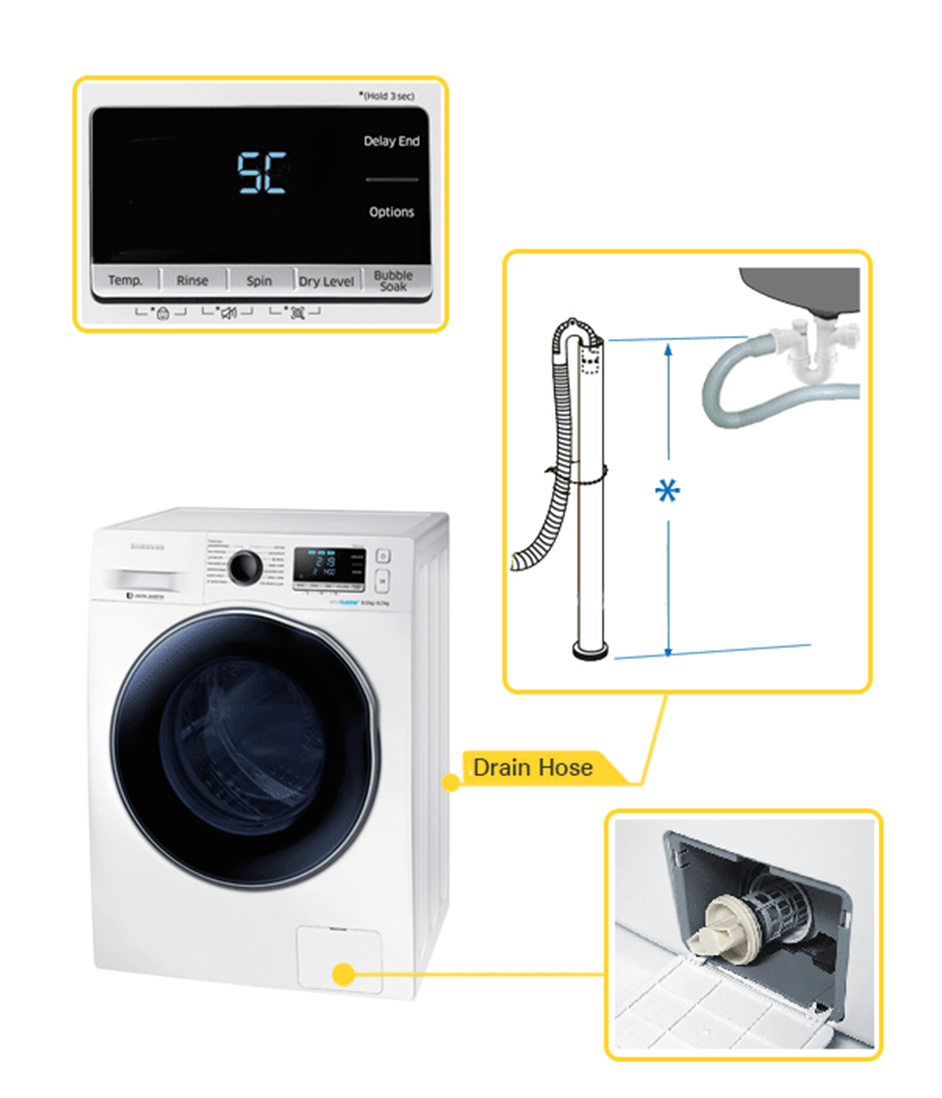
Knowing when to call a technician for your Samsung washer code 4C saves time and prevents damage. Some issues require professional tools and skills. Attempting repairs without experience can worsen the problem. Watch for signs that the error code stays despite basic fixes. Also, valve problems often need expert attention. Calling a technician ensures safety and proper repair.
Persistent Error Codes
Sometimes the 4C error code keeps appearing even after simple checks. If you have checked hoses, filters, and water supply but the code remains, call a technician. Persistent error codes may mean internal parts are faulty. The technician can run deeper diagnostics to find the root cause. Ignoring repeated errors can lead to bigger issues and costly repairs.
Valve Replacement Needs
The 4C code often points to water inlet valve problems. A damaged or clogged valve blocks water flow. If cleaning the valve screens does not help, the valve may need replacement. Valve replacement requires technical skill and special tools. A technician can safely remove the old valve and install a new one. Proper valve function is key to avoiding future error codes.
Credit: www.samsung.com
Frequently Asked Questions
How Do I Fix The 4c Error On My Samsung Washer?
To fix the 4C error on your Samsung washer, ensure both water faucets are fully open. Check hoses for kinks or bends and clean the inlet mesh filters. Reconnect hoses securely, restore power, and run a spin cycle. Contact a technician if the error persists.
How Do I Check The Water Pressure For A 4c Error?
Open both hot and cold water faucets fully. Inspect hoses for kinks or bends. Remove and clean mesh filters at hose connections. Reattach hoses securely. Turn on water and run a test cycle to see if the 4C error clears.
Contact support if the issue persists.
How Do I Force My Samsung Washer To Reset?
To force reset your Samsung washer, unplug it for one minute, then plug it back in. Press the Power button to restart. This clears errors and resets the system quickly.
Does The 4c Error Need A Repair Person?
The 4C error often indicates a water supply issue. Check hoses and filters first. If unresolved, contact a repair person.
What Does Samsung Washer Code 4c Mean?
Code 4C means the washer has a water supply problem or low water pressure.
Conclusion
Samsung Washer Code 4C means a water supply problem. Check that faucets are fully open and hoses have no kinks. Clean the mesh filters gently to remove dirt. Always unplug the washer before cleaning or checking parts. After fixing, run a spin cycle to see if the code clears.
If the error stays, try unplugging the machine for a few minutes. Persistent issues could mean a faulty water inlet valve. Regular maintenance helps avoid these errors and keeps your washer running smoothly. Stay calm and follow steps carefully for the best results.