
Is your Samsung microwave showing the E24 error code and leaving you frustrated? You’re not alone, and the good news is that this problem often has simple solutions you can try yourself.
Understanding what the E24 error means and how to fix it can save you time, money, and the hassle of calling a technician. You’ll discover easy steps to diagnose and resolve the E24 error, get your microwave back to perfect working condition, and avoid future issues.
Keep reading—you’re just moments away from turning your microwave troubles into a quick win!
Credit: www.youtube.com
Common Samsung Microwave Errors
Samsung microwaves sometimes show error codes. These codes tell you something is wrong. Knowing common errors helps you fix small problems fast.
Errors can come from the door, the control panel, or temperature issues. Understanding these errors saves time and avoids damage.
Se Error Code
The SE error code means the control panel has a problem. It may be stuck or unresponsive. Press all buttons firmly to check if any are stuck. Wiping the panel with a soft cloth can help clear dirt or moisture. If the problem continues, power off the microwave for a few minutes and then turn it back on.
C-do Door Error
The C-dO error points to a door issue. The microwave thinks the door is open or not fully closed. Check the door latch and close the door tightly. Clean the door edges and latch to remove any dirt. A faulty door switch may need replacement if the error stays after cleaning.
Over Temperature Warning
This warning shows if the microwave is too hot inside. It can happen if you use the microwave for a long time or block air vents. Let the microwave cool down before using it again. Keep vents clear and avoid running the microwave empty. If overheating happens often, a technician should check the unit.

Credit: www.samsung.com
Basic Troubleshooting Steps
When the Samsung microwave shows the E24 error code, some basic troubleshooting can help. These steps often fix common issues without needing a technician. Try these simple checks before calling for repairs.
Power Cycle The Microwave
Unplug the microwave from the wall outlet. Wait for about one minute to let it reset. Plug it back in and turn it on. This can clear temporary errors and refresh the system. If the error stays, move to the next step.
Check The Door And Latches
Make sure the microwave door closes fully and locks properly. A loose or damaged latch can cause the E24 error. Look for any dirt or debris blocking the door. Clean the area and try closing the door again. Proper door contact is important for safe operation.
Clean The Control Panel
Wipe the control panel gently with a soft, damp cloth. Use mild soap or glass cleaner if needed. Avoid harsh chemicals or excessive water that can damage the panel. Dry it fully before using the microwave again. A clean panel helps prevent false signals and errors.
Resetting The Microwave
Resetting your Samsung microwave can often clear the E24 error code. This process refreshes the system and may fix the issue without needing service. Resetting is simple and requires no special tools. Follow the steps below to reset your microwave safely and effectively.
Unplugging Method
Start by unplugging the microwave from the power outlet. Leave it unplugged for about five minutes. This allows the internal circuits to reset completely. After waiting, plug the microwave back in. Check if the error code has disappeared. This method is quick and often solves minor glitches.
Using Circuit Breaker
If you cannot unplug the microwave, use the circuit breaker. Find the breaker that controls the microwave’s power supply. Turn the breaker off to cut the power. Wait for five minutes to let the system reset. Turn the breaker back on and test the microwave. This method works well for built-in units.
Button Press Sequence
Some Samsung microwaves allow a reset using button presses. Press and hold the “Stop/Cancel” button for three seconds. Release the button and then press the “Start” button. This sequence can clear some error codes. If this does not work, try holding the “Power” button instead. Always check your user manual for specific instructions.
Fixing Specific Error Codes
Fixing specific error codes on your Samsung microwave can save time and avoid service calls. Understanding each code helps identify the exact problem. This way, you can apply the right fix quickly. Below are common error codes and their solutions.
Resolving Se Code Issues
The SE code usually means a stuck or faulty keypad. Start by unplugging the microwave. Press all buttons firmly to release any stuck keys. Clean the control panel with a soft, damp cloth and mild soap. Dry it completely before plugging it back in. This often clears the SE code. If the code stays, the control board might need professional repair.
Addressing Door Switch Errors
Door switch errors show as codes like C-dO. Check if the microwave door closes fully. A loose or broken door switch can cause this error. Inspect the door latch and switch for damage. Replace the door switch if needed. Always unplug the microwave before inspecting internal parts. Proper door closure is essential for safe microwave operation.
Handling Sensor-related Problems
Sensors control cooking time and temperature. A faulty sensor triggers error codes such as E-02 or E-03. Clean the sensor gently with a soft cloth. Avoid using water directly on sensors. If cleaning does not help, the sensor might be defective. Replacing the sensor usually fixes the issue. Consult a technician if you are unsure about sensor replacement.
When To Contact Professional Service
Knowing when to contact a professional service for your Samsung microwave E24 error code can save time and prevent further damage. Some issues are simple and can be fixed at home. Others need expert attention to ensure safety and proper repair. Understanding these signs helps you decide the right moment to call a technician.
Persistent Error Codes
If the E24 error code keeps showing after you reset the microwave, it signals a deeper problem. Repeated error codes mean the issue is not resolving by itself. Do not ignore it. Continuous errors could harm the microwave’s performance. A professional can diagnose the real cause quickly.
Electrical Component Failures
The E24 error often relates to electrical parts like sensors or circuits. These parts are delicate and dangerous to handle without training. If you suspect an electrical failure, avoid opening the microwave yourself. A certified technician has the tools and knowledge to fix electrical faults safely.
Warranty And Repair Options
Check your microwave’s warranty before attempting repairs. Many Samsung microwaves come with coverage that includes service for error codes. Using professional repair services can keep your warranty intact. Experts can also provide official parts and ensure the microwave works like new again.
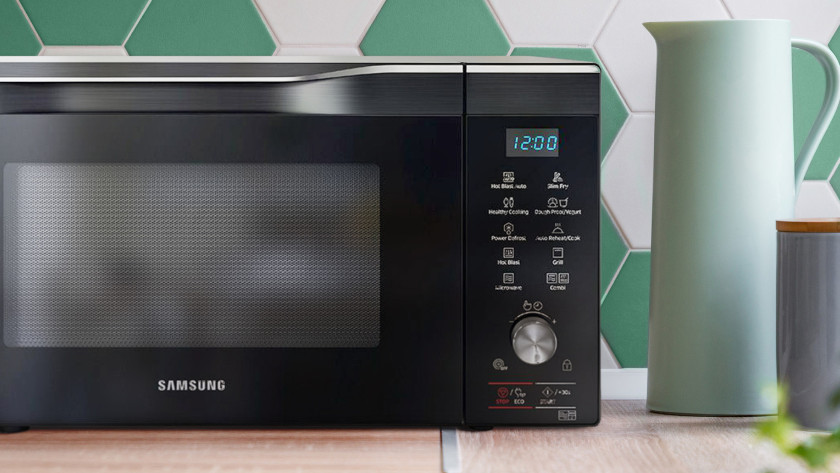
Credit: www.coolblue.nl
Preventive Tips For Samsung Microwaves
Preventive care helps your Samsung microwave run smoothly and avoid errors like the E24 code. Simple daily habits extend the life of your appliance. Small efforts stop common problems before they start. Focus on cleaning, correct use, and moisture control. These steps protect your microwave and keep it safe.
Regular Cleaning Practices
Clean the microwave inside and outside regularly. Remove food spills to prevent buildup. Use a soft cloth with mild soap. Avoid harsh chemicals that damage surfaces. Wipe the control panel gently to keep buttons working. Clean the door seals to ensure a tight close. Regular cleaning prevents sensor errors and overheating.
Proper Usage Guidelines
Use the microwave only for its intended purpose. Avoid running it empty, which can cause damage. Do not place metal objects inside. Follow the recommended cooking times and power levels. Close the door completely before starting. Press buttons firmly to avoid stuck keys. Proper use lowers the risk of error codes.
Avoiding Moisture Damage
Keep the microwave dry at all times. Wipe away steam or condensation after use. Do not cover vents or block airflow. Avoid placing wet items on or inside the microwave. Moisture can cause electrical faults and error messages. Protect your microwave by controlling humidity around it.
Frequently Asked Questions
What Is The Error Code E24 On A Samsung Microwave Oven?
Error code E24 on a Samsung microwave indicates a problem with the humidity sensor. Clean the sensor and ensure proper ventilation. Unplug the microwave for a few minutes to reset it. If the error persists, contact Samsung support for service.
How Do I Reset My Samsung Microwave E42 Error?
Unplug the Samsung microwave or turn off the circuit breaker for 5 minutes. Plug it back in to reset the E42 error. Ensure the door closes properly and the control panel is clean. This often clears the error code.
How Do I Reset The Error Code On My Samsung Microwave?
Unplug your Samsung microwave or turn off its circuit breaker. Wait a few minutes, then restore power. This resets the error code. Ensure the door closes fully and the control panel is clean. Press all buttons firmly to clear stuck keys.
How Do I Reset My Samsung 2e Error?
Unplug your Samsung microwave or turn off its circuit breaker for 1-2 minutes. Plug it back in to reset and clear the 2e error code. Ensure the door closes properly and the control panel is clean to prevent recurrence.
What Does The Samsung Microwave E24 Error Code Mean?
The E24 code signals a water leakage or moisture inside the microwave’s electronic board.
Conclusion
Samsung Microwave E24 error code usually points to a sensor or power issue. Try unplugging the microwave for a few minutes to reset it. Clean the control panel gently to avoid stuck buttons. Check that the door closes firmly, as this affects sensor function.
If the error remains, contacting a professional technician is best. Regular maintenance helps prevent such errors in the future. Staying calm and following simple steps can save time and frustration. Keep your microwave in good condition for safe and efficient use.