
Many people rely on their Samsung Galaxy Smartwatch to track health, manage notifications, and stay connected every day. But what happens when you place your smartwatch on the charger and nothing happens? That moment of frustration is all too common. A smartwatch that doesn’t charge can disrupt your routine, cause anxiety, and make you feel disconnected. If you’ve found yourself in this situation, you’re not alone—and there are solutions.
Getting to the root of a Samsung Galaxy Smartwatch not charging is not always simple. Sometimes it’s a quick fix; other times, it means troubleshooting multiple things. This guide will walk you through every possible cause, step-by-step fixes, and important things you should know to avoid common mistakes. You’ll also learn how to recognize when it’s time to get professional help. With clear language and practical advice, you’ll be able to get your smartwatch back to life, or know what to do next.
Common Reasons Why Your Samsung Galaxy Smartwatch Is Not Charging
There are several reasons why your Galaxy smartwatch might not charge. Understanding them helps you focus your troubleshooting and save time.
- Faulty charging cable or dock – The most frequent issue is a broken or low-quality charging cable, dock, or adapter. Sometimes, the cable is damaged inside and doesn’t show visible signs.
- Dirty charging contacts – Dust, sweat, and oil from your skin can build up on the metal contacts of your watch or charger. This stops power from flowing.
- Software glitches – Like smartphones, smartwatches can sometimes freeze or get stuck due to a bug, making them unresponsive to charging.
- Battery issues – Over time, the battery inside the watch can wear out. This is common in older devices or if the battery has been exposed to heat or overcharging.
- Improper alignment – The watch must be placed correctly on the charger. If it’s off-center, it may not connect.
- Power source problems – Using a weak USB port or power adapter can prevent charging.
- Overheating – If the watch or charger gets too hot, the device may stop charging to protect itself.
- Hardware damage – Drops, water, or other physical harm can break internal parts, stopping charging.
Some of these causes are easy to check and fix; others need more care or technical help.
Quick Checks Before Troubleshooting
Before you start detailed troubleshooting, some quick checks can save you time.
- Is the charging cable connected firmly? Make sure both ends are plugged in all the way.
- Are you using official Samsung accessories? Non-original cables or docks may not provide enough power.
- Is the wall outlet or USB port working? Try plugging something else in to test the port.
- Is your watch warm or hot? If yes, let it cool down for 10–15 minutes before charging again.
These small steps often solve the problem right away. If not, go deeper with the next solutions.
How To Fix A Samsung Galaxy Smartwatch That Won’t Charge
Let’s go step by step through the practical fixes. Each step focuses on a specific issue and how to solve it.
1. Check And Clean The Charging Contacts
Over time, sweat, dust, or lotion can collect on the metal charging contacts of your watch or charger. This blocks the electrical current.
- Gently wipe the contacts on both the charger and the back of the watch with a soft, dry cloth.
- For stubborn dirt, use a cotton swab with a small amount of isopropyl alcohol. Avoid getting liquid inside the watch.
- Wait until both parts are completely dry before trying to charge again.
Beginner insight: Even a tiny bit of sweat or skin oil can cause charging to fail, especially if you wear your watch during workouts or sleep.
2. Try A Different Charging Cable And Adapter
Not all USB cables are the same. Sometimes, the charging cable or adapter stops working, even if it looks fine.
- Use the original Samsung cable and adapter if you have them.
- If the original set does not work, try another compatible USB cable and adapter.
- Avoid low-quality or very cheap cables, as they may not provide enough current.
Pro tip: Some third-party chargers claim to work but do not supply the right voltage or amperage, leading to slow or no charging.
3. Change Power Source
A weak or damaged power source can prevent charging.
- Plug the charger into a different wall outlet.
- If you’re using a computer USB port, try a direct wall outlet instead. Some computer ports don’t have enough power.
Non-obvious insight: Charging from a laptop or power bank often gives less power than a wall socket. This can cause slow charging or no charging at all.
4. Check Charger Alignment
With wireless charging docks, the watch needs to be perfectly aligned with the charging coil.
- Remove the watch, then place it back on the charger slowly.
- Make sure it sits flat and the charging animation or light appears.
- If you use a case or skin on your watch, remove it before charging.
5. Restart Or Force Restart Your Smartwatch
A software freeze can make the watch unresponsive, including not charging.
- Press and hold the Power button for about 7 seconds until you see the Samsung logo.
- If your watch is completely unresponsive, try holding both the Power and Back buttons at the same time for 10 seconds (model-dependent).
After restarting, place it back on the charger.
6. Update Watch Software
Sometimes, old software causes battery and charging bugs.
- Open the Galaxy Wearable app on your phone.
- Go to “Watch settings” > “Watch software update.”
- If an update is available, install it and restart your watch.
This can fix known charging or battery issues.
7. Remove Moisture
If your watch gets wet from sweat, rain, or swimming, moisture can block charging.
- Dry the watch with a towel.
- Leave it in a dry place for a few hours.
- You can also place it in a bag of uncooked rice or use silica gel packs to absorb moisture.
Never try to charge your watch if you think it’s wet inside.
8. Let The Battery Cool Down
If your watch feels hot, overheating protection may stop charging.
- Remove it from the charger.
- Let it cool for 10–20 minutes before trying again.
- Avoid charging in direct sunlight or near heat sources.
9. Try Wireless Powershare (if Supported)
Some Samsung phones allow you to charge your smartwatch using the phone’s battery.
- Turn on Wireless PowerShare on your compatible Galaxy phone.
- Place your watch on the back of the phone.
- Watch for the charging animation.
This is a good way to check if the problem is with the watch or the charger.
10. Factory Reset (last Resort)
If all else fails, a factory reset can fix deep software problems, but it will erase all your data on the watch.
- Open the Settings menu on the watch.
- Go to “General” > “Reset.”
- Follow the on-screen instructions.
Backup your data first using the Galaxy Wearable app.
Caution: Factory reset does not help with hardware faults but can fix software glitches.
When To Seek Professional Repair
You’ve tried all the steps above, but your Samsung Galaxy Smartwatch still won’t charge. When is it time to get expert help?
- If the watch won’t turn on at all, even after charging with different cables, adapters, and power sources.
- The charging contacts are clean and dry, but the device is still dead.
- The watch was exposed to water and stopped charging afterward.
- The watch has visible damage (cracks, dents) or was dropped recently.
- The battery drains extremely fast even after charging.
What to do: Contact Samsung Support or visit an authorized service center. Attempting to open the watch yourself can void the warranty and may cause more damage.
Credit: www.bibliotecaoscura.com
How To Prevent Charging Problems In The Future
Once you fix your charging issue, you’ll want to avoid it happening again. Here are some practical tips:
- Use only official or certified charging cables and adapters.
- Clean the charging contacts once a week, especially if you sweat a lot or wear the watch daily.
- Avoid charging in humid or very hot environments.
- Don’t leave your watch on the charger for hours after it’s fully charged.
- If you’re not using the watch for a long time, charge it to about 50% and turn it off.
Extra tip: If your watch supports wireless charging, avoid placing metal objects (like coins or keys) near the charger. This can interfere with the charging process.
Understanding Battery Health And Lifespan
Every lithium battery ages over time. Knowing how to care for your smartwatch battery can make it last longer.
- Most smartwatch batteries last 2–3 years before their capacity drops noticeably.
- Extreme heat, full discharges, or charging overnight can reduce battery health.
- If your watch’s battery drains quickly, even after a full charge, it may be time for a replacement.
Battery Life Comparison Table
Here’s a simple comparison of battery life for popular Samsung Galaxy Smartwatch models:
| Model | Typical Battery Life | Charging Time |
|---|---|---|
| Galaxy Watch 5 | Up to 50 hours | About 1.5 hours |
| Galaxy Watch 4 | Up to 40 hours | About 2 hours |
| Galaxy Watch Active2 | Up to 36 hours | About 2 hours |
| Galaxy Watch 3 | Up to 56 hours | About 2 hours |
Note: Actual battery life depends on usage, features used, and settings.

Credit: www.youtube.com
Recognizing A Dead Battery Vs. Charging Issue
Sometimes, the problem is not charging but a dead battery.
- If the watch shows no sign of life, no vibration, and no charging icon, the battery may be completely empty or dead.
- Leave the watch on the charger for at least 30 minutes before trying to turn it on.
- If it still doesn’t respond, try all the troubleshooting steps above.
Key difference: If your watch turns on after a long charge, the battery was just empty. If not, hardware or battery failure is more likely.
How To Tell If Your Charger Or Cable Is Bad
Unsure if the problem is your watch or the charger? Here’s a simple test.
- Try charging a different Galaxy smartwatch (from a friend or family member) with your charger and cable.
- Try charging your watch with a different charger and cable.
Charger And Cable Testing Table
| Test | Result | What It Means |
|---|---|---|
| Other watch charges | Yes | Your charger/cable is working |
| Other watch charges | No | Your charger/cable may be faulty |
| Your watch charges with new charger | Yes | Old charger/cable is faulty |
| Your watch charges with new charger | No | Watch hardware or battery issue |
This helps you decide whether to buy a new charger or seek a battery replacement.
The Role Of Software Updates In Charging Issues
Software bugs are a lesser-known but real cause of charging problems.
- Samsung sometimes releases updates to fix known charging or battery bugs.
- Always keep your watch and phone apps updated.
- If your watch suddenly stops charging after an update, check online forums or Samsung’s support site for known issues.
Advanced insight: Sometimes, a failed update may corrupt the watch’s firmware. In rare cases, you may need a service center to reinstall the software.
What To Do If Your Watch Only Charges Slowly
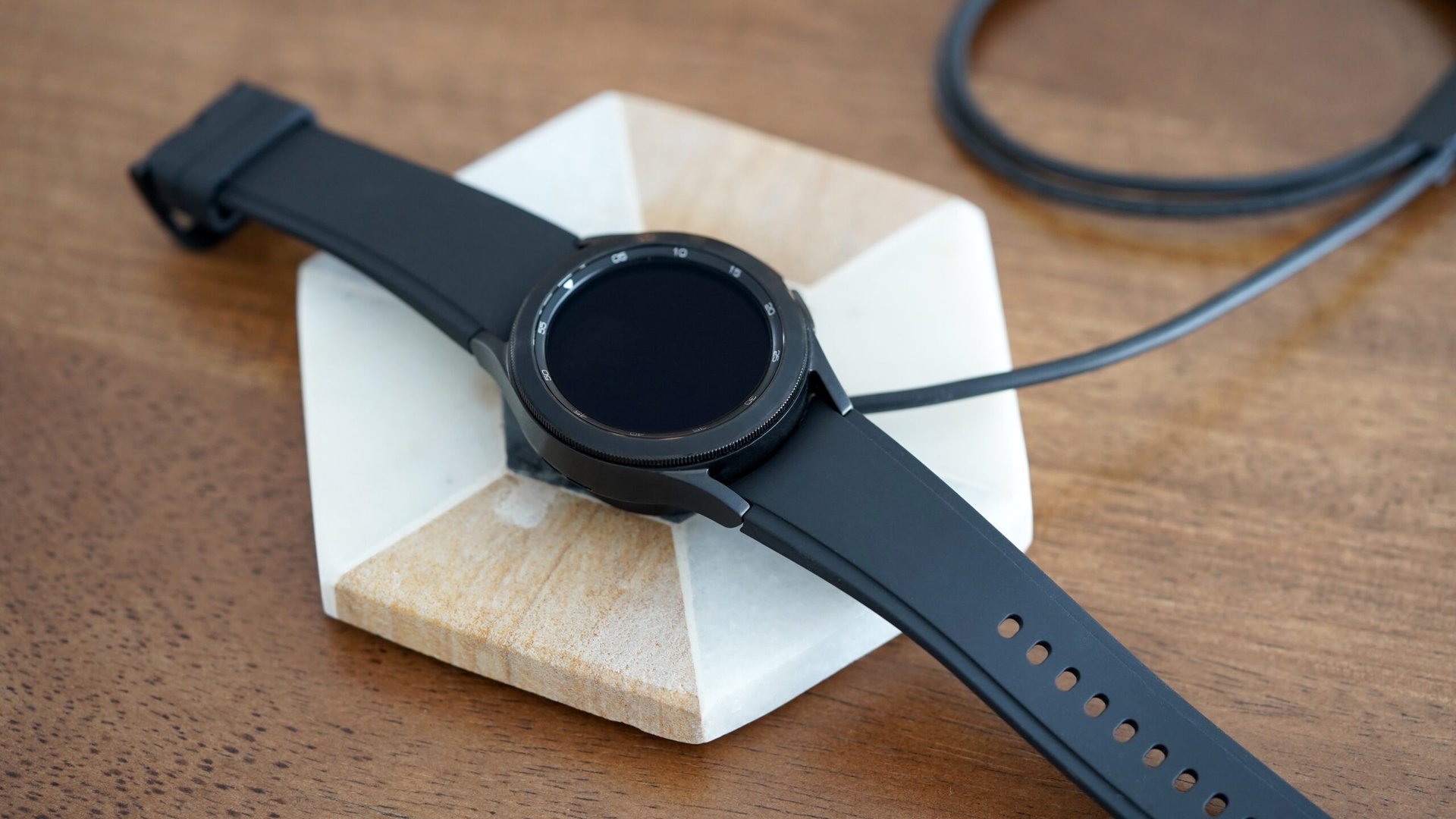
Sometimes, your watch charges, but much more slowly than before. This is annoying and can hint at a deeper problem.
- Check for background apps or watch faces that use extra power.
- Try charging with the watch turned off.
- Clean the contacts again, as even a little dirt can slow charging.
- Use the original Samsung charger and wall adapter.
Slow Charging Causes And Solutions Table
| Cause | Solution |
|---|---|
| Dirty contacts | Clean with alcohol and dry cloth |
| Weak adapter | Use original Samsung adapter |
| Old battery | Consider battery replacement |
| Heavy usage/apps | Turn off apps, charge with watch off |
Credit: www.lumat.sk
What Not To Do When Charging Your Smartwatch
Many people try things that can make the problem worse. Here are common mistakes to avoid:
- Don’t use metal objects to clean charging contacts. This can scratch or short them.
- Don’t force the charger onto the watch if it doesn’t fit.
- Don’t use cheap chargers from unknown brands.
- Don’t try to open the watch yourself unless you are trained.
- Don’t keep charging in extreme temperatures.
Avoiding these mistakes can help you protect your device and avoid costly repairs.
How To Contact Samsung Support
If you need further help, Samsung provides support through several channels:
- Visit the official Samsung support page for your country.
- Use the Samsung Members app to schedule a repair or chat with support.
- Call your local Samsung customer service number.
For warranty details and more official guidance, check the Samsung Support website.
Frequently Asked Questions
Why Does My Samsung Galaxy Smartwatch Get Hot When Charging?
A warm watch during charging is normal, but it should not get very hot. Overheating can happen if the charger is damaged, there’s dirt on the contacts, or you’re charging in a hot room. If overheating happens often, stop charging and let the watch cool before trying again.
Can I Use A Wireless Charger From Another Brand?
It’s best to use the official Samsung charger. Some third-party wireless chargers may not align correctly or may not provide enough power, causing charging failures or slow charging. Always check compatibility before using another brand.
How Long Does A Samsung Galaxy Smartwatch Battery Last?
On average, a Samsung Galaxy Smartwatch battery lasts between 1 and 3 days on a full charge, depending on the model and how you use it. Over time, battery capacity drops, and you may need to replace the battery after 2–3 years.
What If My Watch Vibrates But Does Not Charge?
This can be a software glitch or a sign of a dirty contact. Try restarting the watch, cleaning the contacts, and using a different charger. If the problem continues, consider a factory reset or visit a service center.
Is It Safe To Charge My Smartwatch Overnight?
Charging overnight once in a while is safe, but frequent overnight charging can reduce battery health over time. It’s better to unplug the watch when it’s fully charged to extend battery life.
A non-charging Samsung Galaxy Smartwatch can be a headache, but with these steps, you can usually solve the problem yourself. Stay patient, follow the guide, and you’ll soon be back to tracking your day with confidence. If nothing works, don’t hesitate to seek professional help—your watch is worth it.