
Is your Samsung dryer suddenly shutting off in the middle of a cycle? It’s frustrating when your laundry routine gets interrupted, leaving you wondering what’s wrong and how to fix it fast.
You’re not alone—many Samsung dryer owners face this issue, often caused by overheating or faulty parts. But don’t worry, understanding why your dryer keeps turning off is the first step to getting it back to perfect working order. You’ll discover the common reasons behind this problem and simple troubleshooting tips you can try at home.
Keep reading to save time, avoid costly repairs, and get your dryer running smoothly again.

Credit: www.youtube.com
Common Causes Of Shutdown
Samsung dryers often shut off unexpectedly. This issue frustrates many users. Several common causes trigger this shutdown. Understanding these helps fix the problem quickly. Below are the main reasons your Samsung dryer keeps shutting off.
Overheating From Blocked Vents
Blocked vents cause poor airflow inside the dryer. This makes the dryer heat up too much. Overheating triggers the dryer to shut off automatically. Lint buildup and debris often block vents. Clean the lint filter after every drying cycle. Also, check and clear the vent hose from the dryer to outside. Proper airflow prevents the dryer from overheating and shutting down.
Faulty Thermal Fuse And Thermostat
The thermal fuse and thermostat control the dryer’s temperature. A faulty thermal fuse cuts power to stop overheating. A bad thermostat may fail to regulate heat. Either part can cause the dryer to shut off mid-cycle. Testing these parts with a multimeter helps find faults. Replacing a blown thermal fuse or broken thermostat restores proper function.
Moisture Sensor Issues
Moisture sensors detect if clothes are dry. If the sensor malfunctions, it may signal the dryer to stop early. Dirt or residue on sensors can cause false readings. Clean the moisture sensor strips inside the drum carefully. If the problem continues, the sensor might need replacement. Fixing sensor issues ensures the dryer completes the full cycle.
Motor And Door Switch Problems
The motor powers the drum, and the door switch ensures safety. A faulty motor can cause the dryer to stop suddenly. The door switch may falsely detect an open door. This stops the dryer as a safety measure. Testing these parts and replacing faulty ones prevents unexpected shutdowns. Regular checks keep the dryer running smoothly.
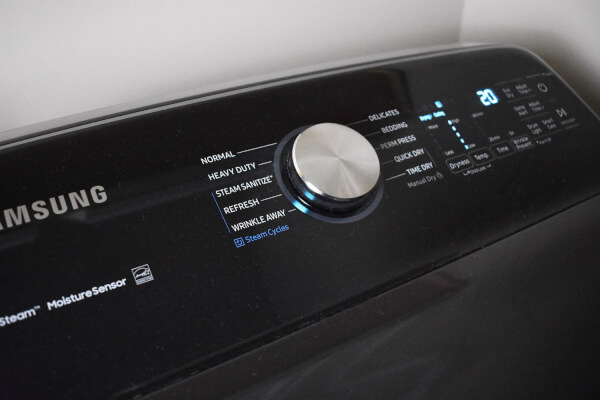
Credit: excellenceappliancerepair.com
Vent Cleaning Steps
Proper vent cleaning is essential for your Samsung dryer’s performance. Blocked vents cause overheating, leading to the dryer shutting off. Follow these steps to clean the vent system and keep your dryer running smoothly.
Cleaning The Lint Filter
Remove the lint filter from the dryer. Use your hand to pull off the lint build-up. Wash the filter with warm water and mild soap if needed. Let it dry completely before placing it back. Clean the lint filter after every drying cycle.
Removing Lint From Vent Hose
Unplug the dryer and pull it away from the wall carefully. Disconnect the vent hose from the dryer. Use a vacuum or a brush to remove lint inside the hose. Check for any tears or holes in the hose. Reattach the hose tightly after cleaning.
Inspecting Exterior Vent Openings
Go outside to locate the vent opening. Remove any debris, leaves, or nests blocking the vent. Ensure the vent flap moves freely and is not stuck. Clean around the vent opening regularly to prevent clogging. Proper airflow helps avoid overheating and automatic shutoff.
Testing Safety Components
Testing safety components is key to fixing a Samsung dryer that shuts off. These parts protect the dryer from overheating and electrical faults. Checking them helps find hidden problems that stop the dryer mid-cycle.
Safety parts like the thermal fuse and thermostat must be in good shape. If these fail, the dryer will cut power to avoid damage or fire risk. Testing these components requires some tools and care.
Locating Thermal Fuse And Thermostat
First, unplug the dryer for safety. Open the dryer’s back panel or control panel to find these parts. The thermal fuse is usually near the blower housing or heating element. The thermostat is close by, often attached to the heating duct or drum.
Check your dryer’s manual to see exact locations. Handle parts gently to avoid damage during inspection.
Using A Multimeter For Continuity
Use a multimeter to test if the thermal fuse and thermostat work. Set the meter to the continuity or resistance setting. Touch the probes to each end of the part.
If the meter beeps or shows zero resistance, the part is good. No beep or infinite resistance means the part is broken and needs replacing.
Always test parts at room temperature and disconnect wires before checking.
Replacing Faulty Parts
Replace any part that fails the continuity test. Buy the exact model number for your dryer. Remove the old part carefully and install the new one in the same position.
Reconnect wires securely and close the panel. Plug in the dryer and run a test cycle. The dryer should no longer shut off unexpectedly if the faulty safety parts caused the problem.
Addressing Moisture Sensor Faults
Moisture sensor faults often cause Samsung dryers to shut off unexpectedly. These sensors detect dampness in clothes and stop the dryer once they are dry. A malfunctioning sensor may send wrong signals, leading to early or frequent shutdowns. Addressing moisture sensor issues helps maintain proper drying cycles and prevents interruptions.
Cleaning Sensor Bars
Sensor bars can get dirty from fabric softeners or lint buildup. Dirt blocks the sensor’s ability to read moisture accurately. Use a soft cloth dampened with rubbing alcohol to clean the bars gently. Avoid harsh chemicals or abrasive tools that may damage the sensors. Clean the sensor bars regularly to ensure reliable performance.
Replacing The Sensor
When cleaning does not fix the problem, the sensor may be faulty. Replacing the moisture sensor restores correct function and prevents shutdowns. Consult your dryer’s manual for the sensor’s location and part number. Purchase a compatible replacement sensor and follow safety steps before installation. Proper replacement helps the dryer run smoothly without shutting off prematurely.
Motor And Door Switch Checks
Checking the motor and door switch is vital when your Samsung dryer keeps shutting off. These parts control the dryer’s operation and safety. Faulty components can cause sudden stops during a cycle. Simple inspections can save time and money. Follow these steps to find the problem quickly.
Inspecting The Door Switch
The door switch stops the dryer if the door opens. If the switch is broken, the dryer may shut off unexpectedly. Start by opening and closing the door firmly. Listen for a clicking sound, which shows the switch works. Use a multimeter to test for continuity. Replace the switch if it does not pass the test. This fix often solves the issue fast.
Recognizing Motor Overheating Signs
The motor powers the drum to turn. Overheating can cause the dryer to shut off. Signs include a burning smell or a hot motor casing. The dryer may stop mid-cycle or fail to start. Overheating often happens from lint buildup or blocked vents. Cleaning the vent and filter reduces heat. Let the motor cool before restarting the dryer.
Testing And Replacing The Motor
Test the motor by unplugging the dryer and opening the cabinet. Check the motor wiring for damage or loose connections. Use a multimeter to test the motor windings for continuity. If the motor fails the test, replace it with a new one. Installing a new motor may require technical skills. Seek professional help if unsure. Replacing a faulty motor restores smooth dryer function.

Credit: www.reddit.com
Preventive Maintenance Tips
Keeping your Samsung dryer in good shape prevents unexpected shutdowns. Regular care ensures smooth operation and extends the dryer’s life. Simple maintenance steps stop common issues like overheating and airflow blockages.
Follow these preventive maintenance tips to keep your dryer running without interruptions.
Routine Lint Filter Cleaning
Clean the lint filter after every drying cycle. This removes lint that blocks airflow. A clear filter helps the dryer work efficiently and lowers fire risks. Use a soft brush or cloth to clear trapped lint. Avoid washing the filter with water unless the manual allows it.
Regular Vent System Inspection
Check the vent system at least twice a year. Disconnect the vent hose from the dryer and remove lint buildup inside. Inspect the outside vent to ensure it opens freely. Blocked vents cause overheating and shutdowns. Clear any debris or nests that may clog the vent.
Scheduling Professional Servicing
Hire a technician to service your dryer annually. Professionals inspect parts like the thermal fuse and thermostat. They clean areas you cannot reach and fix hidden problems. Regular servicing helps spot issues before they cause shutdowns. It keeps your dryer safe and reliable.
Frequently Asked Questions
Why Does My Samsung Dryer Keep Turning Off After A Few Minutes?
Your Samsung dryer likely turns off due to overheating from clogged vents or lint filters. Faulty thermal fuses, thermostats, or moisture sensors also cause shutdowns. Clean vents and filters regularly, test safety components for faults, and clean moisture sensors to prevent early shutoffs.
How To Fix A Dryer That Keeps Shutting Off?
Clean the lint filter and vent to prevent overheating. Test and replace faulty thermal fuses or thermostats. Clean or replace the moisture sensor if needed.
How To Reset Samsung Moisture Sensor Dryer?
To reset a Samsung dryer moisture sensor, unplug the dryer for 5 minutes. Clean the sensor bars inside the drum with a soft cloth. Plug the dryer back in and run a test cycle. This clears sensor errors and restores normal drying functions.
How To Clean Samsung Dryer Moisture Sensor?
To clean the Samsung dryer moisture sensor, wipe the sensor bars inside the drum with a soft cloth and mild detergent. Remove any residue or lint buildup. Regular cleaning ensures accurate moisture detection and prevents premature dryer shutoff.
Why Does My Samsung Dryer Keep Shutting Off Suddenly?
Overheating from clogged vents or lint filters often causes sudden dryer shutdowns for safety.
Conclusion
A Samsung dryer that keeps shutting off usually signals airflow or safety issues. Regularly cleaning the lint filter and vent helps prevent overheating. Faulty parts like the thermal fuse also cause sudden shutdowns. Testing and replacing these parts can restore proper function.
Taking quick action keeps your dryer running smoothly and safely. Simple steps can save you time and repair costs. Stay attentive to signs of trouble to avoid bigger problems later.