
Is your Samsung dishwasher showing the dreaded 4C error code? If you’ve noticed your dishwasher stopping mid-cycle or not filling with water, this error is likely the culprit.
Don’t worry—this issue is common and often fixable without calling a technician. You’ll learn exactly what the 4C error means, why it happens, and simple steps you can take to get your dishwasher back to work quickly. Keep reading to save time, avoid frustration, and enjoy spotless dishes again!
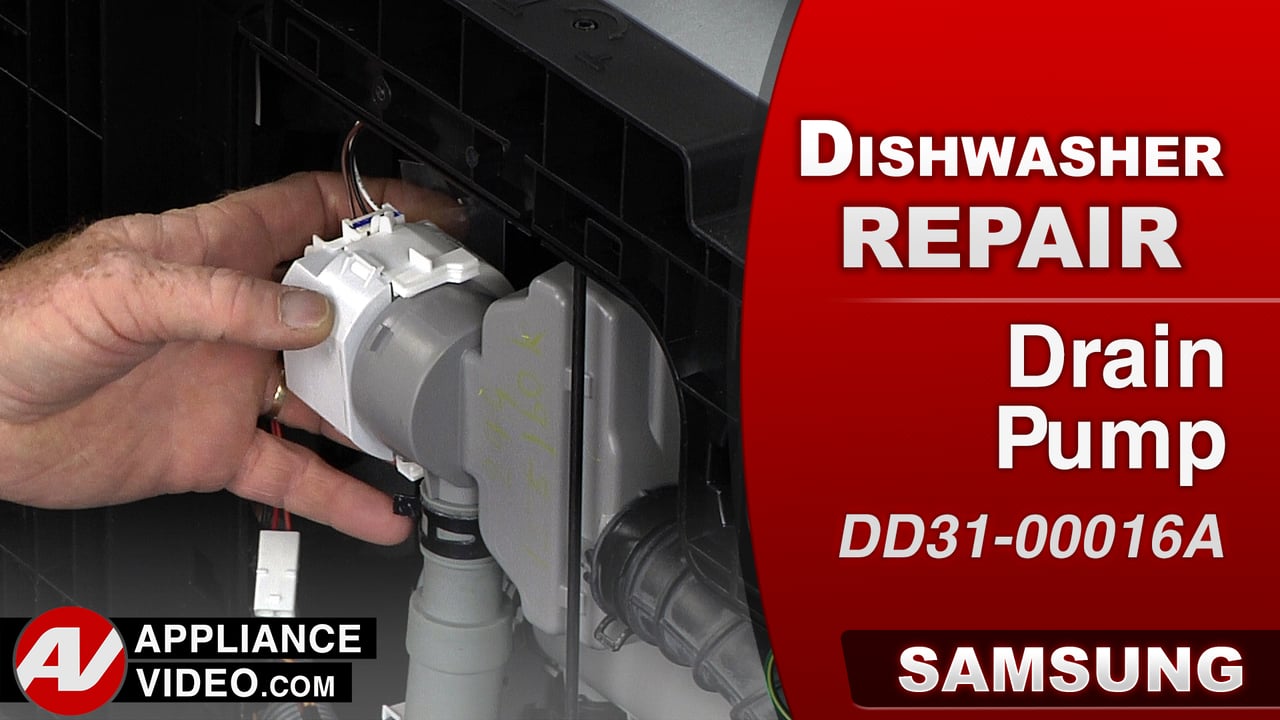
Credit: www.appliancevideo.com
Causes Of 4c Error
The 4C error on a Samsung dishwasher signals a water supply problem. This error stops the dishwasher from filling with water properly. Several common causes can trigger this issue. Identifying the cause helps fix the problem quickly and avoid damage.
Water Supply Issues
Water supply problems often cause the 4C error. The water valve might be closed or the hose kinked. Low water pressure can also prevent water from reaching the dishwasher. Sometimes, frozen pipes in cold weather stop water flow. Checking the water line ensures the dishwasher gets enough water.
Clogged Filters
Filters inside the dishwasher can get blocked with food or debris. A clogged filter stops water from flowing freely. This blockage triggers the 4C error code. Cleaning the filter regularly keeps water moving and prevents errors. Always remove and rinse the filter under running water.
Faulty Water Inlet Valve
The water inlet valve controls water entering the dishwasher. If it fails or gets stuck, water cannot fill the machine. A faulty valve causes the 4C error to appear. Inspecting and replacing a broken valve restores proper water flow. This repair often needs a professional technician.
Electrical Glitches
Sometimes, the dishwasher’s electronic control can glitch. These glitches may wrongly detect water supply issues. Power surges or faults can cause this problem. Resetting the dishwasher by unplugging it can clear errors. A reset often fixes temporary electronic faults causing the 4C error.

Credit: www.youtube.com
Power Reset Techniques
Power reset techniques offer a simple way to fix the Samsung dishwasher 4C error. This error often signals a water supply problem or an electronic glitch. Resetting power can clear temporary faults and help the dishwasher work normally again. The process involves cutting power briefly and then restoring it. This action resets the dishwasher’s control board and can often clear error codes.
Unplugging The Dishwasher
Start by turning off the dishwasher. Unplug it from the power outlet. Wait at least one minute. This pause lets the dishwasher’s system fully shut down. After the wait, plug the dishwasher back in. Turn it on and check if the 4C error disappears. This method is safe and easy for most users.
Using Circuit Breaker
Locate your home’s circuit breaker panel. Find the breaker that controls the dishwasher. Switch this breaker off to cut power. Leave it off for about two minutes. This step ensures all the dishwasher’s electronics reset. Turn the breaker back on. Power will return to the dishwasher. Check if it starts without the 4C error.
Timing For Reset
Timing is key during a power reset. Waiting at least one minute is important. This pause allows capacitors in the dishwasher to discharge fully. If the wait is too short, the reset may not work. For circuit breaker resets, two minutes is best. This longer wait helps clear deeper electronic faults. After the reset, run a quick cycle to test the dishwasher.
Checking Water Supply
Checking the water supply is a key step when facing the Samsung Dishwasher 4C error. This error often means the dishwasher does not get enough water. Ensuring the water supply is working correctly can help fix this problem fast. Follow simple checks to find and solve water supply issues.
Shutting Off Water
First, turn off the water supply to the dishwasher. Find the shut-off valve, usually under the sink or near the dishwasher. Turn it clockwise to close. This stops water flow and lets you work safely on the dishwasher or hoses.
Inspecting Inlet Hose
Next, check the water inlet hose for damage. Look for kinks, bends, or cracks that may block water flow. If the hose is bent, straighten it gently. Remove the hose from the wall connection to see if water comes out easily. Clean or replace the hose if needed.
Testing Water Pressure
Water pressure affects the dishwasher’s filling ability. Run water from the inlet hose into a bucket to test pressure. The flow should be steady and strong. Low pressure can cause the 4C error. Contact your water supplier if pressure is too low or test your home’s water system.
Thawing Frozen Hoses
In cold weather, water hoses can freeze and block water. Feel the hose for cold or hard spots. Use a warm towel wrapped around the hose to gently thaw frozen sections. Avoid using direct heat like a hairdryer to prevent damage. Once thawed, check water flow again.
Cleaning Dishwasher Filters
Cleaning the dishwasher filters is essential for proper functioning. Filters catch food particles and prevent blockages. Over time, they can clog and cause errors like the 4C code. Regular cleaning keeps your Samsung dishwasher running smoothly and extends its life.
Removing Lower Rack
Start by opening the dishwasher door fully. Slide out the lower rack carefully. This gives you clear access to the filter at the bottom. Set the rack aside on a safe surface.
Unscrewing Filter Assembly
Locate the circular filter assembly in the bottom center. Turn it counter-clockwise to unscrew. Lift the filter assembly out gently. Avoid using force to prevent damage.
Cleaning Filter Mesh
Rinse the filter mesh under running water. Use a soft brush to remove stuck debris. Clear all food particles and residue. Ensure the mesh is clean and free from blockages.
Reinstalling Filters
Place the filter assembly back into its position. Turn it clockwise until it locks securely. Slide the lower rack back into the dishwasher. Make sure everything fits properly before closing the door.
Water Inlet Valve Maintenance
Maintaining the water inlet valve is key to fixing the Samsung Dishwasher 4C error. The valve controls water flow into the dishwasher. Dirt or blockages in the valve can cause problems. Regular checks keep your dishwasher running smoothly. This section explains how to check, clean, and replace the valve.
Checking Valve Screen
Turn off the dishwasher and unplug it. Locate the water inlet valve at the back of the unit. Remove the water supply hose carefully. Look inside the valve screen for dirt or debris. A clogged screen stops water from entering. Use a flashlight for a clear view. If dirty, clean the screen before reassembling.
Cleaning Valve
Unplug the dishwasher before cleaning the valve. Remove the valve from the dishwasher following the manual. Soak the valve screen in warm, soapy water. Use a soft brush to scrub gently. Avoid harsh chemicals that can damage parts. Rinse the valve with clean water. Let it dry completely before reinstalling. Cleaning keeps water flowing well and prevents errors.
When To Replace Valve
Replace the valve if cleaning does not fix the problem. Signs include leaks, no water flow, or error codes. A faulty valve causes repeated 4C errors. Purchase a valve compatible with your dishwasher model. Turn off power and water supply before replacing. Installing a new valve restores proper water control. Regular valve maintenance can extend dishwasher life.
Control Panel Reset
The Control Panel Reset is a simple step to fix the Samsung Dishwasher 4C error. This error often shows due to a minor glitch in the dishwasher’s control system. Resetting the control panel can clear the error and restore normal function. The process requires turning off the dishwasher, waiting briefly, and then restarting it. This method helps refresh the system without needing advanced tools or repairs.
Turning Off Dishwasher
Begin by turning off the dishwasher using the power button. If the button does not respond, unplug the dishwasher from the power outlet. For added safety, switch off the circuit breaker connected to the dishwasher. This step cuts all power to the unit, ensuring a full reset.
Waiting Period
Wait for at least one minute before powering the dishwasher back on. This pause allows the control panel to fully reset. Avoid rushing this step. Giving time helps clear any temporary electronic glitches that caused the 4C error.
Restarting Dishwasher
Plug the dishwasher back into the power source or turn on the circuit breaker. Press the power button to turn on the dishwasher. Check if the 4C error still appears. If the error is gone, the reset worked. If it remains, further troubleshooting may be needed.
Tips To Prevent 4c Error
Preventing the Samsung dishwasher 4C error helps keep your appliance running smoothly. Taking simple steps regularly can avoid this common issue. These tips focus on maintaining water flow and proper function.
Regular Filter Cleaning
Clean the dishwasher filter every few weeks. Remove the lower rack to reach the filter. Twist the filter counter-clockwise to take it out. Rinse the filter under running water to clear dirt. Use a soft brush to remove stuck debris. A clean filter ensures water flows freely and prevents error 4C.
Ensuring Proper Water Pressure
Check the water pressure feeding your dishwasher. Low pressure can trigger the 4C error code. Run water into a bucket to measure flow. The pressure should be steady and strong. If pressure is low, inspect the water inlet valve and supply line for blockages or damage. Correct water pressure keeps the dishwasher functioning well.
Avoiding Kinks In Hoses
Examine the water inlet hose for twists or bends. Kinks block water flow and cause error 4C. Straighten any sharp bends or loops in the hose. Detach the hose if needed to look for internal clogs. Replace the hose if damaged or old. Smooth water flow prevents error codes and improves washing.
Routine Appliance Checks
Perform regular checks on your dishwasher’s parts. Inspect the inlet valve, hoses, and filter for wear or damage. Turn off and unplug the appliance before inspection. Look for leaks, cracks, or loose connections. Tighten or replace parts as needed. Routine care helps avoid many error codes, including 4C.
When To Contact Professionals
Knowing when to contact professionals for a Samsung Dishwasher 4C error is important. Some issues need expert help to avoid damage or safety risks. Simple steps can fix minor problems, but certain signs mean you should call a technician. This guide shows key situations that require professional service.
Persistent Error Code
If the 4C error keeps appearing after basic fixes, call a professional. Persistent codes often signal deeper problems. Experts can diagnose the root cause quickly. Ignoring repeated errors may cause more damage to your dishwasher. Professionals have tools to reset and repair your appliance safely.
Complex Valve Issues
Problems with the water inlet valve need expert attention. The valve controls water flow and can be tricky to fix. Replacing or repairing it needs special skills and parts. Incorrect handling can cause leaks or water damage. Professionals ensure the valve works properly and safely.
Electrical Malfunctions
Electrical faults can cause the 4C error and are dangerous to handle alone. Issues like wiring problems or faulty sensors require a trained technician. They can safely inspect and fix electrical components. Avoid risks by hiring professionals to handle electrical malfunctions in your dishwasher.
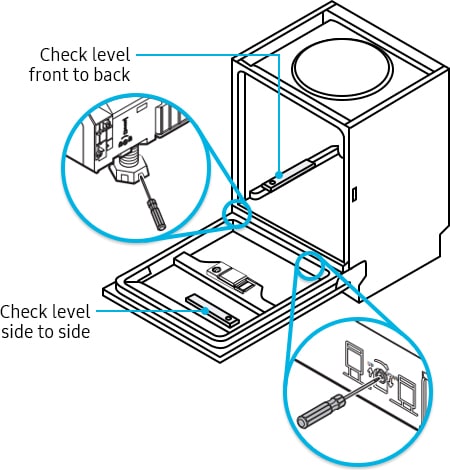
Credit: www.samsung.com
Frequently Asked Questions
How Do I Fix The Code 4c On My Samsung Dishwasher?
Turn off the dishwasher and unplug it for one minute. Check the water inlet hose for kinks or blockages. Clean the filter and water inlet valve screen. Restore power and run a cycle. Contact Samsung service if the code persists.
What Does 4c Mean On A Dishwasher?
4C on a dishwasher indicates a water supply issue. Check for kinks, blockages, or low water pressure in the inlet hose.
How Do I Fix Error Code 4c?
To fix error code 4C, unplug the dishwasher for one minute to reset it. Check the water inlet hose for kinks or blockages. Clean the filter and ensure water pressure is adequate. If the problem persists, contact a professional technician or Samsung support.
Why Is My Samsung Washer Stuck On 4c?
Your Samsung washer stuck on 4C means a water supply issue. Check hoses for kinks, clean filters, and reset the machine by unplugging it.
What Does Samsung Dishwasher 4c Error Mean?
The 4C error means the dishwasher is not getting enough water.
Conclusion
The Samsung dishwasher 4C error often means a water supply problem. Checking hoses, filters, and valves helps find the cause. A simple power reset can clear temporary glitches. Keep the water supply steady and clean for best results. If problems persist, consider professional help.
Regular maintenance prevents future errors and keeps your dishwasher working well. Small steps save time and avoid bigger repairs later. Stay calm and follow these tips to fix the 4C error quickly.