
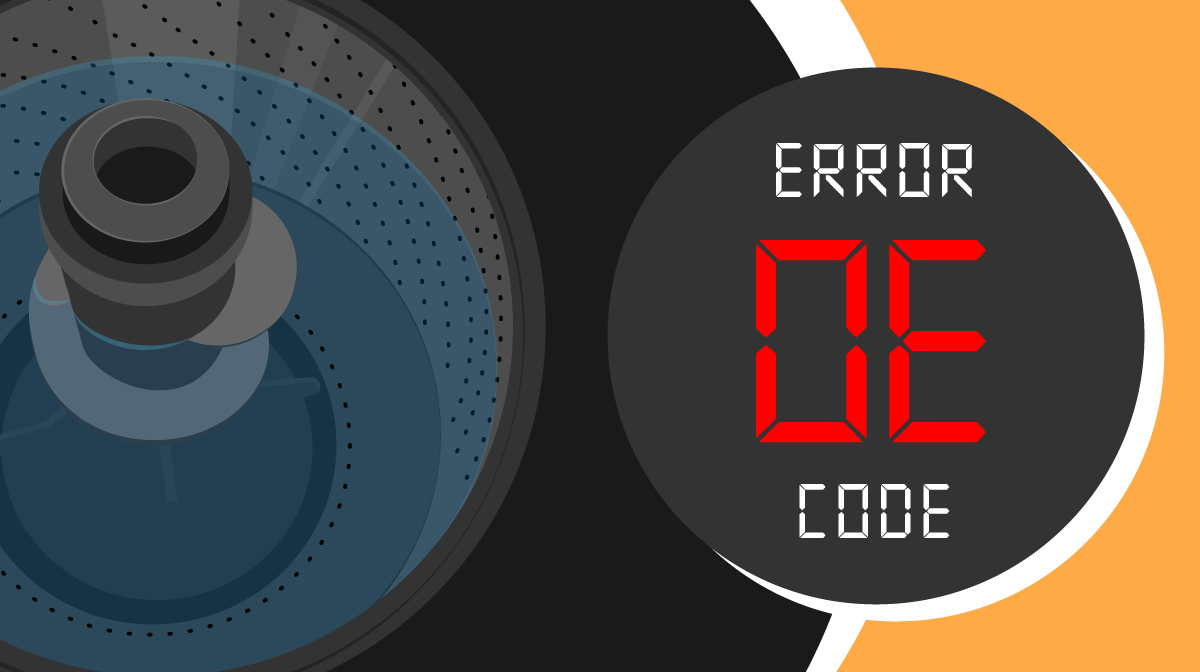
If your LG washer is showing the OE error code, you’re likely dealing with a drainage problem that’s stopping your laundry routine in its tracks. This code means your washer isn’t draining water properly, which can be frustrating and confusing if you don’t know where to start.
But don’t worry—fixing it might be easier than you think. You’ll discover simple, step-by-step solutions to clear clogs, clean filters, and check hoses so your washer can get back to work. Keep reading, and by the end, you’ll know exactly how to tackle that OE error and save time and money on repairs.
Lg Washer Oe Code Meaning
The LG washer OE code signals a drainage problem. It appears on the display when the machine cannot drain water properly. This error stops the washer from completing its cycle.
Understanding the OE code helps you fix the issue quickly. It saves time and prevents damage to your washer. Knowing what causes this error leads to easy troubleshooting steps.
What Does The Oe Code Indicate?
The OE code means the washer is not draining water. The machine detects water inside after the drain cycle. It shows the error to alert you of the problem.
This code usually points to a clog or blockage in the drain system. It might also mean the drain pump is faulty or the hose is kinked.
Common Causes Of The Oe Code
Clogged drain pump filters often cause the OE error. Lint, coins, and small objects block the filter and prevent draining. A twisted or blocked drain hose can also trigger the code.
Sometimes, the drain pump motor fails. The washer cannot push out water, so it stops with an OE code.
How To Check The Drain Pump Filter
First, unplug the washer from the power outlet. Safety comes first during any repair.
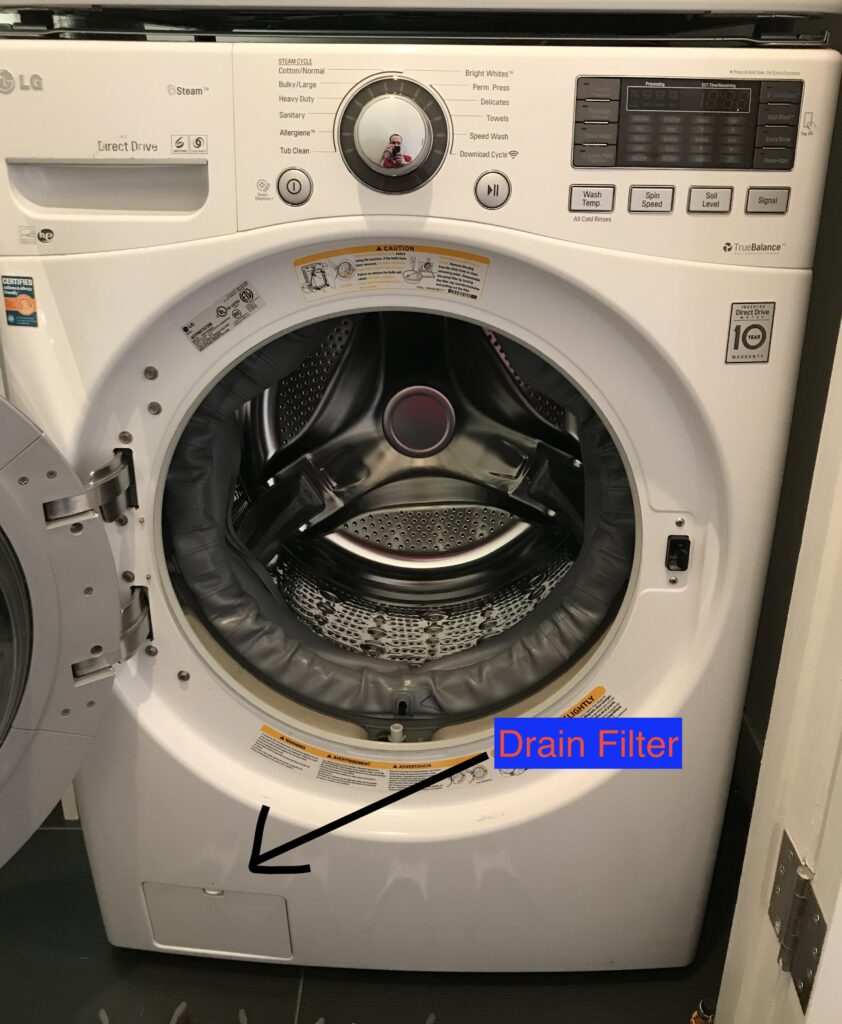
Find the small panel at the washer’s front bottom corner. Open it carefully. Place towels and a shallow pan underneath to catch water.
Turn the filter cap counterclockwise to remove it. Clean the filter under running water to clear lint and debris. Remove coins or objects that block flow.
After cleaning, reinstall the filter and close the panel. This simple step solves many OE code issues.
Pull the washer gently away from the wall. Check the drain hose for bends or kinks. Straighten any twists that restrict water flow.
Look inside the hose for blockages. Clear any clogs with a long flexible brush or water spray. A clear hose helps water drain smoothly.
When To Replace The Drain Pump
If cleaning the filter and hose does not fix the OE code, the drain pump may be faulty. Listen for unusual noises during the drain cycle. No sound or humming may indicate a broken pump.
Replacing the drain pump requires a professional or a careful DIY approach. A working pump is essential for proper drainage and error-free washing.
Safety First
Safety is the top priority when fixing an LG washer OE code. The OE error means the washer cannot drain water properly. Handling the washer without care can cause electrical shocks or water damage. Follow safety steps to protect yourself and your appliance.
Always take precautions before opening or cleaning the washer. The steps below help you prepare safely for any repair or check related to the OE code.
Unplugging The Washer
Always disconnect the washer from the power source first. Pull the plug out of the wall socket. This stops electricity from flowing to the machine. It reduces the risk of electric shock while working on the washer.
Do not use the power switch on the washer to turn it off. The machine can still carry electricity inside. Unplugging is the safest way to work on the washer.
Preparing For Drain Pump Access
Locate the small access panel at the front bottom of the washer. Open it carefully to avoid injury. Place a shallow pan and towels under the panel. This catches any water that may spill out.
Use the small drain plug inside the panel to remove leftover water. Turn the drain pump filter counterclockwise to take it out. Clean the filter well before checking the pump or hose. This step prevents leaks and water damage during repair.
Cleaning The Drain Pump Filter
Cleaning the drain pump filter is a key step to fix the LG washer OE error code. This error often means the washer cannot drain water properly. Removing dirt and debris from the filter helps the machine drain smoothly. It keeps the washer working well and prevents damage. Follow these simple steps to clean the filter safely and easily.
Locating The Filter Panel
First, unplug the washer from the power outlet. Safety is important before starting any work. The filter panel is at the front bottom-left of the washer. It is a small, rectangular door. Open this panel carefully to access the drain pump filter inside.
Draining Water Safely
Place a shallow pan and towels under the filter area. Some water will come out when you open the filter. Use the small drain plug inside the panel to let water flow into the pan. This prevents spills and keeps the floor dry. Make sure to drain all water before removing the filter.
Removing And Cleaning The Filter
Turn the filter cap counterclockwise to remove it. Pull out the filter slowly. Check the filter for lint, coins, or debris. Rinse it under running water to clean it well. Remove all blockages. Cleaning the filter helps the washer drain water quickly and avoid the OE error.
Reinstalling The Filter
After cleaning, put the filter back in its place. Turn the cap clockwise to lock it firmly. Close the filter panel door securely. Plug the washer back into the power outlet. Run a short wash cycle to check if the OE error is gone and the washer drains properly.
Credit: bklynservice.com
Inspecting The Drain Hose
Inspecting the drain hose is a key step to fix the LG Washer OE error code. The OE code means the washer is not draining water properly. The drain hose can get blocked, kinked, or twisted, which stops water flow. Checking the drain hose helps find and fix these problems fast. This saves time and avoids costly repairs.
Checking For Kinks And Twists
Start by unplugging the washer for safety. Then, follow the drain hose from the washer to the drain pipe. Look carefully for any bends or sharp turns. Kinks or twists can stop water from flowing out. Smooth out the hose to remove any tight bends. Make sure the hose is straight and not pinched. A straight hose allows water to drain freely and clears the OE code.
Clearing Hose Obstructions
Next, check inside the drain hose for blockages. Detach the hose carefully from the washer and the drain. Shine a light inside to spot any clogs like lint, dirt, or small items. Use a long, flexible brush or a pipe cleaner to remove any debris. Flush the hose with water to clear remaining dirt. Reattach the hose firmly to avoid leaks. Clearing blockages helps the washer drain water properly and stops the OE error.
Testing Washer After Cleaning
After cleaning your LG washer to fix the OE error code, testing it is essential. This step confirms the cleaning was successful and the washer drains correctly. Testing helps catch any remaining issues early before a full wash cycle.
Start by running specific cycles to check the drain function. Watch the washer closely to spot any error codes or unusual behavior. Proper testing ensures your washer works smoothly without delays or extra repairs.
Running A Spin Or Drain Cycle
Begin testing by selecting a spin or drain cycle on your LG washer. These cycles focus on removing water without washing clothes. The washer should pump out all water quickly and completely.
Listen for unusual noises like grinding or humming. These sounds may indicate a clogged pump or hose. If the washer stalls or stops, it may signal a persistent drainage problem.
Running these cycles also helps clear any leftover debris in the drain system. This step prepares your washer for normal wash cycles without error codes.
Observing For Error Code
Watch the washer’s display screen during testing. Check if the OE error code appears again. If it does, the drain issue may not be fully fixed.
Note any other error codes that might show up. These can provide clues about additional problems. Record the codes for reference if professional help is needed.
Clear error codes by turning off the washer and unplugging it briefly. Restart the cycle to see if the code returns. This confirms if the cleaning fixed the issue.
Credit: www.partselect.com
Replacing The Drain Pump
Replacing the drain pump is a key fix for the LG washer OE code. This error means the washer cannot drain water properly. A faulty drain pump often causes this issue. Changing the pump can restore your washer’s draining function and end the OE error.
Drain pump replacement is simple with basic tools. It saves the cost of a service call and extends your washer’s life. Follow clear steps to spot pump problems and replace the part safely.
Signs Of A Faulty Pump
Water stays in the drum after the cycle ends. The washer shows the OE error code on the display. You hear unusual noises during the drain cycle. The washer fails to spin or drain at all. Water leaks from the bottom of the washer. These signs point to a broken or clogged drain pump.
Steps To Replace The Pump
Unplug the washer from the power outlet. Open the access panel at the front bottom of the washer. Place towels and a shallow pan under the pump area. Remove the drain pump filter and drain any water. Unscrew and disconnect the old drain pump. Connect and install the new drain pump in place. Reinstall the filter and close the access panel. Plug in the washer and run a test cycle to check. The OE error should no longer appear if the pump was faulty.
When To Call A Professional
Knowing when to call a professional for an LG washer OE code problem can save time and prevent damage. Some issues are simple to fix, but others need expert help. This section explains clear signs that show it is time to get a technician.
Signs The Drain Pump Needs Replacement
If the washer still shows the OE code after cleaning, the drain pump may be faulty. Strange noises or no water draining are common signs. A professional can test the pump and replace it safely.
Problems With Electrical Components
When the washer’s control board or wiring is damaged, the OE code may appear. These parts require special tools and knowledge to fix. A technician can diagnose electrical faults and make repairs correctly.
Persistent Drain Hose Issues
Sometimes, blockages or kinks in the drain hose cause the OE error. If clearing the hose does not work, the hose or connections might be damaged. A professional can inspect and replace these parts if needed.
Complex Mechanical Failures
Mechanical problems like broken belts or faulty motors can trigger the OE code. These repairs are tricky and need experience. Calling a technician avoids further damage and ensures safe fixing.

Credit: www.youtube.com
Frequently Asked Questions
How Do I Fix The Oe Error On My Lg Washer?
Unplug your LG washer and clean the drain pump filter. Check the drain hose for clogs or kinks and straighten it. Restart the machine. Replace the drain pump if the OE error persists.
How Do You Fix A Lg Washer That Won’t Drain?
Unplug the washer and clean the drain pump filter. Check and clear the drain hose of clogs or kinks. If draining fails, replace the drain pump.
Does The Oe Error Mean I Need A New Pump?
The OE error does not always mean you need a new pump. Clean the drain filter and hose first. If the error persists and the pump makes no noise or won’t spin, consider replacing the pump.
Why Is The Washing Machine Showing Oe?
The OE error on a washing machine means it cannot drain water properly. Check and clean the drain pump filter. Inspect and clear any clogs or kinks in the drain hose. If the issue continues, the drain pump may need replacement.
What Does The Lg Washer Oe Code Mean?
The OE code means the washer is not draining water properly.
Conclusion
The LG washer OE code signals a drainage problem you can fix. Start by unplugging the machine for safety. Clean the drain pump filter to remove lint and debris. Check the drain hose for kinks or blockages and straighten or clear it.
If these steps don’t help, the drain pump may need replacement. Regular maintenance helps prevent this error from returning. Following these simple actions can keep your washer working smoothly and save you time and money.