
Is your LG dryer refusing to start no matter how many times you press the button? It’s frustrating when your laundry routine grinds to a halt, especially when you have a pile waiting to be dried.
But don’t worry—you’re not alone, and this problem is often easier to fix than you might think. You’ll discover simple steps to get your LG dryer back up and running quickly. Whether it’s a quick door check or a more detailed look at the internal parts, we’ll guide you through each solution in plain, easy terms.
Keep reading, and you’ll be drying clothes again in no time!
Quick Power Checks
Quick power checks help identify simple issues that stop your LG dryer from starting. These basic steps save time and avoid unnecessary repairs. Start with the easiest tasks before moving to complex fixes.
Checking power supply and reset options often solves the problem fast. Use these tips to quickly test your dryer’s power status.
Confirm Plug Connection
Ensure your dryer is fully plugged into the wall socket. Sometimes, the plug may look connected but is loose. Remove the plug and push it back firmly. A loose plug stops the dryer from getting power.
Also, check if the power cord is damaged or frayed. Damaged cords are unsafe and can cause power loss. Replace any faulty cords before using the dryer again.
Reset Circuit Breaker
Check your home’s electrical panel for tripped breakers. Dryers draw high power and can trip the breaker if overloaded.
Locate the breaker switch for your dryer and flip it off. Wait for a few seconds, then flip it back on. This resets the circuit and may restore power to your dryer.
If the breaker trips again, avoid forcing it on. Call a professional electrician as this indicates a serious electrical issue.
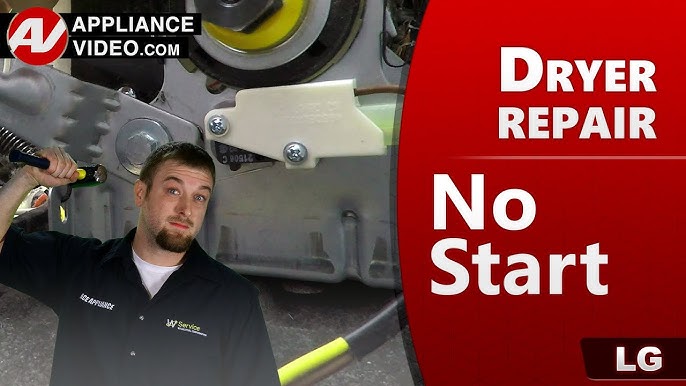
Credit: www.youtube.com
Door And Control Lock
The door and control lock play a key role in your LG dryer’s operation. The dryer will not start if the door is open or if the control lock feature is active. These safety features prevent accidents and accidental changes to settings. Checking these simple elements can save time and avoid unnecessary repairs.
Ensure Door Is Fully Closed
Your LG dryer will not start unless the door is completely closed. Even a slight gap stops the machine from working. Check for any clothes or objects blocking the door. Press the door firmly until you hear a click. This sound means the door latch is engaged. Without a full close, the dryer’s door switch cannot send the start signal.
Disable Control Lock Feature
The control lock, sometimes called child lock, stops the dryer from starting. This feature locks the buttons to prevent accidental use. Look at the control panel for a lock symbol or a light indicator. To turn off the control lock, press and hold the lock button or a combination of buttons. Hold them for about 3 to 5 seconds until the lock icon disappears. This will reactivate the start button and other controls.
Start Button Tips
The start button is key to getting your LG dryer running. Sometimes it may seem like the button does nothing. Knowing how to press the start button correctly can help avoid this issue. Small mistakes with the start button can stop the dryer from starting.
Follow these tips to use the start button properly. This can save you time and frustration before checking other parts.
Proper Button Press Technique
Press the start button firmly but not too hard. A light tap might not register with the dryer’s control board. Use your fingertip to push straight down on the button. Avoid sliding your finger or pressing the edges.
Make sure your finger stays on the button for at least one second. Quick presses often fail to activate the dryer. The button needs a clear, steady press to send the signal.
When To Hold The Button
Some LG dryer models require holding the start button for a few seconds. This helps confirm your command and prevents accidental starts. Hold the button for about 3 seconds until you hear a beep or see the lights change.
Releasing the button too soon can cause the dryer not to start. If the dryer does not respond, try pressing and holding the button again. This simple step often solves start issues.
Testing The Door Switch
Testing the door switch is a key step when your LG dryer won’t start. This small part tells the dryer if the door is closed. A faulty door switch prevents the dryer from running for safety. Checking this switch can save time and money before calling a technician.
Below are simple ways to test the door switch yourself. These tests help find out if the switch is working or needs replacement.
Listen For Click Sound
Push the dryer door gently and listen near the latch area. A working door switch makes a clear “click” sound. No click means the switch might be broken or stuck. Use a flashlight to see the switch and press it manually. The click confirms the switch activates when pressed.
Bypass Door Switch Test
Unplug the dryer first for safety. Find the door switch under the dryer’s front panel. Use a piece of tape to hold the door switch button down. Close the dryer door or leave it open with the switch taped. Try to start the dryer. If it runs, the door switch is faulty and needs replacement. Remove the tape and power on the dryer to avoid damage.
Thermal Fuse Inspection
The thermal fuse is a safety device in your LG dryer. It stops the dryer from overheating. When the fuse blows, the dryer will not start. Checking the thermal fuse is an important step in fixing a dryer that won’t start. This process requires careful handling and a few tools.
Locate And Remove Fuse
Unplug the dryer from the power source first. Find the back panel of your dryer and remove it using a screwdriver. The thermal fuse is usually on the blower housing or near the heating element. It looks like a small white or silver rectangular part with two wires attached. Gently disconnect the wires and remove the fuse from its holder.
Check Continuity With Multimeter
Set your multimeter to the continuity or ohms setting. Touch the probes to the metal terminals on the fuse. A good fuse will show a reading or beep, meaning continuity is present. No reading means the fuse is blown and must be replaced. Always handle electrical parts carefully and ensure the dryer is unplugged during this test.

Credit: codysappliancerepair.com
Evaluating The Start Switch
The start switch is a key part of your LG dryer. It sends power to the motor to begin the drying cycle. If the dryer won’t start, the switch may be faulty. Testing the start switch can help find the problem.
Checking the start switch is a simple step in troubleshooting. It saves time and avoids unnecessary repairs. This section explains how to access and test the start switch safely.
Accessing The Start Switch
Unplug the dryer before starting any work. Safety first. The start switch usually sits behind the control panel. Remove the screws holding the panel in place. Gently lift or slide the panel to access the switch.
Look for a small button or lever connected to wires. This is the start switch. Take a photo of the wiring before disconnecting anything. This helps during reassembly. Use a screwdriver to remove the switch if needed.
Multimeter Continuity Test
Set your multimeter to the continuity setting. Touch the probes together to check it works. Place the probes on the switch terminals. Press the switch button while testing.
If the multimeter beeps or shows zero resistance, the switch works. No beep or infinite resistance means the switch is bad. Replace the start switch with a new one if it fails the test.
Motor And Belt Checks
The motor and belt are key parts of your LG dryer. They help the drum turn and dry clothes. If the dryer won’t start, checking these parts is important. Problems here can stop the machine from working. This section explains how to check the motor and belt for issues.
Inspect Drive Motor Condition
The drive motor powers the drum. If the motor is faulty, the dryer won’t start or turn. Look for signs like burning smell or loud noise. Test the motor by pressing the start button and listening carefully. If you hear a humming sound but no drum movement, the motor may be jammed or broken. Check for any burnt wires or visible damage. A motor failure usually needs professional repair or replacement.
Examine Drive Belt For Damage
The drive belt connects the motor to the drum. It spins the drum to dry clothes. If the belt breaks or slips off, the drum won’t turn. Open the dryer’s cabinet to find the belt around the drum. Look for cracks, frays, or stretches on the belt. A damaged belt will need to be replaced. Make sure the belt is tight and correctly placed around the motor pulley and drum. A loose or broken belt stops the dryer from starting properly.

Credit: fleetappliance.com
Control Board Signs
The control board is the brain of your LG dryer. It manages all functions and signals. When the dryer won’t start, the control board often shows signs of trouble. Recognizing these signs can help diagnose the problem quickly. Early detection can save time and money.
Faulty control boards can cause the dryer to stop working completely. They may fail to send power to the motor or other parts. Watching for clear signs on the control board is important.
Look For Burn Marks
Burn marks on the control board are a red flag. They indicate electrical shorts or overheating. Check the board carefully for darkened or melted spots. These marks often mean the board is damaged and needs replacement.
Burn marks may appear near capacitors or connectors. This damage can stop the dryer from starting. Avoid running the dryer if you see these signs. It can cause further harm or electrical hazards.
Avoid Diy Repairs
Control boards are complex and delicate. DIY repairs can worsen the problem or cause injury. Handling electrical parts without proper knowledge is risky. It is best to call a professional technician for control board issues.
Professionals have the right tools and experience. They can test and replace the control board safely. DIY attempts may void your warranty or damage other components. Trust experts to keep your dryer running well.
Frequently Asked Questions
When I Push The Start Button On My Dryer, Nothing Happens.?
Check if the dryer is plugged in, the door is fully closed, and the control lock is off. Reset the circuit breaker if tripped. Faulty door switch, thermal fuse, or start switch may cause issues. Consult a professional for motor or control board problems.
Is There A Reset Button On A Lg Dryer?
LG dryers do not have a dedicated reset button. To reset, unplug the dryer for one minute, then plug it back in. This restarts the control board and can fix minor issues. Always check the door, control lock, and circuit breaker before resetting.
Why Is My Dryer Not Turning On But Has Power?
Check if the dryer door is fully closed, control lock is off, and the circuit breaker isn’t tripped. Faulty door switch, blown thermal fuse, or bad start switch can also prevent starting despite power. Motor or control board issues may need professional repair.
What Is The Most Common Problem With Lg Dryers?
The most common LG dryer problem is it won’t start, often due to a faulty door switch, blown thermal fuse, or control lock. Check the door closure, power supply, and control lock first. Advanced issues may involve the start switch, motor, or control board needing professional repair.
Why Won’t My Lg Dryer Start At All?
Check if the door is fully closed and the dryer is plugged in properly.
Conclusion
Troubleshooting your LG dryer not starting can save time and money. Begin with simple steps like checking the power, door closure, and control lock. These quick fixes often solve the problem. If the dryer still won’t start, test parts like the door switch or thermal fuse carefully.
Some repairs may need tools or expert help. Staying patient and following clear steps helps you find the issue faster. Keep your dryer working well with regular checks and maintenance. This way, laundry day stays hassle-free.