
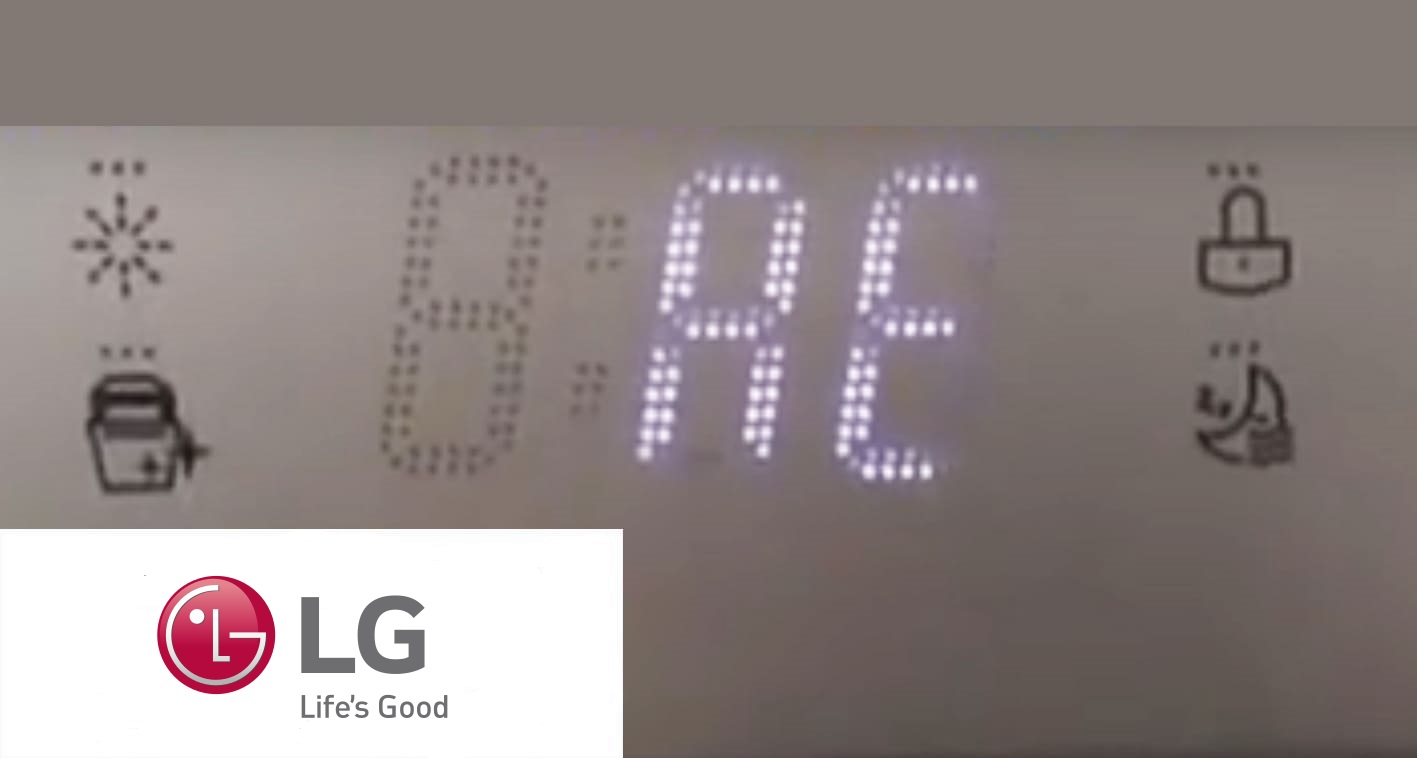
If your LG dishwasher is showing the dreaded “bE” error code, you’re probably wondering what it means and how to fix it fast. This error usually pops up when there’s oversudsing—too many suds inside your dishwasher—that can stop it from working properly.
Don’t worry, you’re not alone, and you don’t have to call a repair technician right away. You’ll discover simple, step-by-step solutions to clear the bE code, from using the right detergent to leveling your machine and running special rinse cycles.
Keep reading, and you’ll have your dishwasher running smoothly again in no time.

Credit: www.youtube.com
Be Error Causes
The LG dishwasher bE error code signals a problem with excess bubbles or suds inside the machine. This error stops the dishwasher from working correctly. Understanding the causes helps fix the issue quickly. Common reasons include oversudsing, wrong detergent use, leveling problems, and blockages in the pump. Each cause affects the dishwasher’s performance in different ways.
Oversudsing Issues
Oversudsing happens when too many bubbles form during the wash cycle. These bubbles block water flow and sensors. The dishwasher then shows the bE error code. Running a rinse-only cycle helps remove extra suds. If suds remain, placing a bowl of milk on the top rack can absorb the bubbles. Follow this by running an empty cycle without detergent to clean the machine thoroughly.
Improper Detergent Use
Using the wrong detergent causes excess suds. Only dishwasher-specific detergents should be used. Regular dish soap creates too many bubbles and triggers the bE error. For soft water areas, less detergent is needed. Too much detergent also leads to oversudsing. Always check the detergent label to match your dishwasher’s requirements.
Leveling Problems
A dishwasher that is not level may cause water and suds to pool incorrectly. This disrupts sensors and triggers the bE error. Adjust the leveling feet located under the dishwasher’s front cover. Make sure the dishwasher is even and the door stays open at the right angle. Proper leveling helps water flow smoothly and prevents error codes.
Obstructions In Pump
The wash pump can get blocked by small objects or debris. This stops water circulation and causes the bE error. Unplug the dishwasher before checking the pump area. Remove any plastic pieces or food particles blocking the impeller. If the error continues, the pump or other parts might need professional repair.
Suds Removal Techniques
Excess suds in your LG dishwasher can cause the bE error code. Suds removal techniques help clear these bubbles fast. They protect your machine and improve cleaning results. Follow simple steps to remove suds safely and effectively.
Rinse-only Cycle
Run a rinse-only cycle to drain extra suds and water. This cycle uses no detergent or heat. It helps flush out suds without adding more soap. The rinse-only cycle is the first step to fix the bE error code.
Milk Bowl Method
Place a bowl of milk on the top rack. The milk absorbs suds during the wash cycle. Run a normal cycle without detergent to activate this method. It reduces suds buildup and clears the dishwasher interior.
Empty Cycle Cleaning
Run an empty cycle with no detergent after removing suds. This cleans any soap residue inside the dishwasher. Use warm water and a regular wash setting. It prevents future suds and keeps the dishwasher fresh.
Detergent Guidelines
Using the right detergent is key to preventing the LG dishwasher BE code. This error often happens due to oversudsing inside the machine. Following proper detergent guidelines ensures smooth washing cycles and avoids damage.
Understanding how to use detergent correctly helps keep your dishwasher working well. Below are important tips to handle detergent use safely and effectively.
Using Dishwasher-specific Detergent
Always choose detergent made for dishwashers. These detergents do not create excess suds. Regular dish soap or hand soap can cause too many suds. Too many suds trigger the BE error on LG dishwashers. Using the correct detergent keeps the wash cycle clean and safe.
Adjusting For Soft Water
Soft water needs less detergent than hard water. Using too much detergent in soft water causes oversudsing. Check your water type and reduce detergent accordingly. This simple step prevents foam buildup and dishwasher errors. Adjust detergent amounts based on your water softness.
Avoiding Dish Soap
Never use regular dish soap or hand soap in your dishwasher. These soaps create large suds that confuse the machine. Oversudsing leads to the BE error code and stops your dishwasher from working. Stick to dishwasher detergents only to keep your appliance safe.
Leveling The Dishwasher
Leveling the dishwasher is a crucial step to prevent the LG dishwasher BE code error. An uneven dishwasher can cause water to pool or suds to build up. This can trigger the error and stop your dishwasher from working properly.
Proper leveling ensures smooth operation and extends the appliance’s life. The process involves adjusting the dishwasher’s feet and checking the door angle. Here’s how to do it correctly.
Accessing Leveling Feet
Start by removing the lower front cover of your LG dishwasher. This cover hides the leveling feet. Use a screwdriver to take off the cover carefully. Once removed, you will see the adjustable feet at the bottom corners.
Make sure the dishwasher is unplugged for safety before you start this step. The feet are usually made of plastic or metal and can be turned by hand or with a wrench.
Adjusting The Feet
Turn the leveling feet clockwise to raise the dishwasher. Turn them counterclockwise to lower it. Adjust each foot until the dishwasher is perfectly level. Use a spirit level placed on top of the dishwasher for accuracy.
Check all sides, front to back and side to side. The dishwasher should not rock or tilt. A well-leveled dishwasher helps prevent leaks and suds buildup, reducing the chance of the BE error.
Checking Door Angle
The dishwasher door must open and close smoothly without slipping. After leveling, open the door halfway. It should stay open at the correct angle without falling or rising.
Adjust the feet again if the door does not hold its position. A correct door angle ensures good sealing and proper water flow during cycles. This reduces the risk of error codes caused by improper drainage or leaks.
Basic Troubleshooting Steps
Facing the LG dishwasher bE error code can disrupt your cleaning routine. Basic troubleshooting helps you resolve this error quickly. Start with simple checks before calling for repairs. These steps often fix common issues causing the bE code.
Power Cycling The Dishwasher
Turn off the dishwasher and unplug it from the power source. Wait for about five minutes to let the system reset. Plug it back in and turn it on. This process clears minor electronic glitches. Watch if the bE code disappears after the restart.
Checking For Debris
Open the dishwasher door and remove the lower rack. Look inside the drain area for food particles or plastic pieces. Debris can block water flow and trigger error codes. Clear any visible blockages carefully to avoid damage. Run a rinse cycle to see if the error clears.
Inspecting Wash Pump
Unplug the dishwasher before inspecting the wash pump. Remove the access panel at the bottom front. Check the wash pump impeller for any stuck objects. A blocked impeller can cause the bE error. Remove obstructions gently and reassemble the panel. Test the dishwasher with a wash cycle to confirm the fix.
Component Inspection
Component inspection plays a key role in fixing the LG dishwasher Be error code. The error can point to problems inside the machine. Checking each part carefully helps find the cause. This way, you avoid guesswork and save time and money.
Focus on parts that often cause issues. The wash pump, heating element, and control board are common culprits. Inspecting these parts can reveal faults or blockages. Keep safety in mind and unplug the dishwasher before any checks.
Wash Pump Issues
The wash pump moves water inside the dishwasher. If it gets blocked, the machine shows the Be error. Plastic bits or food can jam the pump. Look inside the pump area for debris. Remove anything stuck carefully. Also, check the pump motor for damage. A faulty motor stops the pump from working.
Heating Element Problems
The heating element heats water during the cycle. If it breaks, the dishwasher cannot clean well. The Be code may appear. Look for signs of damage or corrosion on the element. Use a multimeter to test if it works. Replace the element if it shows no continuity or visible cracks.
Control Board Checks
The control board controls the dishwasher’s functions. Faults here can cause error codes. Open the control panel and look for burnt marks or loose wires. A damaged board needs replacement. Sometimes, resetting the board by unplugging can fix minor issues. If errors persist, the control board may be faulty.
Resetting The Dishwasher
Resetting the LG dishwasher is a simple way to clear the bE error code. This code often appears due to oversudsing or a temporary glitch. Resetting helps the dishwasher restart its system and remove the error. Follow these easy steps to reset your dishwasher safely and effectively.
Turning Off Power
Start by turning off the dishwasher’s power. Locate the power button and press it to switch off the machine. If your dishwasher is hardwired, turn off the circuit breaker for safety. Wait at least one minute to allow the system to reset completely.
Restoring Power
After waiting, restore the power to the dishwasher. Turn the circuit breaker back on or press the power button. This step reboots the control board and clears minor errors. Ensure the dishwasher shows no error codes before proceeding.
Running A Test Cycle
Run a short test cycle to check if the error persists. Use the rinse-only option to avoid adding detergent. This helps drain any excess suds or water inside. If the bE code returns, repeat the reset or check for other issues like suds or debris.
Credit: appliancerepairexpert.ca
Handling Le Error Code
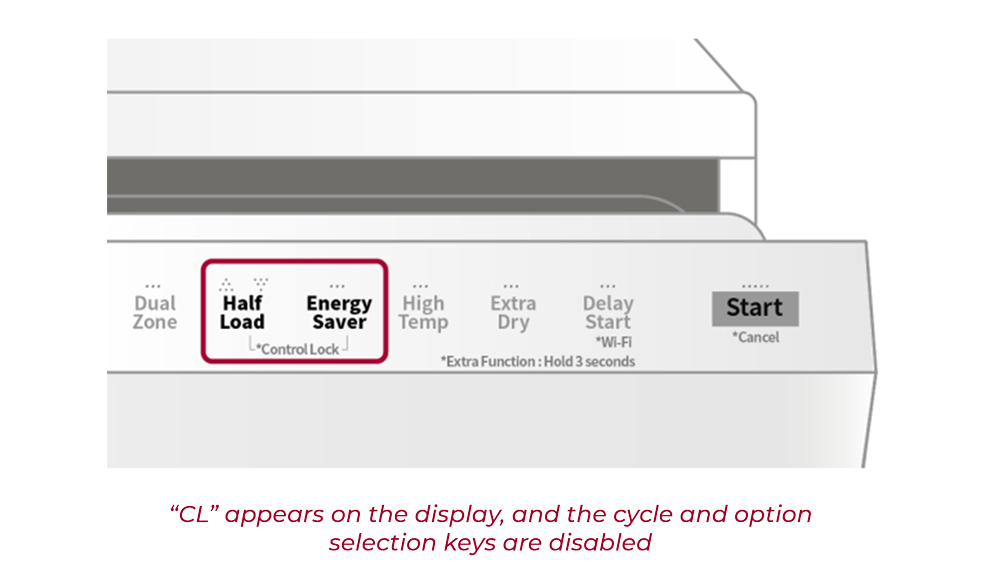
The LE error code on an LG dishwasher signals a leak detected inside the unit. Handling this error quickly helps avoid water damage and keeps your dishwasher working well. Start by checking common problem areas where leaks happen.
Circulation Pump Motor Blockage
The circulation pump moves water inside the dishwasher. Dirt or small objects can block the pump motor. Unplug the dishwasher before opening the lower panel. Remove debris or buildup around the pump. Clean carefully to avoid damage. A clear pump helps stop leaks and errors.
Clearing Sump Obstructions
The sump collects water at the dishwasher bottom. Food particles or broken glass can block it. Remove the filter and check the sump area. Use a soft brush or cloth to clean out obstructions. Ensure water flows freely. A clean sump prevents leaks and error codes.
Post-cleaning Testing
After cleaning, run a short cycle without dishes. Watch for leaks or unusual sounds. Check under the dishwasher for water. If no leaks appear, reset the dishwasher by unplugging and plugging it back in. Testing confirms the issue is fixed and the LE error is gone.
Credit: fixappliances.ca
Frequently Asked Questions
How To Fix Be Error In Lg Dishwasher?
To fix the LG dishwasher bE error, use only dishwasher detergent to avoid oversudsing. Run a rinse-only cycle to clear suds. Level the dishwasher by adjusting the feet. Check and remove any debris from the wash pump. Power cycle the dishwasher by unplugging it, then restart.
How Do I Clear The Error Code On My Dishwasher?
Turn off the dishwasher power by unplugging or switching off the breaker. Check for obstructions and use only dishwasher detergent. Run a rinse cycle to clear suds. Level the dishwasher if needed. Restore power and run a cycle to reset and clear the error code.
How Do I Reset The Error Code Le On My Lg Dishwasher?
To reset the LE error on your LG dishwasher, turn off power by unplugging or switching off the breaker. Wait a few minutes, restore power, and run a cycle. Ensure the dishwasher is level and use proper detergent to prevent future errors.
How Do I Reset My Lg Dishwasher?
To reset your LG dishwasher, turn off its power by unplugging or switching off the circuit breaker. Wait one minute, then restore power. Start a new wash cycle to complete the reset. This clears most error codes and refreshes the system.
What Does The Lg Dishwasher Be Error Code Mean?
The bE code signals oversudsing caused by using wrong detergent or too much soap.
Conclusion
The LG dishwasher bE code usually means too many suds inside. Use only dishwasher detergent, never dish soap. Level the dishwasher to stop door and drainage issues. Run rinse cycles to clear extra suds and water. Check for blockages in the wash pump impeller.
If the code stays, some parts may need repair. Following these steps helps keep your dishwasher running well. Simple care avoids common problems and saves time.