
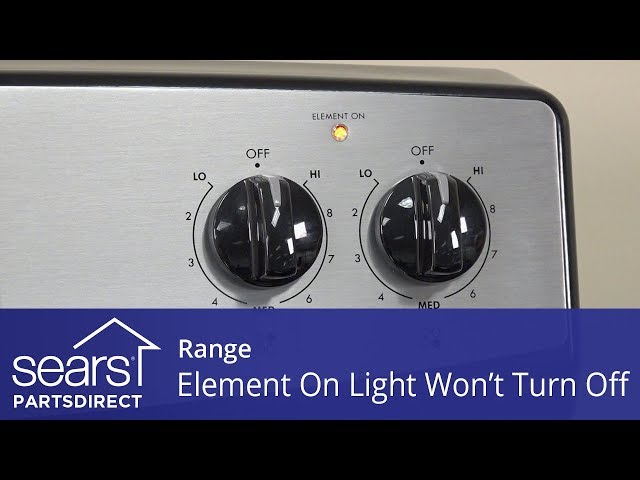
Is your Kenmore oven light staying on even when the oven is off? This unexpected glow can be more than just a minor annoyance—it might signal an underlying issue that needs your attention.
You’re probably wondering why the light won’t turn off and what you can do about it without calling a repair technician right away. You’ll discover simple, step-by-step troubleshooting tips to help you identify the cause and fix the problem yourself.
Keep reading to learn how to reset your oven, check key switches, and know when it’s time to get professional help—so you can get your oven back to normal quickly and safely.

Credit: www.reddit.com
Common Reasons Oven Light Stays On
The Kenmore oven light staying on can be frustrating and confusing. Several common issues cause this problem. Understanding these reasons helps you troubleshoot the issue quickly. This saves time and avoids unnecessary repairs.
Stuck Light Switch
The light switch controls the oven light. It can get stuck in the “on” position. Dirt, grease, or wear can cause the switch to stick. Pressing the switch repeatedly may free it. If stuck, the switch may need replacement.
Faulty Door Switch
The door switch turns the light off when the oven door closes. If the switch is broken or dirty, it may fail to work. This keeps the light on even when the door is shut. Cleaning or replacing the door switch often solves this issue.
Malfunctioning Control Board
The control board manages all oven functions, including the light. A malfunction or stuck relay on the board can keep the light on. Resetting the oven by unplugging it may fix minor glitches. Persistent problems may require a professional to repair or replace the control board.
Credit: www.youtube.com
Simple Reset Techniques
Simple reset techniques often fix the Kenmore oven light that stays on. These methods clear minor electronic glitches. They are easy and safe to try before calling for repairs.
Resetting the oven can refresh its control board. This may stop the light from staying on. Two common ways to reset are unplugging the oven and switching off the circuit breaker.
Unplugging The Oven
Unplug the oven from the power outlet. Leave it unplugged for about five minutes. This pause lets the oven’s electronics reset. After waiting, plug the oven back in. Check if the light turns off. This simple step often solves the problem.
Switching Off Circuit Breaker
Find the circuit breaker that controls your oven. Switch it off for five minutes. This cuts power to the oven completely. It helps reset the control board safely. Turn the breaker back on after waiting. Watch if the oven light goes off. This method works when unplugging is hard.
Locating Hidden Switches
Locating hidden switches in your Kenmore oven can solve the problem of the oven light staying on. These switches control the light and can sometimes get stuck. Finding and checking these switches is a key step in fixing the issue.
Inside The Oven
Look carefully inside the oven cavity. Some models have a small switch near the light bulb. This switch turns the light on and off when the door opens or closes. Dirt or debris can cause it to stick in the “on” position. Gently press or move the switch to see if it changes the light. Clean the area if needed to help the switch work properly.
Underneath The Oven
Check under the oven for another hidden switch. This switch may also control the oven light. It can be located near the oven’s bottom or along the frame. Use a flashlight to spot it clearly. Press the switch a few times to free it if it is stuck. Make sure nothing is pressing the switch continuously. Clearing this can turn the light off.
Credit: www.reddit.com
Testing The Door Switch
Testing the door switch is a key step to fix a Kenmore oven light that stays on. This switch controls the light by detecting if the oven door is open or closed. A faulty or stuck door switch can cause the light to stay on all the time. Testing it helps find if the switch is the problem or if you need to check other parts.
Start by checking the door switch closely. Dirt or damage can stop it from working right. Then, use a multimeter to see if the switch works properly. These simple tests can save time and money before calling a technician.
Inspecting For Dirt Or Damage
Look at the door switch carefully. Dirt, crumbs, or grease can block it from moving. Use a soft cloth or a small brush to clean around the switch. Check for cracks or broken parts on the switch itself. If the switch looks damaged, it may need to be replaced. A clean and intact switch is more likely to work correctly.
Using A Multimeter
Set your multimeter to the continuity or ohms setting. Remove the switch from the oven door carefully. Touch the multimeter probes to the switch terminals. Press the switch button several times. The multimeter should show a change in reading when pressed. No change means the switch is faulty. Replace the switch if it does not pass this test. Testing with a multimeter confirms the switch’s condition clearly.
Inspecting The Control Panel Switch
Inspecting the control panel switch is a key step in fixing a Kenmore oven light that stays on. The control panel switch controls the oven light directly. If it is stuck or faulty, the light may not turn off as expected.
This part is easy to access and check. A careful inspection can reveal if the switch is causing the problem. Simple fixes often save time and money before calling for professional help.
Checking For Stuck Buttons
Start by pressing the control panel buttons several times. Sometimes buttons get stuck due to dirt or wear. A stuck button can send a constant signal to keep the light on.
Look closely for any button that does not move freely. Clean around the buttons with a dry cloth to remove dust and debris. Avoid using liquids that might damage the electronics.
If a button stays pressed or feels different from the others, it might be stuck. Gently wiggle it to see if it frees up. If it does not, further action is needed.
Replacing Faulty Switches
If the buttons seem fine but the light stays on, the switch could be faulty. Switches wear out after frequent use or due to electrical issues. Replacing the switch usually solves the problem.
Turn off power to the oven before starting any repairs. Remove the control panel cover carefully to access the switch. Test the switch for continuity using a multimeter if possible.
Buy a replacement switch that matches your oven model. Install the new switch by following the manufacturer’s instructions. After replacement, restore power and check if the light turns off properly.
Identifying A Stuck Relay
Identifying a stuck relay is key to fixing a Kenmore oven light that stays on. The relay is a small switch inside the oven’s control board. It controls the power to the oven light. Sometimes, this relay can get stuck in the “on” position. This causes the light to remain on even when the oven door is closed or the light switch is off.
Detecting a stuck relay early can prevent further damage. It helps avoid unnecessary parts replacement. Knowing the symptoms allows you to take the right steps. You can try simple fixes before calling a professional.
Symptoms Of A Stuck Relay
The oven light stays on all the time, even when the oven is off. The oven may not respond to control panel commands. The control panel might act strange or not work properly. Sometimes the oven heats up even after turning it off. You might notice a buzzing or clicking sound from the control board area. These signs often point to a stuck relay causing the problem.
Resetting The Control Board
Resetting the control board can clear errors and unstick a relay. First, unplug the oven or turn off the circuit breaker. Wait for about five minutes to let the electronics reset. Plug the oven back in or switch the power on. Test the oven light to see if it turns off properly. This simple step can often fix the stuck relay issue. If the light stays on, further inspection or repair may be needed.
Examining The Light Fixture
Examining the light fixture is a key step to solve the Kenmore oven light issue. It helps identify if the problem comes from the bulb or its socket. A damaged fixture can cause the light to stay on. Careful inspection can reveal small issues before they become big problems.
Checking Bulb Socket
Start by unplugging the oven for safety. Remove the light bulb carefully from the socket. Check if the socket holds the bulb tightly. A loose socket can cause the light to stay on. Look for any broken parts or signs of damage inside the socket. Use a flashlight to see clearly. If the socket looks worn out, it might need replacement.
Looking For Corrosion Or Burning Signs
Inspect the socket and surrounding area closely. Corrosion appears as green or white powdery spots. Burning signs look like black marks or melted plastic. These signs show electrical problems. They can cause the light to stay on or create safety hazards. If you find any corrosion or burning, stop using the oven. Contact a professional technician for repairs. Do not ignore these warning signs to avoid further damage.
When To Seek Professional Help
Knowing when to seek professional help is crucial if your Kenmore oven light stays on. Some problems need expert attention to avoid further damage or safety risks.
Attempting repairs without enough knowledge can cause more issues. A professional technician has the right tools and skills to fix complex problems quickly and safely.
Persistent Light Issues
If the oven light remains on after you try basic resets and switch checks, it may signal a deeper problem. Persistent light issues often point to electrical faults or damaged components that require professional diagnosis.
Signs Of Electrical Damage
Look for any burning smells, scorch marks, or melted parts near the light fixture or control panel. These signs indicate electrical damage, which is dangerous. Stop using the oven and call a technician immediately to prevent fire hazards.
Unresponsive Control Panel
A control panel that does not respond to button presses or shows erratic behavior can mean a faulty control board. This part controls the oven light and other functions. Professionals can test and replace the control board safely.
Discomfort With Repairs
If you feel unsure or uncomfortable working with electrical components, it is best to call a professional. Handling wiring or internal parts without experience can lead to injury or worsen the problem. Trust a trained technician for safe and correct repairs.
Frequently Asked Questions
Why Wont The Light Go Off On My Kenmore Oven?
The Kenmore oven light stays on due to a stuck light switch, faulty door switch, or control board issue. Unplug the oven to reset it. Check and test switches for damage or dirt. If unresolved, contact a professional for repair to avoid electrical hazards.
Why Is My Oven Light Stuck On?
Your oven light may stay on due to a stuck light switch, faulty door switch, or malfunctioning control board. Try unplugging the oven to reset it. If the light remains on, inspect or replace the switches. Call a professional if the issue persists or if you notice damage.
How Do I Reset My Kenmore Oven?
To reset your Kenmore oven, unplug it or switch off the circuit breaker for 5 minutes. Then, plug it back in to restore power. This resets the control board and clears minor errors.
How To Get A Stuck Oven Light Out?
Unplug the oven to reset its electronics. Check and press the light switch repeatedly. Inspect the door switch for dirt or damage. Replace any faulty switches. If the light stays on, consult a professional technician for control board or wiring issues.
Why Does My Kenmore Oven Light Stay On Constantly?
A stuck light switch, faulty door switch, or control board can cause the light to stay on.
Conclusion
A Kenmore oven light that stays on can be annoying and confusing. Simple resets often fix the problem quickly. Checking the light switch and door switch helps find common issues. Sometimes, the control board or wiring causes the light to stay on.
If basic steps don’t work, professional help is the safest choice. Avoid using the oven if you see damage or burning signs. Taking quick action keeps your oven safe and working well. Don’t ignore the problem; fix it soon to avoid bigger issues.