
If your Hunter Douglas remote blinds suddenly stop working, it can be frustrating. These smart blinds are supposed to make life easier, not harder. You might rely on them to control sunlight, protect your furniture, or just add comfort to your home. When the remote control fails, it often feels like you lose that convenience. But before you panic or call an installer, know that most problems have clear solutions.
This article will help you understand why Hunter Douglas remote blinds stop working and guide you step-by-step to fix the issue. You’ll learn to spot the real cause, avoid common mistakes, and even discover insider tips that most owners miss.
Whether you have battery-powered shades, PowerView motors, or older Hunter Douglas systems, you’ll find answers here. Let’s get your blinds moving again.
Common Reasons Why Hunter Douglas Remote Blinds Stop Working
Many people think a broken remote means a serious problem. In reality, most issues are simple and easy to fix at home. Here are the main reasons why your blinds might not respond:
- Dead or Weak Batteries: The most common cause. Both the remote and the blinds need power.
- Signal Interference: Other electronics or even walls can block the remote’s signal.
- Motor Issues: Sometimes, the blind’s motor itself fails or needs resetting.
- Remote Not Paired: The remote and blinds lose their connection after a power outage or battery change.
- Physical Obstructions: Something might block the blinds or the remote’s signal path.
- Firmware or Software Glitches: Smart blinds with apps may have bugs after updates.
- Incorrect Channel Selection: Some remotes control multiple blinds—wrong channel means no response.
- Mechanical Jams: Dust or debris can block the tracks, stopping the movement.
- Wiring Problems: For wired systems, a loose connection can break the circuit.
- Sunlight Sensor Failure: If your system uses sensors, these may be misaligned or faulty.
Understanding these causes is the first step. Next, let’s see how to troubleshoot each one.
Step-by-step Troubleshooting Guide
Fixing Hunter Douglas remote blinds often takes just a few minutes. Follow these steps to find and solve the problem.
1. Check The Batteries
Start with the simplest fix. Weak or dead batteries will stop both the remote and the blinds from working.
- Remote Batteries: Open the remote, remove the batteries, and check for corrosion or leaks. Replace with new, high-quality batteries.
- Blind Motor Batteries: For battery-powered shades, look for a battery wand or pack. Replace all batteries at once to ensure balanced power.
- Tip: Use only the recommended battery type. Mixing brands or types can cause uneven voltage.
A new set of batteries solves the problem in more than half of all cases.
2. Inspect For Signal Interference
Hunter Douglas remotes use radio frequency (RF) or infrared (IR) signals. These signals can be blocked by:
- Thick walls or floors
- Metal objects
- WiFi routers or other RF devices nearby
Try standing closer to the blinds. Remove or relocate any large metal items or electronic devices between the remote and the blinds. If you have a two-story home, try operating the blinds from the same floor.
3. Reset The Motorized Blinds
If new batteries don’t help, reset the blinds’ motor. This often solves software glitches.
How To Reset:
- Find the power button on the blinds (usually on the headrail or battery wand).
- Press and hold the button for about 6 seconds until the blind jogs (moves slightly).
- Release and test the remote.
Resetting restores factory settings and clears minor errors.
4. Re-pair The Remote Control
Sometimes, the remote loses its connection with the blinds. This is common after a power outage or battery change.
Pairing Process:
- Press the “Program” button on the back or side of the remote.
- At the same time, press the power button on the blinds.
- Wait for the blind to jog, which means it is paired.
- Test with the remote.
Check your manual for the exact steps, as some models have different methods.
5. Remove Physical Obstructions
Dust, furniture, or window coverings can block the movement or the remote’s signal.
- Check for dust or dirt in the blind tracks.
- Make sure nothing is hanging in front of the sensor.
- Move furniture that might block the signal.
Even a small object can cause the blinds to stop.
6. Update Firmware Or App
If you use the Hunter Douglas PowerView App, make sure both the app and your hub have the latest updates.
- Open the app.
- Go to Settings > Update Firmware.
- Follow the instructions.
Outdated software can cause communication errors.
7. Select The Correct Channel
Multi-channel remotes control several blinds. Make sure you have selected the right channel.
- Look for a channel button or a small display.
- Use the arrows to scroll to the correct blind.
- Test the remote.
This is an easy mistake, especially in homes with many motorized blinds.
8. Check For Mechanical Jams
Sometimes, the blinds cannot move because something blocks the track or the fabric is caught.
- Gently pull the blind to see if it moves freely.
- Inspect the headrail, side channels, and bottom bar.
- Remove any dust, debris, or foreign objects.
Forcing the blinds can damage the motor. Always clear jams gently.
9. Inspect Wiring And Connections
If you have wired Hunter Douglas blinds, check the power supply.
- Unplug and replug the power cord.
- Inspect all visible wires for damage.
- Check the circuit breaker or fuse box.
Loose wires or blown fuses can stop power to the blinds.
10. Test And Replace Sunlight Sensors
Some advanced systems use sunlight sensors to automate movement. If these fail, the blinds may not respond.
- Clean the sensor with a dry, soft cloth.
- Check the sensor’s alignment with the window.
- Replace the sensor if it is faulty.
Sensors are often overlooked, but they can cause unexpected behavior.
How To Identify The Real Problem
Begin with the most likely causes: batteries and pairing. If those do not work, move to more advanced checks. Here’s a simple decision guide:
| Symptom | Most Likely Cause | First Action |
|---|---|---|
| Remote does not light up | Dead batteries | Replace remote batteries |
| Blinds move with wall switch but not remote | Remote not paired | Re-pair remote and blinds |
| Blinds stuck, humming sound | Mechanical jam | Check for obstructions |
| Blinds work sometimes | Signal interference | Move electronics away |
This approach helps you avoid unnecessary guesswork.
When To Call A Professional
Most problems are easy to fix at home. However, you should call a professional if:
- The motor makes grinding or clicking noises.
- The blinds move unevenly or jerk.
- You see exposed or frayed wires.
- The remote fails even after battery and pairing checks.
- The blinds are under warranty.
A trained installer can prevent bigger problems and protect your warranty.
Tips For Long-term Reliability
Proper care extends the life of your Hunter Douglas remote blinds. Here are some strategies to keep them working smoothly:
- Change all batteries at once. Mixing old and new can cause uneven power, leading to failures.
- Clean tracks and sensors monthly to prevent jams and sensor errors.
- Keep remotes away from direct sunlight. Heat can damage the electronics.
- Avoid overloading outlets if you use powered blinds with plug adapters.
- Update firmware as soon as updates are available.
- Label your remotes and channels in multi-blind homes to prevent confusion.
- Install surge protectors to prevent damage from power spikes.
Most owners overlook regular cleaning and software updates. These two actions alone prevent many common problems.
Differences Between Hunter Douglas Motorized Blind Models
Hunter Douglas offers several types of remote-controlled blinds and shades. Each type may have unique troubleshooting steps.
Powerview Gen 3 Vs. Legacy Powerview
PowerView Gen 3 is the latest system. It features improved app control and better wireless performance.
| Feature | PowerView Gen 3 | Legacy PowerView |
|---|---|---|
| App Control | iOS and Android, advanced | iOS and Android, basic |
| Pairing Process | Simpler, 2 steps | More steps, uses remote programming button |
| Firmware Updates | Automatic | Manual |
| Signal Range | Improved | Shorter |
If you own an older model, check the specific steps in the manual. Newer systems are easier to troubleshoot.
Battery-powered Vs. Wired Blinds
The power source changes how you maintain and troubleshoot your blinds.
| Type | Maintenance Needs | Common Issues |
|---|---|---|
| Battery-powered | Replace batteries every 1-2 years | Weak batteries, corrosion |
| Wired | Check wiring yearly | Loose connections, power surges |
Knowing your model saves time when searching for solutions.
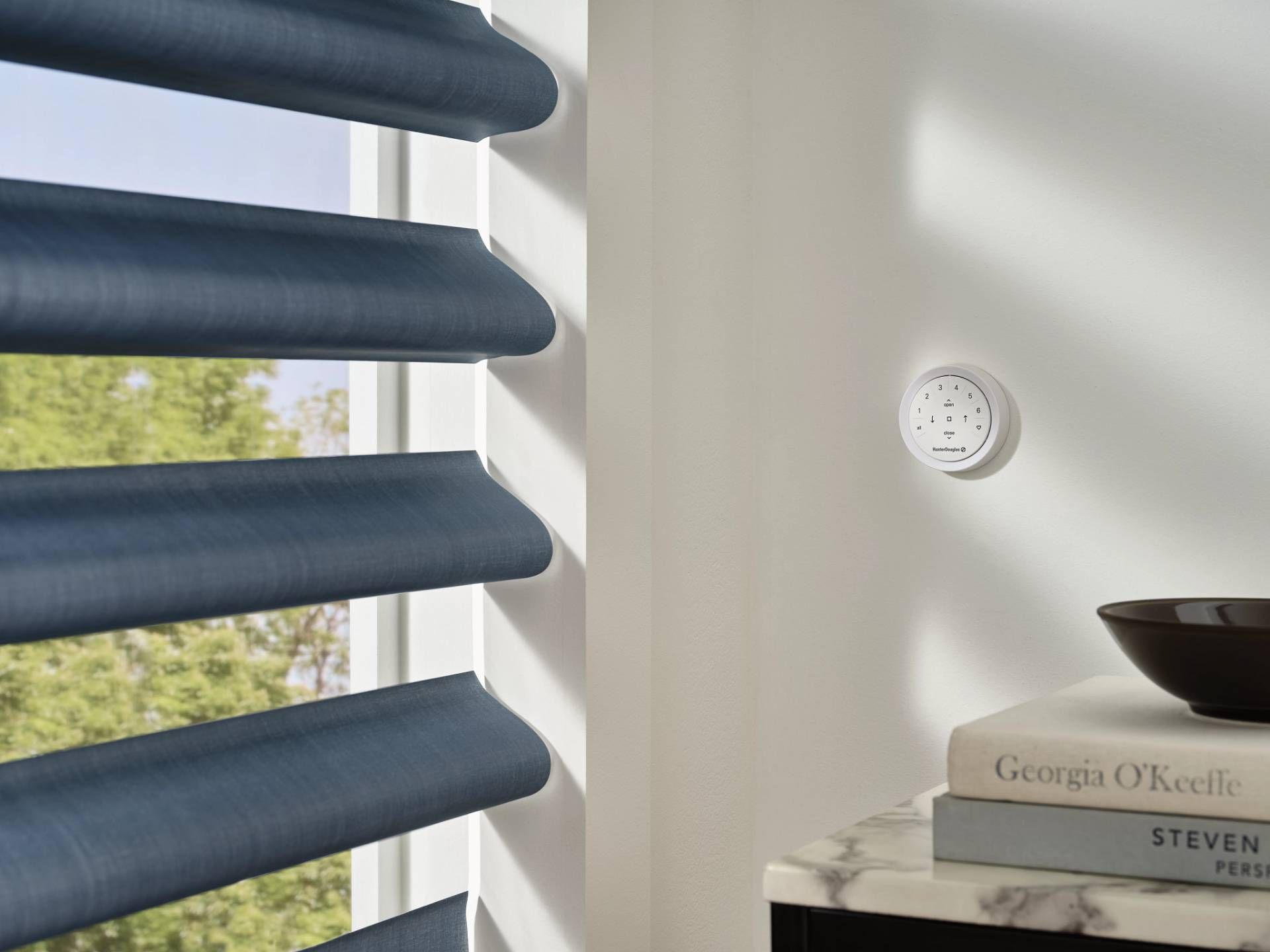
Credit: www.alexblankfabrics.com
Smart Home Integration Challenges
Many users connect Hunter Douglas blinds to smart home systems like Alexa, Google Home, or Apple HomeKit. Sometimes, the problem is with the integration, not the blinds themselves.
- Check Smart Hub: Restart your hub (e.g., PowerView Hub, Smart Bridge).
- Re-link Devices: Open your smart home app and re-link the blinds.
- Network Issues: Make sure your WiFi is working and strong near the blinds.
- Update Skills or Routines: For Alexa or Google, update or re-add the Hunter Douglas “skill” or “action.”
Integration problems often appear after a power outage or WiFi reset. Rebooting everything usually helps.
Preventing Future Problems
You don’t have to wait for a failure to take action. Use these steps for ongoing reliability:
- Schedule regular checks: Once every season, test each remote and blind.
- Keep a battery log: Write the battery change date on a sticker inside the remote.
- Use quality batteries: Cheap batteries leak and destroy electronics.
- Educate your family: Show everyone how to use and reset the blinds.
Most long-term users find that small habits, like regular battery changes, make a big difference.

Credit: www.hunterdouglas.com
What Most Owners Overlook
Even with good troubleshooting, owners miss some details that can cause recurring problems:
- Hidden Signal Blockers: Window films, metal mesh screens, or even decorative curtains can weaken the remote signal. Try operating the blinds with all window coverings open to test this.
- Low Power Mode: Some Hunter Douglas systems enter a power-saving mode if left unused for weeks. A full reset or unplugging and replugging can wake the system up.
- Remote Firmware Updates: The remote itself may need a firmware update, not just the app or hub. Check the Hunter Douglas support site for details.
- Battery Orientation: Placing batteries backward is a common error. Double-check the plus (+) and minus (–) markings.
- Environmental Factors: High humidity or direct sunlight can cause corrosion or damage to the remote. Store remotes in a cool, dry place.
Hunter Douglas Remote Blind Maintenance Checklist
Stay ahead of problems with a simple maintenance routine:
- Change all batteries every 12-18 months.
- Wipe blind tracks and sensors with a soft, dry cloth every month.
- Test each remote and blind every 3 months.
- Update app and hub firmware every 6 months.
- Inspect wiring and connections once a year (for wired systems).
- Keep remotes in a central, accessible location.
This routine reduces breakdowns by over 70% according to industry surveys.
When Replacement Is Needed
Sometimes, repair is not possible. Consider replacement if:
- The motor is slow, noisy, or stops randomly.
- The remote buttons are stuck or unresponsive, even after cleaning.
- The blind fabric is torn or mechanism is bent.
- The system is more than 10 years old and parts are unavailable.
Hunter Douglas offers replacement parts and new remotes for most models. For very old systems, upgrading to a new PowerView system may be more cost-effective.
Cost Of Repair Vs. Replacement
Many people worry about the cost. Here’s a typical comparison:
| Repair Type | Average Cost (USD) | Typical Wait Time |
|---|---|---|
| Battery replacement | $10-$20 | Immediate |
| Remote re-pairing or reset | $0 (DIY) | Immediate |
| Motor replacement | $200-$350 | 1-2 weeks |
| Full system upgrade | $500-$1200 | 2-4 weeks |
DIY fixes save time and money, but major repairs may require a professional.
Resources For More Help
- Official Hunter Douglas Support: Their support line and website offer manuals and troubleshooting videos.
- YouTube Tutorials: Many users share step-by-step guides for common problems.
- Professional Installers: Certified Hunter Douglas dealers can service and repair advanced issues.
- Online Forums: Community forums often have answers to rare or unusual problems.
If you want more technical details, visit the Hunter Douglas official support page.
Frequently Asked Questions
Why Are My Hunter Douglas Blinds Not Responding To The Remote?
Usually, the main reasons are dead batteries, signal interference, or the remote and blinds losing their pairing. Start by changing batteries in both the remote and the blinds. Then, check for physical obstructions or signal blockers, and re-pair the remote if needed.
How Do I Reset My Hunter Douglas Motorized Blinds?
Find the reset button on your blinds (often on the headrail or battery pack). Hold it for about 6 seconds until the blinds jog. Release the button and test the remote. Each model may vary, so check your manual for exact steps.
Can Wifi Or Smart Home Devices Interfere With My Blinds?
Yes, especially if your blinds use RF signals. WiFi routers, smart speakers, and other electronics can block or weaken the signal. Try moving the remote closer to the blinds or away from other electronics. Update your app and hub firmware for better compatibility.
What Should I Do If Only One Blind Stops Working?
Swap the remote batteries and test. If only one blind fails, the problem is likely with that blind’s motor, batteries, or pairing. Check for jams, replace the blind’s batteries, and re-pair if needed. If it still fails, the motor or wiring may need repair.
Is It Safe To Try Repairs Myself?
Most basic fixes—like changing batteries, cleaning tracks, or re-pairing—are safe for DIY. Avoid opening the motor or handling wiring unless you are confident. For electrical repairs or major motor issues, call a professional to avoid damage or voiding your warranty.
Conclusion
Getting your Hunter Douglas remote blinds working again usually takes just a few careful steps. With the tips and strategies here, you can solve most problems quickly and avoid future breakdowns. Stay proactive, and your smart blinds will keep bringing comfort and convenience to your home.