
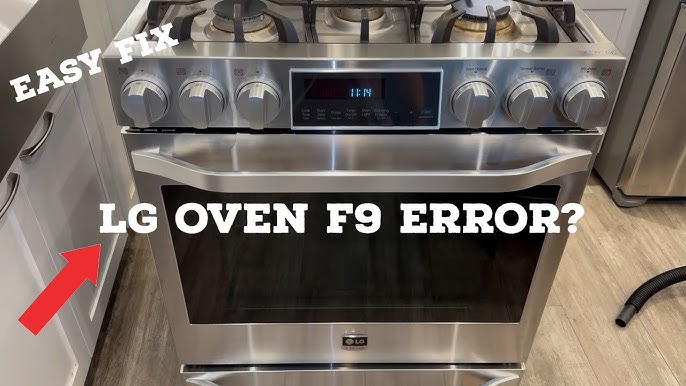
Is your LG oven showing the F9 error code? This frustrating message can stop your oven from working just when you need it most.
But don’t worry—you don’t have to call a repair technician right away or spend a fortune. You’ll discover simple, clear steps to fix the LG F9 error yourself. Whether it’s a faulty igniter, a sensor issue, or a wiring problem, you’ll learn how to identify and solve it quickly.
Keep reading to get your oven back in action and save time and money!
Lg F9 Error Causes
The LG F9 error code signals an ignition failure in your oven. This error stops the oven from heating properly. Understanding the causes helps in fixing the issue quickly.
Several parts in the oven can cause this error. Problems with the igniter, wiring, sensor, or main control board often trigger the F9 code. Each component plays a key role in the oven’s ignition process.
Faulty Igniter
The igniter lights the oven burner by heating up. A weak or broken igniter cannot ignite gas. This failure causes the F9 error to appear on your oven display. Replacing the igniter often solves the problem.
Defective Wiring Harness
The wiring harness connects the igniter to the control board. Damaged or loose wires disrupt the electrical flow. This interruption stops the igniter from working correctly. Checking and fixing the wiring can clear the error.
Malfunctioning Oven Sensor
The oven sensor monitors the temperature inside the oven. A faulty sensor sends wrong signals to the control board. This miscommunication may prevent ignition and trigger the F9 error. Testing the sensor and replacing it if needed can fix the issue.
Main Pcb Issues
The main printed circuit board (PCB) controls all oven functions. A damaged PCB may fail to send power to the igniter. This failure causes the oven to not ignite and shows the F9 code. Repairing or replacing the PCB can restore oven function.
Quick Reset Methods
Quick reset methods provide a fast and simple way to clear the LG F9 error. These steps can often fix minor glitches without needing professional help. Resetting the oven can refresh its system and stop error codes from showing.
Try these reset methods before diving into complex repairs. They save time and may solve the issue on the spot. Follow the instructions carefully to avoid damage or further problems.
Soft Reset Steps
Unplug the oven from the power outlet. Wait for about 5 minutes to let the oven cool down and reset. Plug the oven back in. Turn the oven on and check if the F9 error disappears. This method clears temporary errors in the oven’s system.
Hard Reset Procedure
Turn off the oven at the circuit breaker to cut all power. Leave it off for 10 minutes for a full system reset. Switch the circuit breaker back on. Restart the oven and watch for the error code. A hard reset resets the oven’s electronics more deeply than a soft reset.
Igniter Replacement Guide
Replacing the igniter is a common fix for the LG F9 error. This guide helps you swap out the faulty igniter safely. Follow each step carefully for best results. Basic tools and a new igniter are needed before starting. Take your time and work methodically to avoid damage or injury.
Locating The Igniter
First, unplug the oven to ensure safety. Open the oven door and remove the racks. The igniter sits near the burner at the oven’s bottom. You may need to remove the lower panel to see it clearly. The igniter looks like a small metal or ceramic piece with wires attached.
Removing The Old Igniter
Use a screwdriver to remove screws holding the igniter. Carefully disconnect the wires from the igniter terminals. Avoid pulling on the wires themselves to prevent damage. Gently lift the igniter out of its place. Handle the old igniter carefully, as it may be fragile or hot.
Installing The New Igniter
Position the new igniter where the old one was located. Reattach the wires to the new igniter’s terminals securely. Screw the igniter back into place with the screws removed earlier. Double-check all connections to ensure they are tight. Replace the lower panel and oven racks before testing the oven.

Credit: www.youtube.com
Checking Wiring And Connections
Checking the wiring and connections is a key step to fix the LG F9 error. Loose or damaged wires can cause this problem. Careful inspection helps find issues that stop the oven from working properly. This section guides through the process of checking and fixing wiring problems safely and clearly.
Inspecting Wiring Harness
Start by unplugging the oven from power. Locate the wiring harness connected to the oven’s control board and igniter. Look for signs of wear, burn marks, or loose plugs. Gently wiggle each connector to check for poor connections. Use a flashlight to see inside connectors for corrosion or dirt. Tighten any loose connections. Clean dirty contacts with electrical cleaner. This simple check can fix many common wiring issues causing the F9 error.
Repairing Or Replacing Damaged Wires
Damaged wires need repair or replacement to restore oven function. Cut out frayed or burnt wire sections using wire cutters. Strip about half an inch of insulation from each wire end. Twist wires together and cover them with wire nuts or electrical tape. For a stronger fix, use crimp connectors or solder the wires. Replace entire wiring harnesses if damage is extensive. Always use wires rated for high heat and appliance use. This repair prevents shorts and restores safe operation of the oven.
Testing Oven Sensor
Testing the oven sensor is a key step to fix the LG F9 error. This error often points to a problem with the sensor that reads the oven’s temperature. Checking the sensor helps confirm if it is working or needs replacement. Simple tools and careful steps can do this at home.
Sensor Location
The oven sensor is inside the oven cavity. It looks like a thin metal rod. Usually, it is located at the top or back of the oven. To find it, open the oven door and look inside. The sensor is attached with two screws. It should not touch any heating elements.
Using A Multimeter
A multimeter measures the sensor’s resistance. First, unplug the oven for safety. Remove the screws and gently pull the sensor out. Set the multimeter to the ohm setting. Place the probes on the sensor’s two wires. A good sensor usually reads between 1000 to 1200 ohms at room temperature.
If the reading is very low or very high, the sensor is faulty. No reading means the sensor is broken. This test helps decide if the sensor needs replacing.
Replacing The Sensor
To replace the sensor, buy an exact match for your oven model. Remove the old sensor fully by unscrewing it and disconnecting the wires. Attach the new sensor by connecting the wires to the same terminals. Screw the sensor back in its place. Plug the oven back in and test if the F9 error is gone.
Main Pcb Troubleshooting
The Main PCB, or Printed Circuit Board, controls most oven functions. Troubleshooting this part helps fix the LG F9 error. This error often means the board has a problem. Checking the PCB can save time and cost before calling a technician.
Start by understanding how to identify PCB problems. Then, learn how to reset or replace the board if needed. These steps are easy to follow for most users.
Identifying Pcb Problems
Look for signs like the oven not heating or error codes showing repeatedly. Burn marks or a burnt smell near the board are clear warning signs. Loose or damaged wires connected to the PCB can cause errors too. Using a multimeter can test if the board has power and proper voltage. If the board fails these tests, it likely needs attention.
Resetting Or Replacing Pcb
Resetting the PCB can clear temporary faults. Unplug the oven for at least five minutes, then plug it back in. This action resets the board and may fix the F9 error. If resetting fails, replacing the PCB is the next step. Purchase a compatible replacement board designed for your LG model. Carefully disconnect all wires and screws holding the old board. Install the new PCB and secure it in place. Test the oven to confirm the error is gone.
Safety Tips
Fixing the LG F9 error requires careful attention to safety. This error often relates to the oven’s heating system. Handling electrical appliances can be risky without proper precautions. Follow these safety tips to protect yourself and your appliance.
Power Off Before Repairs
Always unplug the oven before starting any repair. Cutting power prevents electric shocks. Confirm the oven is completely off by checking the plug and switch. Never work on a live appliance. This simple step avoids serious injury.
Using Proper Tools
Use tools designed for electrical repairs. Avoid makeshift tools like knives or screwdrivers not meant for this work. Proper tools make repairs easier and safer. They reduce the chance of damage to parts. Keep tools clean and in good condition.
When To Call A Professional
Some repairs need expert help. If unsure about any step, stop and call a technician. Professionals know how to fix complex errors safely. Trying to fix without knowledge can cause more damage. Protect yourself by getting expert service when needed.
Credit: www.youtube.com
Frequently Asked Questions
Who Can Fix My Lg Oven With An F9 Error?
Certified appliance repair technicians or authorized LG service centers can fix your LG oven’s F9 error quickly and safely.
How To Replace An Lg Oven Igniter To Clear The F9 Error?
Unplug the oven and remove the oven door. Unscrew and detach the faulty igniter. Install the new igniter, secure screws, and reconnect wiring. Close the door and plug in the oven. Reset the oven to clear the F9 error.
How Do I Fix My F9 On My Stove?
Reset the stove by unplugging it for one minute. Check and replace the igniter or oven sensor if needed. Call a technician for complex issues.
Is The F9 Error Related To The Oven’s Temperature Sensor?
The F9 error is usually linked to a faulty igniter, not the oven’s temperature sensor. Replacing the igniter often resolves it.
What Does Lg F9 Error Mean On My Oven?
LG F9 error shows an igniter or sensor problem in your oven’s heating system.
Conclusion
Fixing the LG F9 error is possible with simple steps. Start by resetting the oven to clear temporary glitches. Check the igniter and wiring for visible damage or wear. Replace faulty parts carefully to restore proper function. Regular maintenance helps prevent this error from returning.
Taking action early saves time and money. Stay patient and follow instructions closely for best results. Your LG oven can work smoothly again with these fixes.