
Is your Frigidaire Gallery refrigerator acting up and leaving you frustrated? You rely on your fridge every day to keep your food fresh and your drinks cold.
When it starts showing problems, it can disrupt your routine and cause unnecessary stress. Whether your fridge isn’t cooling properly, making strange noises, or displaying error codes, understanding the common issues can help you fix them faster and avoid costly repairs.
You’ll discover the typical Frigidaire Gallery refrigerator problems, how to spot them early, and practical tips to troubleshoot or prevent them. Keep reading to take control of your fridge’s health and keep your kitchen running smoothly.

Credit: www.davesmithappliance.com
Common Frigidaire Gallery Issues
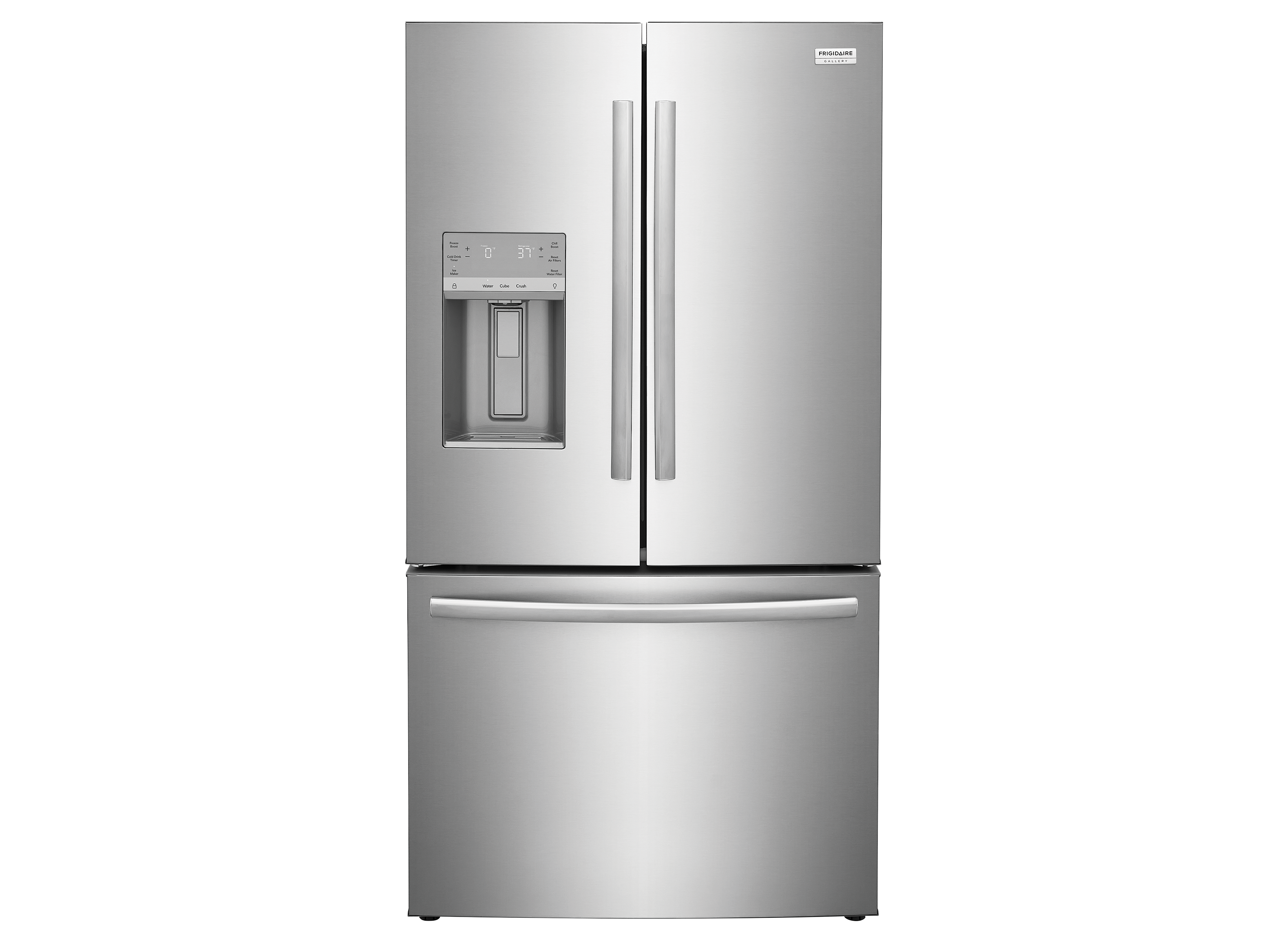
The Frigidaire Gallery refrigerator is popular for its sleek design and advanced features. Still, users face some common issues that affect its performance. Understanding these problems helps maintain your appliance better and avoid costly repairs.
This section covers frequent Frigidaire Gallery issues. Each problem can disrupt your kitchen routine and reduce the fridge’s efficiency. Spotting them early ensures quick fixes and keeps your food fresh.
Cooling Problems
One common issue is poor cooling. The fridge may not keep food cold enough or freeze items in the fridge section. This problem often relates to dirty condenser coils or a failing compressor. Blocked vents inside can also stop cold air from circulating properly.
Ice Maker Malfunctions
The ice maker may stop producing ice or make smaller, misshaped cubes. Faulty water inlet valves or frozen water lines often cause this. Sometimes the ice maker’s motor or sensors fail, preventing it from working correctly.
Water Dispenser Issues
Many users report problems with the water dispenser. Water may flow slowly, not at all, or leak inside the fridge. Clogged filters, frozen water lines, or broken dispenser switches are usually the cause. Regular filter changes and defrosting help prevent these troubles.
Unusual Noises
Strange sounds like buzzing, clicking, or rattling can come from the fridge. These noises often signal problems with the fan motor, compressor, or ice maker. Loose parts or debris inside the fridge may also cause noise. Timely inspection can stop the issue from worsening.
Temperature Fluctuations
Inconsistent temperatures inside the fridge affect food safety. The fridge may get too warm or too cold without warning. Faulty thermostats, sensors, or control boards can cause this. Keeping the door closed and checking seals helps maintain steady temperatures.
Quick Fixes For Cooling Problems
Cooling problems in a Frigidaire Gallery refrigerator can be frustrating. Many issues can be solved with simple checks and fixes. These steps help restore proper cooling without waiting for a technician. Follow these quick fixes to keep your fridge running smoothly and cold.
Checking The Condenser Coils
Dirty condenser coils block heat release, making cooling hard. Locate the coils at the back or underneath the fridge. Use a vacuum or brush to remove dust and debris. Clean coils improve efficiency and reduce compressor strain. Check coils every few months to avoid cooling problems.
Inspecting Door Seals
Worn or damaged door seals let cold air escape. Inspect seals for cracks, tears, or gaps along the edges. Press the door firmly to check if it closes tightly. Replace seals if they no longer hold the door closed well. Good seals keep cold air inside and save energy.
Clearing Air Vents
Blocked air vents stop cool air from circulating properly. Open the fridge and freezer compartments. Look for items blocking vents or airflow paths. Move items away to keep vents clear. Proper airflow helps maintain an even temperature throughout the fridge.
Resetting The Refrigerator
Resetting can fix minor electrical or control issues. Unplug the fridge from the power outlet. Wait about five minutes before plugging it back in. This action restarts the system and may fix cooling glitches. Use this step if the fridge stops cooling suddenly.
Resolving Ice Maker Problems
Ice maker issues can disrupt your daily routine and cause frustration. Resolving these problems quickly restores convenience. Most ice maker troubles stem from simple causes. Following easy steps helps identify and fix common faults. This section guides you through practical solutions to get your ice maker working again.
Checking Water Supply
Ice makers need a steady water flow to make ice. Check the water line for kinks or leaks. Ensure the water valve is fully open. Low water pressure can stop ice production. Clear any clogged water filters. This step often solves ice maker problems fast.
Clearing Ice Blockages
Ice can build up and block the ice maker mechanism. Look inside the ice bin and dispenser chute for frozen ice. Remove any visible ice chunks carefully. Use warm water to melt stubborn ice, but avoid hot water. Regularly clearing blockages prevents jams and improves ice flow.
Resetting The Ice Maker
Resetting the ice maker can fix minor glitches. Locate the reset button or switch on the ice maker unit. Hold the button for about 10 seconds or follow the manufacturer’s instructions. This action restarts the ice maker cycle. A reset often clears error codes and restores function.
Replacing Faulty Components
Sometimes parts wear out or fail. Common faulty parts include the water inlet valve, ice maker motor, or sensors. Inspect these components for damage or wear. Replace broken parts with compatible replacements. Use manufacturer-approved parts to ensure proper fit and function.
Troubleshooting Water Dispenser
The water dispenser is a key feature of the Frigidaire Gallery refrigerator. It provides cold, filtered water instantly. Problems with the dispenser can cause inconvenience. Common issues include no water flow, leaks, or slow dispensing. Troubleshooting helps identify and fix these problems quickly. This guide covers simple steps to restore your dispenser’s function without waiting for repair services.
Inspecting Water Filter
Start by checking the water filter. A clogged or old filter reduces water flow. Replace the filter every six months or as recommended. To inspect, remove the filter from its slot. Look for dirt or damage. Install a new, compatible filter if needed. This step often restores proper water flow.
Checking Water Line
Next, examine the water line connecting to the dispenser. Ensure it is not kinked or frozen. A bent or blocked tube stops water from flowing. Turn off the water supply before checking. Straighten any bends or replace damaged lines. Also, verify the water valve is open and working well.
Fixing Leaks
Leaks around the dispenser need immediate attention. Check the filter housing and water line connections. Tighten any loose fittings carefully. Inspect for cracks or broken parts. Use food-safe sealant for small leaks if necessary. If the leak persists, professional repair might be required to avoid water damage.
Resetting The Dispenser
Sometimes, the dispenser needs a reset to work correctly. Locate the reset button on the control panel or unplug the refrigerator. Wait for one minute before plugging it back in. Press the reset button if available. This action clears minor electronic glitches and restores dispenser function.
Diagnosing Unusual Noises
Unusual noises from your Frigidaire Gallery refrigerator can signal a problem. These sounds might be annoying or indicate a deeper issue. Diagnosing the source of these noises helps prevent bigger repairs. Start by listening carefully to pinpoint where the noise comes from. This guide shows simple steps to identify and fix common noise problems.
Identifying The Source
First, stand close to the fridge and listen. Is the noise coming from inside or outside? Check the back of the refrigerator for humming or buzzing. Open the door to hear if the noise is from the fan or compressor. Note if the sound is constant or intermittent. This helps narrow down the cause.
Cleaning The Fan
Dirt or dust on the fan blades can cause loud noises. Unplug the fridge before cleaning. Remove the rear panel to access the fan. Use a soft brush or cloth to clean dust from the blades. Clear any debris blocking the fan’s movement. After cleaning, the fan should run quietly again.
Securing Loose Parts
Loose parts inside the fridge cause rattling or clanking sounds. Check shelves, drawers, and bins for proper placement. Tighten any screws or bolts that seem loose. Inspect the rear panel and compressor mounts for looseness. Securing these parts reduces vibration noise and improves fridge operation.
When To Call A Technician
Persistent or loud noises may need professional attention. If you hear grinding, clicking, or loud banging, it might be a serious problem. Strange smells along with noise also require expert help. Avoid opening sealed parts or handling electrical components. Contact a certified technician to diagnose and fix complex issues safely.
Credit: www.consumerreports.org
Managing Temperature Fluctuations
Temperature fluctuations in a Frigidaire Gallery refrigerator can cause food spoilage and energy waste. Managing these changes helps keep your fridge working efficiently. Small adjustments and regular checks prevent major problems. Follow these steps to maintain a steady temperature.
Adjusting Temperature Settings
Set the fridge temperature between 37°F and 40°F. The freezer should stay around 0°F. Avoid frequent changes to the settings. Let the fridge stabilize for at least 24 hours after adjustments. Use a fridge thermometer for accuracy. Proper settings help reduce temperature swings.
Avoiding Overloading
Do not pack the fridge too full. Overloading blocks air vents and stops cool air circulation. Leave space between items for air to flow. This ensures even cooling throughout the fridge. Remove old or unnecessary items regularly. A balanced load keeps temperature stable.
Ensuring Proper Airflow
Keep vents inside the refrigerator clear. Do not block the back or sides of the fridge with objects. Make sure the fridge has at least two inches of space from walls. Proper airflow prevents hot spots and uneven cooling. Clean the condenser coils twice a year for better air circulation.
Testing The Thermostat
Check the thermostat if temperature swings continue. Place a separate thermometer inside the fridge. Compare its reading with the fridge’s display. If they differ, the thermostat may be faulty. Replace the thermostat or call a technician for help. A working thermostat keeps temperature consistent.
Running Diagnostics On Frigidaire Gallery
Running diagnostics on a Frigidaire Gallery refrigerator helps identify problems quickly. It gives clear error codes that point to specific issues. This process saves time and avoids unnecessary repairs. Understanding how to enter and use diagnostic mode is key for effective troubleshooting. Follow the steps below to run diagnostics with ease.
Entering Diagnostic Mode
Locate the control panel on your Frigidaire Gallery refrigerator. Press and hold the “Energy Saver” and “Lighting” buttons simultaneously. Hold them for about 10 seconds. The display will show a code or enter a test mode. This confirms you are in diagnostic mode. If nothing happens, try again carefully.
Navigating The Control Panel
Use the control panel buttons to scroll through different test functions. Each press cycles through various components like fans, lights, and sensors. Watch the display for system checks and status updates. Pay attention to sounds or changes in the fridge during each test. This helps verify if parts work correctly.
Interpreting Error Codes
When the system detects a fault, it shows an error code on the screen. Write down the code exactly as displayed. Check the Frigidaire manual or online resources for code meanings. Common codes relate to temperature sensors, defrost issues, or compressor problems. Understanding codes guides you or a technician to the problem source.
Exiting Diagnostic Mode
To exit diagnostic mode, press and hold the “Energy Saver” button for 5 seconds. The display will return to normal operation mode. If this does not work, unplug the refrigerator for 30 seconds. Plug it back in and the fridge will restart normally. Exiting properly ensures the fridge runs without interference.
Maintenance Tips To Extend Lifespan
Proper maintenance helps your Frigidaire Gallery refrigerator last longer. Simple care tasks keep it running smoothly and avoid common problems. Follow these easy steps to protect your investment and enjoy fresh food for years.
Regular Coil Cleaning
Dust and dirt gather on the condenser coils over time. Dirty coils make the compressor work harder and waste energy. Clean the coils every three months using a coil brush or vacuum. This keeps the fridge cool and saves electricity.
Checking Door Gaskets
Door gaskets create an airtight seal. Check them often for cracks or tears. Faulty gaskets let cold air escape and warm air enter. Clean gaskets with warm, soapy water to keep them flexible. Replace damaged gaskets to avoid energy loss.
Maintaining Ventilation
Good airflow stops the fridge from overheating. Keep the area around the fridge clear. Avoid placing it too close to walls or cabinets. Leave space on top and behind the unit for air to flow freely. Proper ventilation helps the fridge work efficiently.
Avoiding Overpacking
Stuffing the fridge blocks air vents inside. This stops cold air from circulating evenly. Overpacking forces the compressor to run more often. Store food with space between items for better airflow. A well-organized fridge keeps food fresh and the unit healthy.
When To Seek Professional Repair
Knowing when to seek professional repair for your Frigidaire Gallery refrigerator saves time and money. Some issues need expert attention to prevent further damage. Acting early helps keep your appliance running smoothly. This guide highlights key signs, how to choose repair services, cost factors, and warranty support.
Signs Of Major Malfunctions
Listen for loud or unusual noises from the fridge. Check if the fridge does not cool properly. Frost buildup inside the freezer signals a problem. Water leaks around or under the unit need fixing. Frequent temperature fluctuations can harm your food. If the fridge stops running completely, call a professional.
Choosing A Repair Service
Pick a repair service with experience in Frigidaire appliances. Verify their certifications and customer reviews. Ask if they offer emergency or same-day repair. Confirm they use genuine Frigidaire parts. Clear communication about the repair process is important. Choose a local service for faster response times.
Cost Considerations
Understand the repair estimate before work begins. Compare prices from multiple repair shops. Factor in service fees, parts, and labor costs. Sometimes, repairs may cost nearly as much as a new fridge. Balance repair costs against the appliance’s age and condition. Ask about payment options or warranties on repairs.
Warranty And Support
Check if your Frigidaire Gallery refrigerator is still under warranty. Manufacturer warranties may cover parts and labor. Keep your purchase receipt and warranty documents handy. Contact Frigidaire support for authorized repair centers. Unauthorized repairs can void your warranty. Use official channels to ensure quality service.
Credit: www.reddit.com
Frequently Asked Questions
How To Reset A Frigidaire Gallery Fridge?
To reset a Frigidaire Gallery fridge, unplug it for 5 minutes. Plug it back in and press the reset button if available. This restarts the control board and clears minor errors.
What Is The Lifespan Of A Frigidaire Gallery Refrigerator?
A Frigidaire Gallery refrigerator typically lasts 10 to 15 years with proper maintenance. Regular cleaning and avoiding overload extend its lifespan.
How Do I Run Diagnostics On My Frigidaire Gallery Refrigerator?
Press and hold the “Energy Saver” and “Lighting” buttons for 8 seconds to enter diagnostic mode. The fridge will run self-tests and display error codes. Check the control panel for results and refer to the user manual to interpret codes and troubleshoot.
What Models Of Frigidaire Refrigerators Are Being Recalled?
Frigidaire recalls include models FGHB2868TF, FGHB2868TF, and FGHF2366TF. Check official recall lists for updates.
What Are Common Frigidaire Gallery Refrigerator Problems?
Common issues include cooling failure, water leakage, noisy operation, and ice maker malfunctions.
Conclusion
Frigidaire Gallery refrigerators can face common issues like cooling problems or noisy operation. Regular cleaning and proper use help keep your fridge working well. Check seals and coils often to avoid energy waste and damage. Remember, good airflow and avoiding overload improve performance and lifespan.
Timely repairs stop small problems from becoming costly. Staying aware of these tips ensures your fridge runs smoothly longer. Taking care today saves headaches tomorrow.