
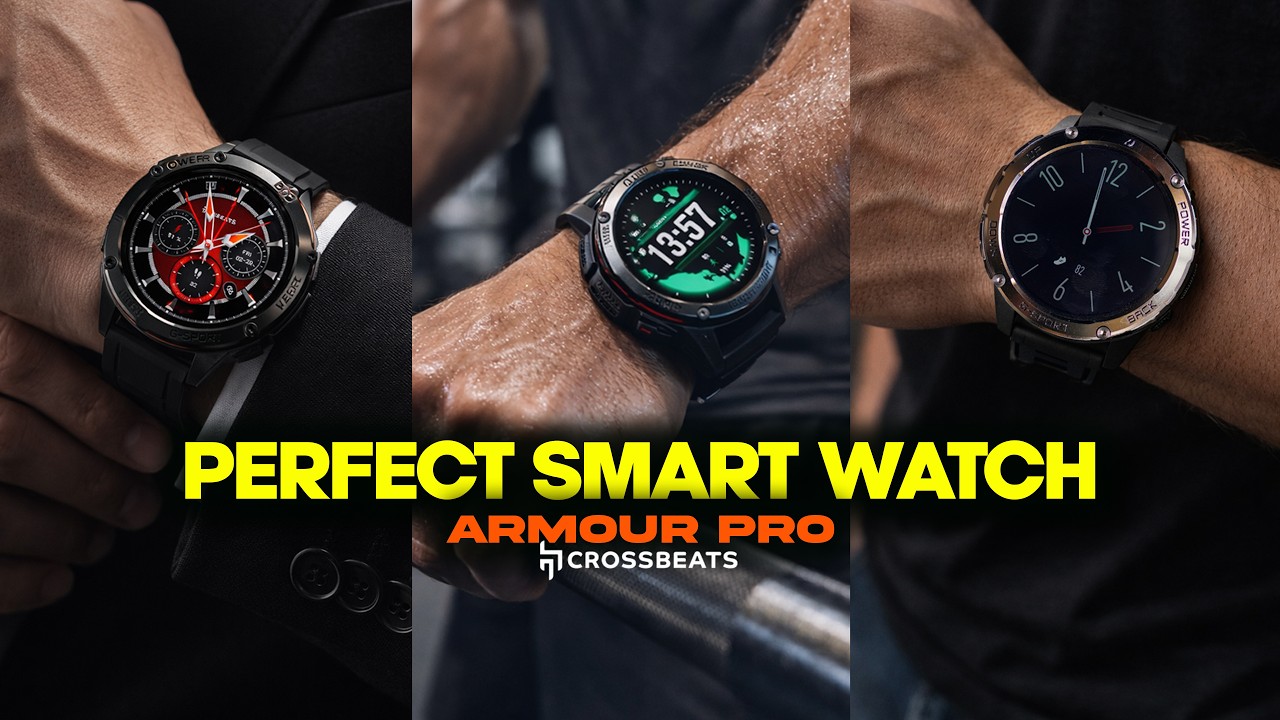
If you’re reading this, you probably own a Crossbeats smartwatch that suddenly refuses to turn on. You tap the screen, press the buttons, and even charge it for hours, but nothing happens. Frustrating, right? You’re not alone. Many Crossbeats users face this issue at least once. A smartwatch is more than just a watch. It tracks your health, keeps you updated, and helps you stay connected without always reaching for your phone. So, when it stops working, it feels like a small emergency.
But before you panic or think about buying a new smartwatch, there’s good news: most “not turning on” problems have simple solutions. In this article, you’ll learn the most common causes, practical troubleshooting steps, and expert tips to bring your Crossbeats back to life. Whether you own an Ignite S5, Ace, or any other model, you’ll find clear guidance here. You’ll also discover insights that many beginners miss, so you can avoid wasting time or making mistakes. Let’s get started and revive your smartwatch!
Understanding Why Your Crossbeats Smartwatch Won’t Turn On
When your Crossbeats smartwatch does not turn on, it can be due to hardware issues, software glitches, or even simple user mistakes. Let’s break down the main reasons:
1. Battery Is Completely Drained
Smartwatches are designed to go into a deep sleep mode when their battery reaches zero. Sometimes, even after connecting to the charger, it may take several minutes before you see any sign of life.
2. Charger Or Cable Problem
A faulty charging cable or adapter is a common reason your watch won’t power up. If the charger is broken, your watch never gets the energy it needs.
3. Dirty Or Blocked Charging Pins
Dirt, sweat, or corrosion can block the charging connection between the watch and charger, making it impossible to charge the battery.
4. Firmware Crash Or System Freeze
Just like a phone or computer, the software in a smartwatch can crash or freeze. When this happens, the device may look dead, but it’s really just stuck.
5. Physical Damage
If your watch has suffered a hard drop or exposure to water (beyond its rating), internal parts may be damaged.
6. Outdated Firmware
Some Crossbeats models need the latest firmware to operate correctly. If the device gets stuck during an update or is left outdated, it may not boot.
7. Button Malfunction
If the power button is stuck or broken, you cannot turn on the watch.
8. Extreme Temperatures
Very hot or cold environments can prevent the battery from working normally.
Understanding these basics helps you troubleshoot smarter and avoid unnecessary repairs.
Initial Checks: Don’t Skip These Simple Steps
Before you try advanced solutions or contact support, perform these simple checks. Many users miss these easy fixes.
1. Check The Charger And Cable
Use the original Crossbeats charger and USB cable if possible. Test the charger with another device, or try a different cable with your watch. Sometimes, a loose or damaged cable is the real problem.
2. Inspect Charging Contacts
Look at the charging pins on both the watch and the charger. Wipe them with a soft dry cloth. If there’s visible dirt or sweat, gently clean with a cotton swab and a tiny bit of rubbing alcohol. Make sure everything is dry before charging again.
3. Try A Different Power Source
Plug the charger into another wall socket, power bank, or computer USB port. Some sockets or power strips don’t deliver enough power.
4. Wait For A Few Minutes
If the battery is deeply discharged, connect it to the charger and leave it for at least 15-30 minutes. Sometimes, it takes a while before the screen shows any sign.
5. Hold The Power Button
Press and hold the power button for 10-15 seconds. This can help reset the watch if the firmware is stuck.
Troubleshooting Steps For Crossbeats Smartwatch Not Turning On
If the basic checks don’t work, try these troubleshooting steps in order. Each step can help you find and fix the problem.
1. Charge The Watch Overnight
Plug your watch into the charger and leave it overnight (6-8 hours). This can help if the battery is extremely low or has entered protection mode.
2. Try A Forced Restart
Some Crossbeats models support a forced restart. Press and hold both the power and side/back buttons together for 20 seconds. Release and see if the watch vibrates or the logo appears.
3. Inspect For Physical Damage
Look carefully at the watch case, screen, and buttons. If you see cracks, broken glass, or water inside the screen, the watch may need professional repair.
4. Update The Companion App
Open the Crossbeats app on your phone. Check for firmware updates. Sometimes, the watch only wakes up after connecting to the app and updating its software.
5. Try A Different Charger
If possible, borrow a charger from a friend with a Crossbeats or compatible model. Using the wrong charger or a low-quality cable can sometimes cause charging failures.
6. Clean Charging Pins Thoroughly
Oxidation or sweat can create a thin, invisible film on the pins. Use a soft eraser to gently rub the pins, then wipe with alcohol. This step often solves charging problems that look like hardware faults.
7. Remove Protective Films
Some users forget to remove the thin plastic film on the back of the watch or charger. This can block the charging pins from making contact.
8. Try Charging In A Cooler Environment
If your watch feels hot, let it cool to room temperature before charging. High temperatures can stop the battery from charging.
9. Connect To The App Via Bluetooth
Some Crossbeats models need to “wake up” by pairing with your phone after a long inactivity. Open the Crossbeats app and search for the watch as a new device.
10. Factory Reset Via App (if Detected)
If your phone app can still detect the watch (even if the screen is black), try to trigger a factory reset from the app’s settings.
Comparing Crossbeats Models: Common Power Issues
Different Crossbeats models may have their own quirks. Here’s a comparison of some popular models and their unique power issues.
| Model | Typical Power Issue | Special Fix |
|---|---|---|
| Ignite S5 | Stuck after OTA update | Update via app |
| Ignite S3 | Button malfunction | Clean button area |
| ACE | Charging pin corrosion | Clean pins with eraser |
| Prism | Deep battery drain | Charge overnight |
| Orbit X | Screen flicker and blackout | Forced restart |
This shows that while most problems are similar, each model can have its own pattern.
Advanced Solutions When Your Watch Still Won’t Turn On
If none of the above steps work, try these more technical solutions. Some require extra care.
1. Software Recovery Using The App
Some Crossbeats smartwatches can recover from a crash using their companion app. Connect the watch to your phone via Bluetooth. If detected, look for a “Recovery” or “Firmware Update” option.
2. Battery Jump-start (expert Only)
If you’re comfortable with electronics, you can try a battery jump-start. This means briefly connecting the battery to a 3.7V source to wake it from deep sleep. WARNING: This should only be done by someone with experience, as it can damage the watch.
3. Visit A Service Center
If you suspect physical damage, water exposure, or a failed battery, visit an authorized Crossbeats service center. They can open the watch safely and test the components.
4. Check For Warranty
Check your purchase date. Most Crossbeats watches come with a 1-year warranty. If it’s still valid, contact Crossbeats support and ask for a replacement or repair.
5. Get A Professional Diagnosis
If you’ve tried everything and the watch still doesn’t respond, a professional technician can use special tools to diagnose mainboard or battery failure.
What Not To Do: Common Mistakes To Avoid
Many users make mistakes that can make the problem worse or even destroy the watch. Here are things to avoid:
1. Don’t Use Non-original Chargers
Cheap or incompatible chargers can damage the battery or motherboard.
2. Don’t Try To Pry Open The Watch
Opening the watch at home can break the waterproof seal and void the warranty.
3. Don’t Drop The Watch In Water To Test
Water testing outside the specs can destroy the device and is not covered by the warranty.
4. Don’t Overcharge For Days
Leaving the watch on charge for days will not revive a dead battery and may cause overheating.
5. Don’t Use Metal Tools To Clean Pins
Using sharp metal tools can scratch the pins and make charging impossible.

Real User Experiences: Insights From The Crossbeats Community
Let’s look at some real-world stories to help you learn from others’ experiences.
Case 1: The Charger Swap Fix
Riya’s Crossbeats Ignite S5 stopped turning on after a long trip. She tried charging, but nothing happened. She borrowed a friend’s charger and the watch powered up in minutes. The problem was a broken USB cable.
Case 2: The Overnight Charge Solution
Aditya forgot to charge his Prism for a week. When he tried to use it, the screen was black. He plugged it in and left it overnight. The next morning, the watch started working. Deep battery drain was the cause.
Case 3: The Button Issue
Priya’s Orbit X would not turn on, even when fully charged. She noticed the power button was sticky. After gently cleaning around the button with a cotton swab, the watch started up.
Case 4: The App Rescue
Manoj’s Ace model crashed during a firmware update. He opened the Crossbeats app and completed the update. The watch rebooted and worked normally.
Many users are surprised by how often a simple cable change or a patient overnight charge solves the problem. Others learn that keeping the watch updated and clean can prevent most issues.
Comparing Smartwatch Power Problems: Crossbeats Vs. Other Brands
It’s helpful to see how Crossbeats compares with other popular smartwatch brands when it comes to power issues.
| Brand | Common “Not Turning On” Cause | Unique Troubleshooting Step |
|---|---|---|
| Crossbeats | Charger or cable fault | Clean pins, use app update |
| Amazfit | Firmware crash | Long-press power for 30s |
| Noise | Battery deep drain | Charge with original adapter |
| Fire-Boltt | Button jam | Clean button area |
| boAt | Software freeze | Connect to app for reset |
While most brands share similar problems, Crossbeats users report more issues with charger compatibility and pin cleanliness.
Pro Tips: How To Avoid Power Problems In The Future
Prevention is better than cure. Here are expert tips to keep your Crossbeats smartwatch healthy:
1. Charge Regularly
Don’t let your smartwatch battery fall below 10% often. Deep drains reduce battery life.
2. Use Original Accessories
Always use the charger and cable that came with your Crossbeats watch.
3. Keep Pins Clean
Wipe the charging pins weekly, especially if you sweat during workouts.
4. Update Firmware Promptly
When you get a firmware update notification, do it soon. Updates fix bugs that can freeze your device.
5. Avoid Extreme Temperatures
Don’t leave your watch in a car on a hot day, or outside in freezing weather.
6. Store Properly When Not In Use
If you won’t use the watch for weeks, charge it to 50% and turn it off.
7. Check For Moisture
If you notice fog inside the screen, dry the watch in a cool, dry place before charging.
8. Don’t Ignore Button Problems
If a button feels stuck, clean it gently right away to prevent permanent damage.
9. Monitor App Connections
Pair your watch with the app regularly. Long breaks can cause software desync.
10. Read The Manual
Each model may have special steps for resets or updates. The manual has details most users miss.
When To Seek Help: Signs Your Watch Needs Service
Sometimes, a smartwatch really is broken and needs expert help. Watch for these signs:
- The watch gets hot when charging but never turns on.
- The screen flickers or shows lines but stays black.
- The power button is loose or doesn’t click.
- You see water or condensation inside the watch.
- The app says “Device not found” even after resets.
If you notice any of these, stop trying at-home fixes and contact Crossbeats support or visit an authorized center.

How Crossbeats Customer Support Can Help
Crossbeats has a support team that handles warranty and repairs. When you contact them, have this information ready:
- Your watch model and purchase date
- Serial number (usually on the box or back of the device)
- Description of the problem and steps you’ve tried
- Photos or videos, if possible
You can reach Crossbeats support through their website or by email. They usually reply within a few days. Sometimes they’ll guide you through extra steps, or ask you to ship the watch for inspection.
For more details on warranty and service, visit the official Crossbeats Warranty page.
Additional Resources For Smartwatch Troubleshooting
If you want to learn more about smartwatch care and troubleshooting, the following resources can help:
- Wikipedia: Smartwatch for a general overview
- Crossbeats official support page for manuals and FAQs
- YouTube: Search for your Crossbeats model and “not turning on” for video guides
These resources offer step-by-step visuals and community advice.
Frequently Asked Questions
What Should I Do First If My Crossbeats Smartwatch Won’t Turn On?
Start with the basics: use the original charger, clean the charging pins, and connect to a different power source. Leave the watch charging for at least 30 minutes before trying to power it on.
How Can I Tell If My Crossbeats Charger Or Cable Is Faulty?
Try charging another device with the same charger. If that device also does not charge, the charger or cable is likely the problem. You can also try a different charger with your watch.
Is It Safe To Open The Back Cover Of My Crossbeats Smartwatch To Check The Battery?
No, opening the watch at home can break the waterproof seal, void your warranty, and may cause more damage. Only trained technicians should open the device.
Why Does My Crossbeats Smartwatch Show A Black Screen After Charging?
A black screen can be caused by a firmware crash, battery failure, or a broken display. Try a forced restart and check for signs of life like vibration or sounds. If nothing works, visit a service center.
Where Can I Get Official Support For My Crossbeats Smartwatch?
You can get official help from the Crossbeats Warranty page or by contacting their customer service through the website.
If your Crossbeats smartwatch is not turning on, don’t give up hope. With careful troubleshooting and the right steps, most watches can be revived without professional help. Take your time, avoid risky fixes, and your device will likely be back on your wrist soon.