
Many people love using a Crossbeats smartwatch for its modern features and stylish look. But nothing is more frustrating than finding your watch won’t charge. This issue can stop you from tracking your steps, receiving messages, or even knowing the time. If your Crossbeats smartwatch is not charging, you might feel worried or confused. The good news is: most charging problems can be fixed at home with simple steps. This guide gives you everything you need to know, from basic checks to advanced solutions. You’ll learn how to spot the real problem, fix it, and prevent it from happening again.
Understanding How Crossbeats Smartwatches Charge
Every Crossbeats smartwatch uses a small rechargeable battery. The battery is charged with a special cable or magnetic charger that comes with the watch. Some Crossbeats models use a magnetic charging dock, while others use a USB cable with charging pins. The charger connects to the back or underside of your watch. When you plug it into a power source, your watch should show a charging icon or battery percentage.
A simple charging system can still have problems. Sometimes, the watch won’t respond at all. Other times, it might start charging and then stop. It’s important to know how the charging system works before trying to fix anything.
Common Reasons Why Your Crossbeats Smartwatch Is Not Charging
Charging issues can happen for many reasons. Here are the most common causes:
- Dirty charging contacts – Dust, sweat, or oil can block the charger from connecting.
- Faulty charging cable or dock – If your cable is damaged or broken, power can’t reach the watch.
- Weak power source – Some USB ports or adapters don’t give enough power.
- Software bugs – Sometimes the watch’s software can freeze and stop charging.
- Battery damage – Old or faulty batteries might not accept a charge.
- Physical damage – Drops or bumps can break internal parts.
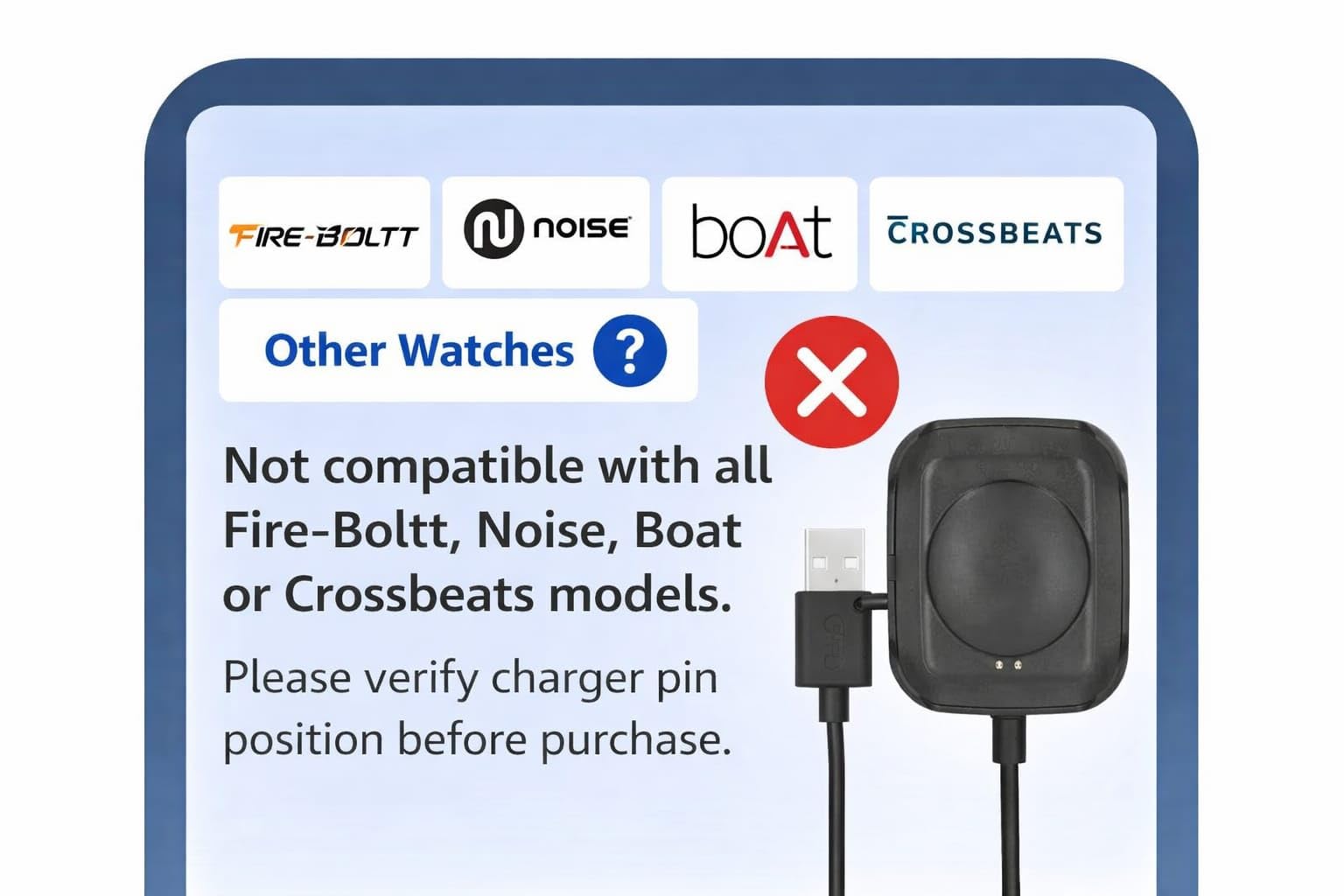
- Incorrect charger – Using a non-original charger can cause problems.
Let’s look at each of these in more detail and learn how to test and fix them.

Credit: www.youtube.com
Step-by-step Solutions For Crossbeats Smartwatch Not Charging
Fixing your Crossbeats smartwatch is often easier than you think. Follow these steps in order, and you’ll often find the problem quickly.
1. Inspect The Charging Cable And Adapter
Start with the simplest check: your charging cable and power adapter. Over time, these can break or stop working.
- Look for any cuts, bends, or damage on the cable.
- Try charging another device with the same adapter.
- Use a different USB adapter or power bank to test if your charger is the problem.
If the cable or adapter is damaged, replace it with an original Crossbeats charger. Non-original chargers might not give the correct power.
2. Clean The Charging Contacts
Dirt and sweat often collect on the charging pins or the back of your watch. This is a very common problem for people who wear their smartwatch during exercise.
- Gently wipe the charging area on both the watch and cable with a dry, soft cloth.
- If you see stubborn dirt, use a cotton swab with a drop of rubbing alcohol.
- Make sure both the watch and charger are completely dry before connecting.
Never use water or sharp objects, as these can damage the contacts.
3. Check The Power Source
Some USB ports (like those on a computer or power strip) do not provide enough power for charging.
- Plug your charger directly into a wall socket with a high-quality adapter.
- Avoid using laptop USB ports for charging if possible.
- Try a different wall outlet to rule out power problems.
4. Ensure Correct Charger And Placement
Using the wrong charger can damage your watch or stop it from charging. Always use the original charger that came with your Crossbeats watch.
- Check that the charging pins or magnets line up with the contacts on the watch.
- Make sure the watch sits flat on the charger. If it slips or moves, it might not connect.
- You should see a charging icon or battery percentage on the screen. If nothing appears, try adjusting the position slightly.
5. Restart Or Reset The Smartwatch
Sometimes, the watch’s software freezes and stops charging. A simple reset can fix this.
- Press and hold the power button for 10-15 seconds until the watch turns off, then back on.
- If your watch has a reset option in the menu, try that.
- After resetting, connect to the charger again.
Be careful: a factory reset will erase all your data.
6. Update The Watch Firmware
Old software can cause charging or battery problems. Check for updates using the Crossbeats app on your phone.
- Open the Crossbeats app and connect your watch.
- Go to settings and look for a firmware update option.
- Follow the instructions to update your watch.
- Make sure your watch has some charge left before updating.
7. Test The Battery
If your watch is old or has been exposed to heat, the battery might be damaged. Signs of a bad battery include:
- The watch turns off quickly after charging.
- The battery never reaches 100%.
- The watch gets very hot while charging.
If you notice these signs, your battery may need replacement by a professional.
8. Examine For Physical Damage
A hard drop or water exposure can break internal parts. Check for:
- Cracks on the screen or body.
- Loose buttons or strange noises inside.
- Water trapped under the glass.
Physical damage usually needs expert repair. Do not open the watch yourself, as this can void the warranty.
9. Check For Warranty And Customer Support
If your Crossbeats smartwatch is still under warranty, contact Crossbeats support. They can help you with repair or replacement.
- Keep your purchase receipt and box for warranty claims.
- You can reach support through the Crossbeats official website or app.
Comparing Charging Cables And Power Sources
Choosing the right charger and power source is essential for the health of your smartwatch. Here is a comparison of common charging options:
| Charger Type | Power Output | Safe for Crossbeats? | Common Issues |
|---|---|---|---|
| Original Crossbeats Charger | 5V/1A | Yes | Rarely any |
| Standard USB Cable | Varies (0.5A-2A) | Sometimes | Slow charging, overheating |
| Power Bank | 1A-2A | Yes, if above 50% charge | May stop charging if low battery |
| Laptop USB Port | 0.5A | No | Very slow or no charging |
| Fast Charger (Phone) | 2A+ | No | Can damage battery |
Always use the original charger for the best results. Fast chargers can damage your watch battery.
How To Tell If Your Watch Is Charging
Sometimes, it’s not clear if your watch is charging or not. Here’s how to check:
- Look for a charging icon (usually a lightning bolt or battery symbol) on the screen.
- Some models vibrate or light up when charging starts.
- The battery percentage should increase after a few minutes.
- If the screen stays black, try pressing the power button while charging.
If you see no signs after 30 minutes, there may be a bigger problem.
Advanced Troubleshooting Steps
If the basic steps don’t work, try these advanced fixes:
Try A Different Charging Cable Or Dock
Even if your cable looks fine, it can still fail inside. Borrow a charger from a friend with the same model, or buy a new original one.
Inspect For Corrosion
If your watch has been exposed to sweat, rain, or water, corrosion might block charging.
- Look for green or white powder around the charging pins.
- Clean gently with a dry brush.
- If corrosion is inside the watch, seek professional help.
Use A Multimeter To Check Charging Current
If you have basic tools, you can check if power is flowing to your watch.
- Set a multimeter to DC voltage.
- Touch the probes to the ends of the charging cable (while plugged in).
- If you see 5V, the charger works. If not, replace the cable.
Try Wireless Charging (if Supported)
Some Crossbeats models support wireless charging. If your model does, try a wireless charger that matches Crossbeats specifications. Not all wireless chargers are safe for smartwatches.

Credit: www.woolyyarn.com
Crossbeats Models And Their Charging Differences
Different Crossbeats models may have small differences in how they charge. Here’s a quick comparison:
| Model | Charging Method | Common Charging Issue | Special Instructions |
|---|---|---|---|
| Crossbeats Ignite S5 | Magnetic cable | Loose connection | Align magnets carefully |
| Crossbeats Orbit X | Magnetic dock | Dirt on pins | Clean regularly |
| Crossbeats Ace | Clip-on charger | Bent pins | Check pins before use |
| Crossbeats Ignite Atlas | USB charging cable | Non-original cable | Use only original cable |
Always check your model’s manual for the correct charging method.
When To Seek Professional Help
If none of the above steps help, it’s time to get expert support. Some signs you need professional repair include:
- The watch gets hot but won’t charge.
- You see cracks, water inside, or broken parts.
- The battery drains very quickly after charging.
- The charging icon appears, but the battery never fills.
Avoid opening your watch yourself. This can make the problem worse and void any warranty you have.
Credit: www.amazon.in
Preventing Charging Problems In The Future
A few simple habits can help keep your Crossbeats smartwatch charging smoothly:
- Clean the contacts every week, especially if you sweat a lot or use your watch outdoors.
- Use the original charger and adapter. Store a spare in your bag or office.
- Avoid charging with wet hands or in damp places.
- Keep your watch away from water unless it’s a waterproof model.
- Update the firmware regularly using the Crossbeats app.
- Disconnect after full charge to prevent battery wear.
- Handle the cable carefully. Do not bend or twist it sharply.
Most charging problems can be avoided with these simple steps.
Real-world Examples
Let’s look at some real examples from Crossbeats users:
- Ravi, Bangalore: His Ignite S5 stopped charging after a swim. He found water on the charging pins. After drying and cleaning, his watch worked again.
- Megha, Mumbai: Her Orbit X only charged with the original cable. A cheap replacement cable did not work, even though it fit perfectly.
- Anil, Delhi: His Ace model would not charge after a drop. The pins inside the charging clip were bent. After replacing the clip, charging resumed.
These cases show that small issues can cause big problems but are often easy to fix.
Crossbeats Customer Support: What To Expect
If you contact Crossbeats support, be ready with this information:
- Model name and serial number (found on the box or in the app)
- Proof of purchase (invoice or receipt)
- A clear description of the problem
- Steps you’ve already tried
You can reach Crossbeats support through their official Support Portal. Response times are usually quick, and they often guide you through more checks before offering repair or replacement.
Myths And Misconceptions About Smartwatch Charging
Some common myths can mislead users:
- Myth: “Any phone charger works.”
Fact: Only use chargers with the same voltage and current as the original.
- Myth: “Leaving the watch on charge overnight is safe.”
Fact: Overcharging can slowly damage the battery.
- Myth: “If the watch doesn’t charge, the battery is dead.”
Fact: Often the problem is with the cable, contacts, or software.
- Myth: “Fast charging is better.”
Fact: Smartwatch batteries are small and can be damaged by high-speed chargers.
Understanding these facts can protect your smartwatch for years.
Frequently Asked Questions
Why Does My Crossbeats Smartwatch Show A Charging Icon But The Battery Does Not Increase?
This often means the battery is damaged or there is a problem with the charging circuit. Try a different cable and adapter first. If the problem continues, the battery may need replacement by a professional.
Can I Use Any Usb Charger To Charge My Crossbeats Smartwatch?
No. Always use the original charger or one with the same voltage and current. Using the wrong charger can harm your battery or stop the watch from charging.
My Crossbeats Smartwatch Got Wet And Won’t Charge. What Should I Do?
First, turn off the watch and do not try to charge it. Dry the watch and charging pins completely. If the watch still won’t charge, contact support. Water inside can cause long-term damage.
How Often Should I Clean My Crossbeats Charging Contacts?
Clean the charging pins or contacts once a week, or more often if you sweat a lot or live in a humid place. This prevents dirt and corrosion from blocking charging.
Is It Safe To Update The Firmware While Charging The Watch?
Yes, it’s safe if the battery has at least 50% charge. Do not disconnect the charger or turn off the watch during the update, as this can cause software errors.
If you follow these steps, your Crossbeats smartwatch should stay powered up and ready to go. Charging problems are common but rarely mean your watch is broken for good. With a little care and attention, you’ll get the best from your device for a long time.