
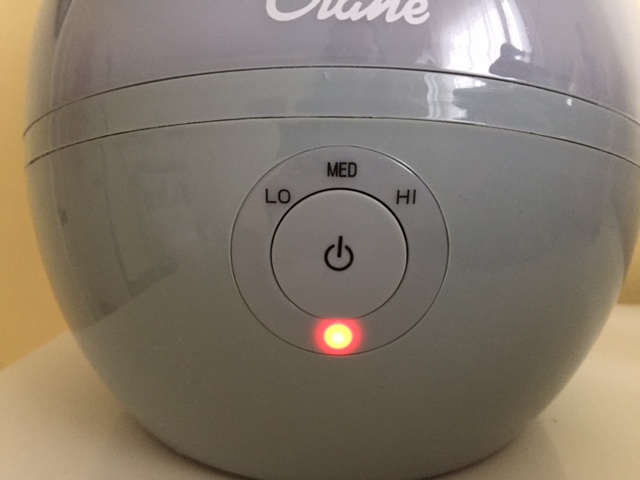
Have you noticed a red light glowing on your Crane humidifier and wondered what it means? That little red signal is your humidifier’s way of telling you something needs your attention.
Maybe the water tank is running low, or perhaps there’s a simple issue like a clogged filter or a sensor problem. Ignoring it could stop your humidifier from working properly, leaving your room dry and uncomfortable. You’ll discover exactly why that red light appears, how to quickly fix it, and tips to keep your Crane humidifier running smoothly.
Keep reading to make sure your home stays cozy and your humidifier stays in top shape.
Credit: www.littlewholesome.com
Red Light Causes
The red light on a Crane humidifier signals a problem that needs attention. It often means the humidifier cannot operate properly. Understanding the common causes helps in quick troubleshooting. This section covers the main reasons behind the red light.
Low Water Level
The most common cause of the red light is a low water level. The humidifier stops working to avoid damage from running dry. Check the water tank and refill it fully. Make sure to place the tank correctly back on the base.
Sensor And Float Problems
The water level sensor or float might be faulty or stuck. This can send a wrong signal that the tank is empty. Sometimes air bubbles or debris block the sensor’s function. Clean the sensor area and make sure the float moves freely.
Clogged Components
Mineral buildup from hard water can block parts inside the humidifier. The ultrasonic transducer or heating element may get clogged. This stops the humidifier from working well and triggers the red light. Regular cleaning prevents this issue.
Incorrect Assembly
The water tank must fit properly on the base. If it is not seated correctly, the unit cannot detect water. This causes the red light to turn on. Remove and reposition the tank to ensure a secure fit.
Dirty Filter
A dirty or clogged filter can also cause the red light to appear. Some Crane humidifiers use filters that need regular cleaning or replacement. Check the filter and clean it according to the instructions. A clean filter helps the humidifier run smoothly.
Water Tank Issues
The red light on your Crane humidifier often signals water tank issues. These problems can stop the humidifier from working properly. Understanding how to handle the water tank will help keep the humidifier running smoothly.
Common water tank issues include low water levels, improper seating, and clogged parts. These can cause the red light to turn on. Proper care and attention to the tank can prevent these problems.
Refilling Tips
Always unplug the humidifier before refilling the tank. Use clean, cool water to fill the tank. Avoid overfilling to prevent leaks. Fill the tank gently to avoid spills. Check the water level regularly to ensure it does not run low. Refill the tank as soon as the water gets low to avoid the red light.
Ensuring Proper Seating
Place the water tank carefully on the base. Make sure it fits snugly without gaps. A loose tank can cause the red light to turn on. Check the tank’s seal and lid to ensure they are tight. Clean the base and tank edges to remove any dirt. Proper seating helps the humidifier detect water levels correctly.
Cleaning Steps
Regular cleaning keeps your Crane humidifier working well and prevents the red light issue. Dirt, mineral buildup, and clogged parts can cause problems. Follow these simple steps to clean your humidifier and keep it running smoothly.
Descaling With Vinegar
Remove the water tank from the base. Pour white vinegar into the tank until it covers the bottom. Let it sit for 30 minutes. Vinegar breaks down mineral deposits inside the tank. After soaking, use a soft cloth to wipe the inside. Rinse the tank thoroughly with clean water before refilling.
Removing Mineral Buildup
Mineral buildup can block the humidifier parts. Mix equal parts water and vinegar in a bowl. Dip a soft brush or cloth in the solution. Gently scrub the base and the ultrasonic plate. Avoid harsh tools that can damage the surface. Wipe away loosened minerals and rinse with clean water.
Cleaning The Float And Sensor
The float and sensor detect water levels. Dirt or minerals can cause false signals. Remove the float carefully from the unit. Clean it with a soft cloth and vinegar solution. Check the sensor area and wipe it clean. Make sure the float moves freely before reassembling.
Reset And Inspection
Facing a red light on your Crane humidifier can be frustrating. This warning often signals a need for immediate attention. The best way to handle this is through a careful reset and inspection. These steps help identify and solve common issues quickly. Proper inspection can prevent damage and improve the device’s performance.
Resetting The Unit
Start by unplugging the humidifier from the power source. Wait for about five minutes to let the device fully power down. Plug it back in to see if the red light clears. Some models feature a reset button. Press this button following the user manual instructions. Resetting helps clear minor errors and restarts the system.
Checking Lid And Gasket
Check the lid and gasket for proper placement and cleanliness. A loose or misaligned lid can cause the red light to turn on. Remove the lid and inspect the gasket for cracks or dirt buildup. Clean the gasket gently with a soft cloth if needed. Secure the lid firmly back on the base. This ensures a good seal and proper function.
Identifying Internal Malfunctions
Look inside the unit for signs of internal damage or blockages. Mineral deposits can clog parts and trigger the red light. Check the water tank float and sensor for smooth movement. If the float sticks, clean it carefully to remove debris. Inspect the ultrasonic transducer or heating element for buildup. These internal checks can reveal faults that need professional repair.
Common Mistakes
Many users face issues with the Crane humidifier red light due to simple mistakes. These errors often cause the light to stay red, signaling a problem. Understanding common mistakes helps fix the issue quickly. Avoiding these errors improves the humidifier’s performance and lifespan.
Over-tightening The Lid
Over-tightening the lid can trigger the red light on your humidifier. The lid needs to be secure but not too tight. Excess pressure can affect the water sensor inside. This may cause false alerts about low water. Gently place the lid and turn it just enough to seal the tank. Check if the red light disappears after adjusting the lid.
Ignoring Sensor Issues
The water level sensor plays a key role in the humidifier’s function. Ignoring sensor problems leads to persistent red light issues. Sensors can get stuck or dirty, causing wrong signals. Always clean the sensor area carefully to remove mineral deposits. Ensure the float moves freely and is not blocked. Regular sensor checks prevent false red light warnings and maintain smooth operation.
When To Seek Repair
The Crane humidifier red light signals a possible problem. Knowing when to seek repair helps avoid damage. Some issues you can fix yourself. Others need professional care. Watch the red light closely. If it stays on, take action quickly.
Persistent Red Light
A red light that never goes off means a bigger issue. It may signal a faulty sensor or internal damage. Sometimes cleaning or refilling water stops the light. If it stays red, the humidifier might not work properly. Ignoring it can cause overheating or failure. Check for leaks or strange noises too. These signs call for repair, not just cleaning.
Professional Help Options
Professional repair ensures your humidifier works safely again. Certified technicians know how to fix sensors and electrical parts. They can replace broken pieces and test the unit fully. Some problems need special tools or parts. Repair shops in Austin, Texas offer trusted services. You may also contact Crane’s support for advice. Avoid opening the device yourself if unsure. Repairs done wrong can be dangerous.
Indicator Light Functions
The indicator lights on a Crane humidifier provide clear signals about its status. Understanding these signals helps keep the device running smoothly. The lights mainly use red and blue colors to show different conditions. Paying attention to these colors prevents damage and ensures proper use.
Differences Between Red And Blue Lights
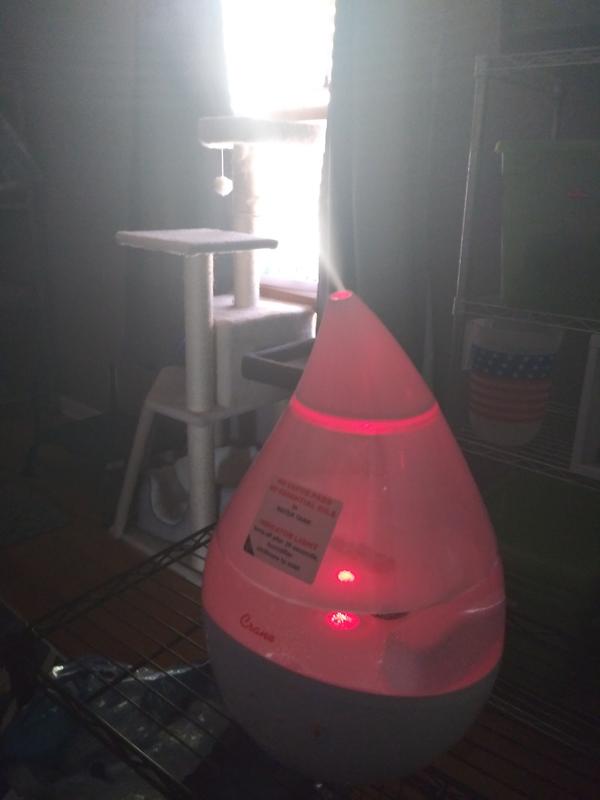
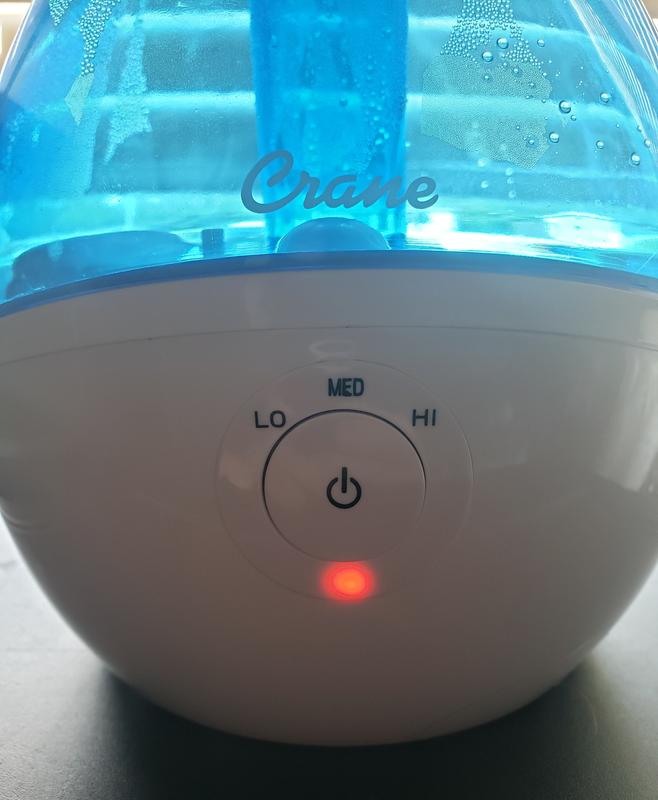
The blue light usually means the humidifier is working well. It shows the unit is on and producing mist. The red light signals a problem. Most often, it means the water level is too low. The humidifier stops working to avoid damage when the red light is on.
Red lights can also appear if parts are not fitted correctly. A stuck sensor or dirty filter may cause the red light. The blue light gives peace of mind that the machine runs correctly. Red warns the user to check and fix an issue quickly.
Refill Light Behavior
The refill light turns red when the water tank needs filling. This light comes on before the humidifier stops working. It helps users fill the tank in time to continue using the humidifier. The red refill light stays on until the tank is full and placed correctly.
After refilling, the light should turn blue or go off. If the red light stays on, check for blockages or sensor problems. Cleaning the humidifier regularly helps keep the refill light working properly. Proper care extends the life of the device and improves performance.
Credit: crane-usa.com
Credit: www.homedepot.com
Frequently Asked Questions
Why Is My Humidifier Light Red?
A red humidifier light signals low water, a faulty sensor, clogged filter, or improper assembly. Refill the tank, clean parts, and ensure proper seating to fix it.
Why Is The Crane Humidifier Not Working?
The Crane humidifier may not work due to low water, a stuck float, clogged parts, or improper tank placement. Check water level, clean the unit, and ensure correct assembly to fix it.
What Do The Lights Mean On My Humidifier?
A red light on your humidifier usually signals low water, a clogged filter, or sensor issues. Refill water, clean parts, and ensure proper assembly to fix it.
Should The Light Be Green Or Blue On A Crane Humidifier?
The Crane humidifier light should be blue when operating normally. A red light usually signals low water or a malfunction.
Why Is My Crane Humidifier Light Red?
A red light usually means low water or a sensor problem in the humidifier.
Conclusion
The red light on a Crane humidifier signals a problem to fix. Most often, the water tank is empty or not seated right. Cleaning the unit and checking the sensor or float helps clear issues. Always follow the instructions for safe use and care.
If the red light stays on, seek professional help. Keeping the humidifier clean and full ensures it works well. Simple steps can keep your air moist and healthy.