
Many anime fans rely on 9Anime to watch their favorite shows with subtitles or closed captions. But sometimes, you may find that closed captions are not working on 9Anime. This can be frustrating, especially if you depend on captions to understand the dialogue, follow the plot, or learn new languages. If you have ever faced this issue, you are not alone. Many users experience problems with captions on 9Anime for various reasons, and resolving them often needs a deeper understanding than just clicking the “CC” button.
This guide will help you understand why closed captions might stop working on 9Anime, the most common causes, and the best solutions. We will also explore advanced troubleshooting, device-specific tips, and insights that beginners often overlook. Whether you are a casual viewer or a dedicated anime fan, you will find practical advice to get captions working smoothly again.
What Are Closed Captions And Why Do They Matter On 9anime?
Closed captions are text versions of the spoken parts of a video. They often include information about sound effects and music, which helps people who are deaf or hard of hearing. On platforms like 9Anime, captions are mostly used to translate Japanese dialogue into English or other languages.
But captions are not just for accessibility. Many people use them to:
- Understand accents or fast speech
- Watch anime in noisy environments
- Learn Japanese or English
- Follow complex storylines
When captions stop working, it can ruin the experience. On 9Anime, subtitles and closed captions are usually provided as separate files or embedded streams, and both can run into technical issues.
The Most Common Reasons Closed Captions Fail On 9anime
Several things can cause captions to disappear or fail to load on 9Anime. Understanding these reasons is the first step to finding the right fix.
1. Server-side Problems
Sometimes, the problem is not on your end. The 9Anime servers may be down, overloaded, or experiencing glitches. When this happens, the subtitle files might not be delivered to your browser at all. If you notice that captions are missing across multiple shows, a server issue is likely.
2. Outdated Or Corrupted Subtitle Files
9Anime hosts many anime titles, often relying on fan-created subtitles. These files can be outdated, poorly synced, or even corrupted. If a specific episode has missing or strange captions, it could be a problem with the actual subtitle file.
3. Browser Compatibility Issues
Not all web browsers handle captions the same way. Older browsers or certain versions of Chrome, Firefox, or Safari may not render subtitles correctly. Sometimes, browser extensions or settings can block captions without you realizing it.
4. Incorrect Video Player Settings
The video player used by 9Anime has its own caption controls. If the caption option is turned off, or if you select the wrong subtitle track, captions will not appear. It can be confusing because sometimes the player UI changes based on the streaming source.
5. Ad-blockers And Browser Extensions
Some ad-blockers or privacy extensions block scripts and files needed to load captions. While they help avoid pop-ups and trackers, they can accidentally prevent subtitles from appearing.
6. Cache And Cookies Problems
Browsers store temporary files called cache and cookies. If these get corrupted, they might interfere with how captions load on streaming websites.
7. Device Or Operating System Issues
If you are watching on a phone, tablet, or smart TV, device-specific problems can affect captions. Older devices, out-of-date software, or system settings may block or hide subtitles.
8. Network Or Connection Issues
A weak or unstable internet connection can cause parts of the video (including captions) to load poorly or not at all. Captions might appear late, out of sync, or not appear at all.
9. Incorrect Language Or Subtitle Track Selection
Some anime have multiple subtitle tracks—English, Spanish, or even multiple versions in the same language. Choosing the wrong track can make it seem like captions are missing, when they are actually just set to a different language.
10. Source Or Mirror Problems
9Anime often links to different video sources or mirrors. One source may have captions, while another might not. If you switch between mirrors, you might lose captions without realizing the cause.
Credit: edimakor.hitpaw.com
How To Fix Closed Captions Not Working On 9anime: Step-by-step Solutions
Knowing the causes helps, but what really matters is getting captions back. Here are proven steps to fix the issue, from simple to advanced.
1. Refresh The Page And Restart Your Browser
Start simple. Sometimes, a quick refresh clears temporary glitches. If that does not work, close your browser and reopen 9Anime. This can reset the player and reload the subtitle files.
2. Try A Different Browser
If captions still do not appear, switch to another browser. For example, if you use Chrome, try Firefox or Edge. This helps rule out browser-specific bugs. Remember, always use the latest version for best results.
3. Check The Subtitle/cc Settings In The Video Player
Look for a CC or subtitle button in the player controls. Make sure it is turned on and set to the correct language. Sometimes, you may need to choose between multiple tracks.
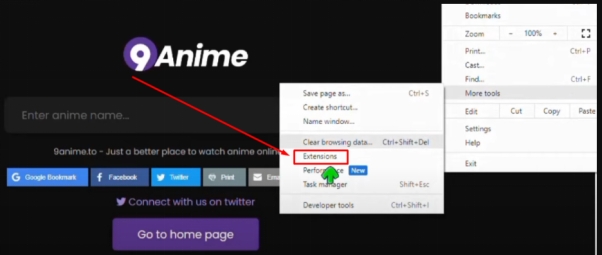
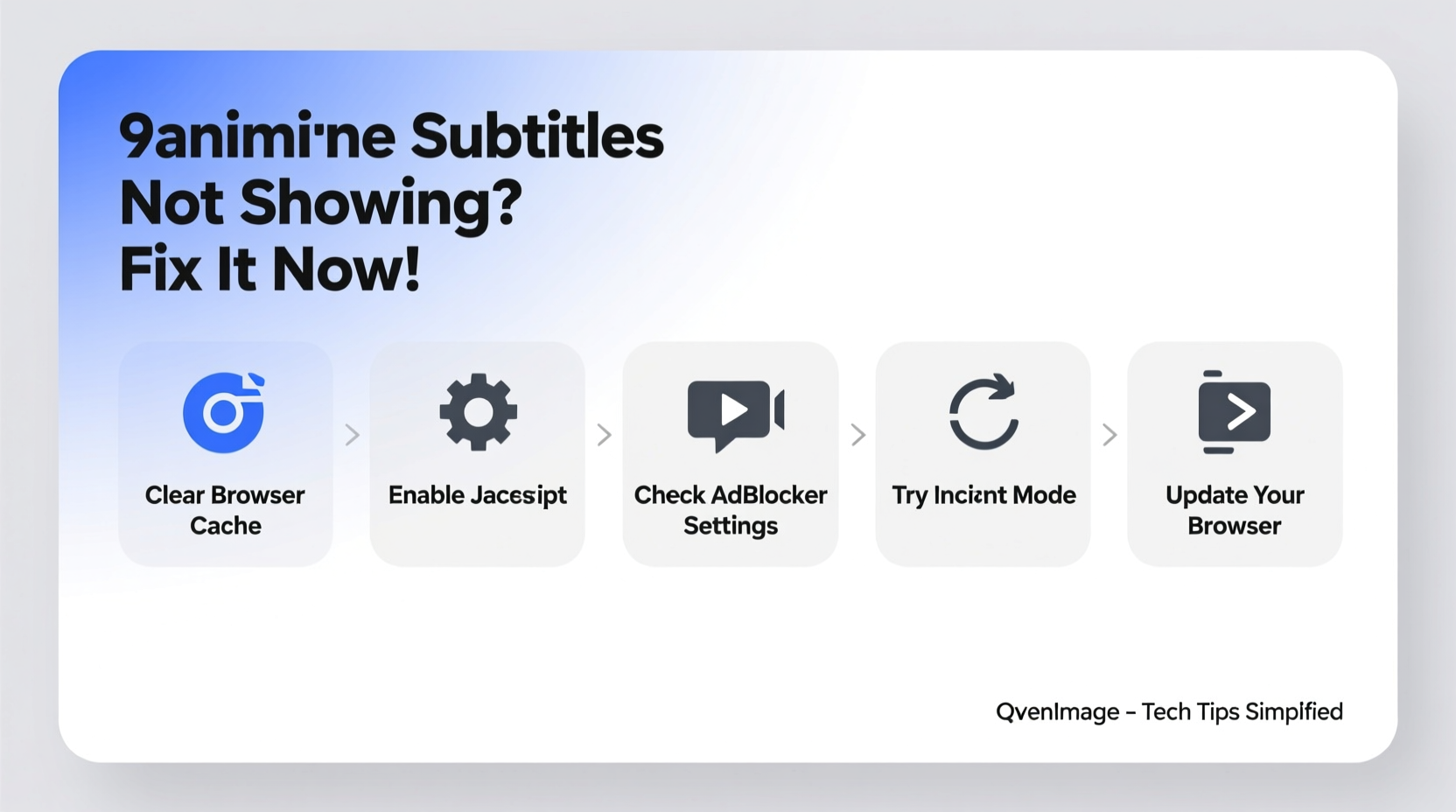
4. Clear Cache And Cookies
Go to your browser settings and clear cache and cookies. This removes old files that might interfere with caption loading. After clearing, restart your browser and try 9Anime again.
5. Disable Ad-blockers And Privacy Extensions
Temporarily turn off ad-blockers, VPNs, or privacy extensions, then reload the page. Many users find that captions reappear after disabling these tools.
6. Switch To A Different Video Source Or Mirror
9Anime often provides multiple links for each episode. Try switching to another source if captions are missing on your current one.
7. Update Your Browser And Device Software
Outdated software can cause compatibility issues. Make sure your browser and operating system are up to date. This is especially important on mobile devices.
8. Test Your Internet Connection
A slow or unstable connection can cause parts of the video, including captions, to load incorrectly. Test your speed and, if needed, switch to a more reliable network.
9. Download Subtitle Files Manually
Some advanced users download .srt or .ass subtitle files from external sites and load them into a compatible player (like VLC) for offline viewing. This is a good backup if online captions fail completely.
10. Report Missing Captions To 9anime
If none of these steps work, the subtitle file may be missing or broken. Use the site’s feedback or report system to let 9Anime know. Community-driven platforms often fix issues faster when users report them.
Advanced Troubleshooting: Going Beyond The Basics
If captions still do not work, it is time for deeper troubleshooting. These steps are often missed by beginners but can solve stubborn problems.
Inspecting The Subtitle File Network Requests
Modern browsers have developer tools that let you see which files are loaded by a page. If you open the Network tab, look for subtitle files being requested (usually ending in .vtt, .srt, or .ass). If you see errors or missing files, this means the problem is with the file delivery, not your settings.
Testing With Incognito Or Private Browsing Mode
Open 9Anime in Incognito Mode (Chrome) or Private Browsing (Firefox). This disables most extensions and uses default settings. If captions work in this mode, the issue is likely with your extensions or browser settings.
Trying A Different Device
Sometimes, device-specific issues block captions. Try watching the same anime on a different device (another computer, phone, or tablet). If captions work on one device but not another, focus on fixing the settings or software on the problem device.
Using A Vpn To Access 9anime
Some regions may have restrictions that affect how 9Anime loads, including subtitle files. Try using a VPN to connect from a different location. This can bypass geo-blocks or server issues.
Reinstalling The Browser
If all else fails, uninstalling and reinstalling your browser can fix deep-seated problems with settings or corrupted files.
Device-specific Tips For 9anime Captions
Captions can behave differently depending on the device you use. Here is how to handle common devices:
Watching On Desktop Or Laptop
- Use Chrome, Firefox, or Edge for best compatibility.
- Avoid Internet Explorer or older browsers.
- Right-click the video player and look for subtitle options if available.
- Keep your graphics drivers up to date for smooth playback.
Watching On Smartphones Or Tablets
- Use the mobile version of the 9Anime website or a trusted browser app.
- Some built-in browsers (like those in certain Android launchers) may not support captions well.
- Rotate your phone to landscape mode—some players only show captions in this view.
- Update your device’s operating system for the latest media support.
Watching On Smart Tvs
- Many smart TVs have limited browser support. Try using a connected device (like a streaming stick, Chromecast, or game console) instead.
- If the TV browser fails, cast the video from your phone or computer.
- Some TV browsers do not support external subtitle files; use a computer for guaranteed results.
Real-world Examples: When Captions Disappear And How They Were Fixed
Let’s look at some actual cases where 9Anime users lost captions, and how they resolved the issue.
Example 1: The Ad-blocker Conflict
A user noticed that captions suddenly disappeared after installing a new ad-blocker. By disabling the ad-blocker and refreshing the page, captions returned. They then adjusted the ad-blocker settings to whitelist 9Anime, so both captions and ad-blocking could work together.
Example 2: Outdated Subtitle Files
Another viewer found that only one episode of a series was missing captions. By switching to a different video source, captions became available. Later, 9Anime updated the subtitle file after several users reported the issue.
Example 3: Mobile Browser Limitations
A fan using an older Android browser could not see captions, but when they switched to Chrome and updated their OS, captions displayed correctly. They learned that not all browsers support the same video and subtitle formats.
How Different Browsers Handle 9anime Captions
Browser choice can make a big difference. Here is a comparison of how major browsers perform with 9Anime’s closed captions:
| Browser | Caption Support | Notes |
|---|---|---|
| Chrome | Excellent | Best compatibility; rarely misses captions |
| Firefox | Good | Works well, but some extensions can block captions |
| Safari | Fair | May have issues with some video sources |
| Edge | Excellent | Works similarly to Chrome |
| Internet Explorer | Poor | Not recommended; outdated player support |
The Role Of Subtitle File Formats And Compatibility
Not all subtitle formats are supported by every player or browser. Here are the main types you will see on 9Anime:
- .SRT: The most common and simple subtitle format; works with most players.
- .ASS: Supports styling and positioning; sometimes not supported by web players.
- .VTT: Used for modern web videos; best for compatibility with HTML5 players.
If captions do not appear, the player may not support the subtitle file format.
Table: Common Subtitle Formats And Their Compatibility
| Format | Supported By 9Anime | Best For |
|---|---|---|
| .SRT | Yes | Simple dialog translation |
| .ASS | Sometimes | Styled subtitles, karaoke effects |
| .VTT | Yes | Web playback, modern browsers |
Credit: edimakor.hitpaw.com
Why Some Anime Episodes Have Captions And Others Do Not
It is common to find that some episodes in a series have captions, while others do not. This usually happens because:
- Different fan groups created the subtitles for each episode.
- 9Anime may not have found subtitles for certain episodes yet.
- Some episodes are uploaded faster than subtitles are created.
- The original uploaders forgot to include the subtitle file.
If you notice gaps, check back in a few days—new subtitles are often added later.
Tips For A Better Caption Experience On 9anime
Here are some expert tips that many beginners miss:
- Bookmark reliable sources: If you find a mirror that always has good captions, use it first.
- Download subtitles for backup: Use external subtitle sites for offline viewing.
- Learn keyboard shortcuts: Some 9Anime players let you toggle captions with keys like “C” or “S.”
- Use high-contrast caption styles: If available, choose a color and size that is easy to read.
- Join 9Anime forums: Share problems and solutions with other users; often, issues are fixed faster when reported by many.
The Impact Of Copyright And Legal Issues On 9anime Captions
9Anime operates in a legal gray area. Because it often relies on fan uploads, sometimes copyright takedowns remove subtitle files or block video sources. This is why captions may disappear suddenly or only be available for certain shows.
If you want a more consistent experience, consider supporting official streaming services. They usually offer better caption reliability and faster updates. For more on legal streaming, see Anime Network.
Understanding The Technical Side: How 9anime Loads Captions
When you play an episode on 9Anime, the site loads video and subtitle files separately. The video player requests the subtitle file (like an. srt or. vtt) from the server, then overlays it on the video. If the server is slow, the file is missing, or your connection is weak, captions may be delayed or not appear at all.
Here’s a simplified look at the process:
| Step | Description |
|---|---|
| 1 | User clicks play on 9Anime episode |
| 2 | Player requests video stream and subtitle file |
| 3 | Server responds with video and subtitle files |
| 4 | Player overlays captions on video based on timing codes |
| 5 | User can select or change subtitle tracks during playback |
If any step fails—like the server not sending the subtitle file—captions will not work.
Credit: www.alibaba.com
Non-obvious Insights: What Beginners Usually Miss
Most users focus only on browser settings or player controls. But here are two deeper insights:
- Some mirrors are region-locked for subtitles: You might see captions in one country but not another. Using a VPN can help test this.
- Subtitle timing can drift if your connection lags: If your internet is slow, captions may appear out of sync. Downloading the episode and playing it offline with an external player often solves this.
When To Give Up And Try Alternatives
If you have tried every fix and captions still do not work, it may be time to try another site or method. Some users switch to official streaming services, use different anime sites, or download episodes and subtitles to watch offline.
Sometimes, waiting a day or two allows 9Anime’s team or the community to fix the problem.
Remember, persistence is key—but so is knowing when to try a new approach.
Frequently Asked Questions
Why Do Captions Work On Some 9anime Episodes But Not Others?
This usually happens because 9Anime relies on fan-uploaded subtitles. Some episodes are uploaded before subtitles are available, or subtitles may be missing due to copyright takedowns.
Can I Add My Own Subtitles To 9anime Videos?
Not directly on 9Anime’s website. But you can download the episode and use a media player like VLC to load your own subtitle files.
Is There A Way To Make Captions Bigger Or Change Their Color On 9anime?
Some video players on 9Anime offer settings for caption size and color. Look for a gear or settings icon in the player controls. If not, you can use browser extensions to style captions.
Are There Any Browser Extensions That Help With Subtitles?
Yes, some extensions like “Substital” let you add external subtitles to online videos. Make sure to use trusted extensions to avoid malware.
Is It Legal To Use 9anime For Watching Anime With Captions?
9Anime streams content without official licenses, so legality depends on your country’s laws. For guaranteed legal access and reliable captions, official services are recommended.
Conclusion
When closed captions stop working on 9Anime, it can feel like you are missing out on the heart of the story. But most issues have simple solutions, from refreshing the page to changing browsers or sources. By understanding the technical side and trying advanced fixes, you can usually restore captions quickly.
And if all else fails, there are always alternative ways to enjoy your favorite anime with captions. Stay patient, keep trying new solutions, and remember that the anime community often helps each other solve these issues faster than you might expect.