
When your Chevy MyLink Bluetooth system stops working, everyday driving can quickly become frustrating. You rely on Bluetooth for hands-free calls, streaming music, and accessing navigation safely. But what do you do when your Chevy refuses to connect, drops calls, or simply won’t pair with your phone? This article explains, in simple language, why Chevy MyLink Bluetooth issues happen, how to fix them, and how to avoid common mistakes. You’ll learn practical steps for real-world problems, plus some insights that even many experienced drivers miss. With this guidance, you’ll understand not just the “how,” but also the “why,” making you more confident every time you start your car.
Understanding Chevy Mylink Bluetooth
Before diving into solutions, it helps to understand what Chevy MyLink is and how its Bluetooth feature works. MyLink is Chevy’s infotainment system found in many Chevrolet vehicles since 2012. It connects your smartphone to your car’s dashboard display, letting you make calls, stream audio, use apps, and sometimes access navigation features—all without touching your phone.
Bluetooth is the wireless technology that links your phone to the MyLink system. It uses short-range radio signals to create a secure link between devices. When it works, it feels seamless. But when it doesn’t, the reasons can be simple or complex. For example, some cars use older Bluetooth versions that may not support all modern phone features, and some phones have custom Bluetooth settings that cause trouble with certain car systems.
It’s also helpful to know that every time you pair your phone, both the MyLink system and your phone remember each other by storing data. If this data gets corrupted or outdated, connections can fail—even if both devices worked together before.
Common Signs Of Bluetooth Problems
Recognizing Bluetooth issues is the first step. Here are the most frequent symptoms Chevy owners report:
- Phone won’t pair: The car can’t find your phone, or pairing fails. Sometimes, your phone may see the car but fail to connect, or you might get a message like “Pairing unsuccessful.”
- Frequent disconnections: The connection drops during calls or music playback. This can happen randomly, often in the middle of a call or song.
- Audio cuts out: Music or calls stop suddenly or sound choppy. Sometimes, the sound may skip, lag, or have static noise.
- Phonebook not syncing: Contacts and call history don’t appear in MyLink. This makes hands-free calling difficult, as you can’t see who’s calling or search contacts.
- Voice commands fail: MyLink can’t recognize or act on voice inputs. For example, you press the voice button but nothing happens or your requests are misunderstood.
If you experience any of these, you’re not alone. These problems affect both new and older Chevy models. In some cases, the symptoms come and go, making it hard to know if the issue is fixed. It’s also common to see one problem lead to another, like call drops leading to failed reconnections.
Quick Fixes You Should Try First
Many Bluetooth issues are simple glitches. Try these basic steps before going deeper:
- Restart your phone and MyLink system. Power both off, wait 30 seconds, and power back on. This can clear temporary memory errors.
- Remove old Bluetooth devices. If your MyLink system has too many paired devices, it can get confused. Delete unused connections. Most cars store five to ten devices, so clearing out old ones can make a big difference.
- Forget the car on your phone. On your phone’s Bluetooth menu, “forget” your Chevy and re-pair from scratch. This erases old connection data that may be causing conflicts.
- Update your phone’s software. Outdated iOS or Android versions can cause problems. Even minor updates can include Bluetooth fixes.
- Update MyLink software. Some Chevy dealers can update the system for you. Ask about available updates during regular service visits.
These steps fix about half of all Bluetooth complaints. For example, simply restarting both devices often solves “connection refused” errors, especially after you’ve updated your phone’s software. If your problem remains, it’s time to dig deeper.
Step-by-step Troubleshooting For Chevy Mylink Bluetooth
Let’s walk through more advanced troubleshooting. Each step addresses a specific cause, so follow in order for best results.
1. Check Device Compatibility
Not all phones work perfectly with all MyLink versions. Chevy regularly publishes compatibility lists. Older Android or iPhone models, or phones with custom ROMs, might have issues.
- Visit the official Chevy website and search for “MyLink Bluetooth compatibility.”
- Make sure your phone model and operating system are listed.
- If your device isn’t on the list, consider testing with a different phone.
Some users don’t realize that even a new phone may lack compatibility if running a unique operating system version. For instance, early Android 13 updates caused pairing failures with 2016-2018 MyLink versions.
2. Clear Bluetooth Cache (android Only)
Sometimes, your phone’s Bluetooth cache gets corrupted.
- On Android, go to Settings > Apps > Show system apps > Bluetooth > Storage > Clear Cache.
- Restart the phone and try pairing again.
This step is often overlooked but can solve random Bluetooth failures. If you skip this, old data may keep causing problems, even after un-pairing and re-pairing.
3. Check For Interference
Bluetooth works on the 2. 4 GHz frequency, which can be affected by other wireless devices.
- Move away from strong Wi-Fi routers or other Bluetooth devices.
- Turn off Bluetooth on smartwatches, fitness trackers, or other nearby phones.
Interference is especially common in crowded urban environments or parking garages. Even charging cables or dash cams using Wi-Fi can sometimes cause interference.
4. Pair Devices In The Correct Order
Pairing steps matter. For Chevy MyLink:
- Start your car and keep it in park.
- Open Bluetooth settings on your phone.
- On the MyLink screen, select “Phone,” then “Pair Device.”
- Select your Chevy on your phone’s Bluetooth menu.
- Enter the code shown on your car display if prompted.
If you try pairing from the phone first, sometimes the connection fails. Also, make sure your phone is visible to other devices during pairing. Some phones turn off visibility after a few minutes.
5. Delete And Re-add The Device On Both Ends
If basic re-pairing didn’t work, do a double reset:
- Delete (forget) the Chevy MyLink from your phone.
- In MyLink, delete your phone from its device list.
- Restart both the phone and the car.
- Try pairing again using the steps above.
This removes any corrupted pairing data. Many users only remove the device from one side, but this leaves old data in the other, causing continued errors.
6. Software And Firmware Updates
Both phones and infotainment systems can have bugs that updates fix.
- Check for the latest iOS or Android updates on your phone.
- Visit your Chevy dealer to ask if a MyLink software update is available.
- Some newer Chevys support over-the-air updates via Wi-Fi.
Keeping both devices updated is one of the best ways to prevent future problems. It’s easy to overlook the MyLink system when updating your phone, but both need to stay current.
7. Reset The Mylink System
If everything else fails, a factory reset of MyLink can clear deep glitches.
- Go to the MyLink settings menu on your car’s display.
- Look for “Factory Settings” or “Restore Defaults.”
- Confirm and allow the system to reboot.
Warning: This step erases all paired devices and custom settings. You’ll need to set up your preferences again.
8. Confirm App Permissions
Some phone apps (like music streaming or navigation) need permission to use Bluetooth.
- On your phone, go to the app settings and allow Bluetooth access.
- Re-pair if necessary.
Many users forget this, especially with new privacy features on iOS and Android. Sometimes, after a phone update, permissions are reset to “off” by default, blocking music playback or navigation voice prompts.
9. Test With A Different Phone
If your Chevy connects fine with another phone, the issue is likely with your original device. If it fails with all phones, MyLink may have a hardware problem. Testing with another phone helps you quickly narrow down where the problem lies.
10. Inspect For Hardware Issues
Rarely, the Bluetooth module in your MyLink system can fail.
- Check for other signs, like no sound from speakers or a dead touchscreen.
- If you suspect hardware failure, visit a certified Chevy service center.
This is uncommon but important to rule out after all other steps. Physical damage, water exposure, or sudden power loss can sometimes break the system’s hardware.
Special Bluetooth Problems With Chevy Mylink
Some Bluetooth problems are unique to certain Chevy models or years. Here’s what to watch for:
Iphone And Mylink Issues
- After iOS updates, some users find Bluetooth stops working.
- Try resetting your network settings (Settings > General > Reset > Reset Network Settings).
- Disable “Bluetooth LE” (Low Energy) in car settings if available.
Not all MyLink systems support the latest iPhone Bluetooth features. If you notice issues after an iOS update, check Apple’s forums for other users with similar problems.
Android Auto Conflicts
- If you use Android Auto, disconnect it before using Bluetooth for music or calls.
- Some versions of Android can’t handle both at the same time.
Android Auto sometimes takes over audio and disables Bluetooth streaming, which can look like a Bluetooth failure.
Multiple Users
- MyLink can pair with several phones, but only one can connect at a time.
- If passengers’ phones are paired, disconnect or turn off Bluetooth on those devices to avoid confusion.
If you share your car with family, keep only essential phones paired to prevent connection conflicts.
Chevy Models Most Affected
Based on user reports, these models see the most Bluetooth complaints:
- Chevy Silverado (especially 2014-2018)
- Chevy Equinox
- Chevy Cruze
- Chevy Malibu
- Chevy Traverse
Later models have improved but can still show problems after major phone updates. Some early models also struggle with new phone operating systems.
Data Comparison: Mylink Bluetooth Issues By Model Year
To see if your vehicle year is more likely to have issues, here’s a summary:
| Model Year | Reported Bluetooth Issues | Common Fixes |
|---|---|---|
| 2012-2015 | High | Software update, device reset |
| 2016-2018 | Medium | Firmware update, clear device list |
| 2019-2021 | Low | Re-pair, app permissions |
| 2022-Present | Rare | Minor updates, usually app-related |
Older Chevys are more likely to have persistent problems, mainly due to older Bluetooth standards and software. Owners of 2012-2015 models often notice issues after updating their phones or after battery disconnects.

Credit: www.youtube.com
Real-world Example: Fixing A 2015 Chevy Silverado Bluetooth
Let’s say you own a 2015 Chevy Silverado. After updating your iPhone, MyLink refuses to connect. Here’s what to do:
- On your iPhone, forget the Silverado in Bluetooth settings.
- On the MyLink display, go to Settings > Phone > Device List. Remove your iPhone.
- Restart both the phone and car.
- Check if your iPhone has the latest iOS version.
- Pair again, following the pairing order above.
- If it still fails, ask your Chevy dealer about a MyLink software update.
Many drivers miss the step of deleting the device from both the phone and the car, which is critical for clearing old connection data. Also, if you have trouble with calls but music plays fine, check that “Sync Contacts” is enabled on your phone’s Bluetooth settings for the car.
Why Do Chevy Mylink Bluetooth Problems Happen?
Bluetooth problems happen for several reasons:
- Software glitches: Both phones and MyLink run complex software. Updates can break compatibility, especially after major system upgrades.
- Too many paired devices: MyLink can get confused if it stores connections from many old phones. This can lead to random drops or a refusal to connect.
- Signal interference: Other wireless devices or even certain window tints can block Bluetooth signals. Physical barriers or even a crowded cupholder with electronics can cause issues.
- Battery optimization settings: Some phones turn off Bluetooth to save battery, causing random drops. This is common with aggressive battery saver apps or settings.
Understanding these can help you avoid future trouble. For example, after switching to a new phone, remember to remove your old device from MyLink to prevent confusion.
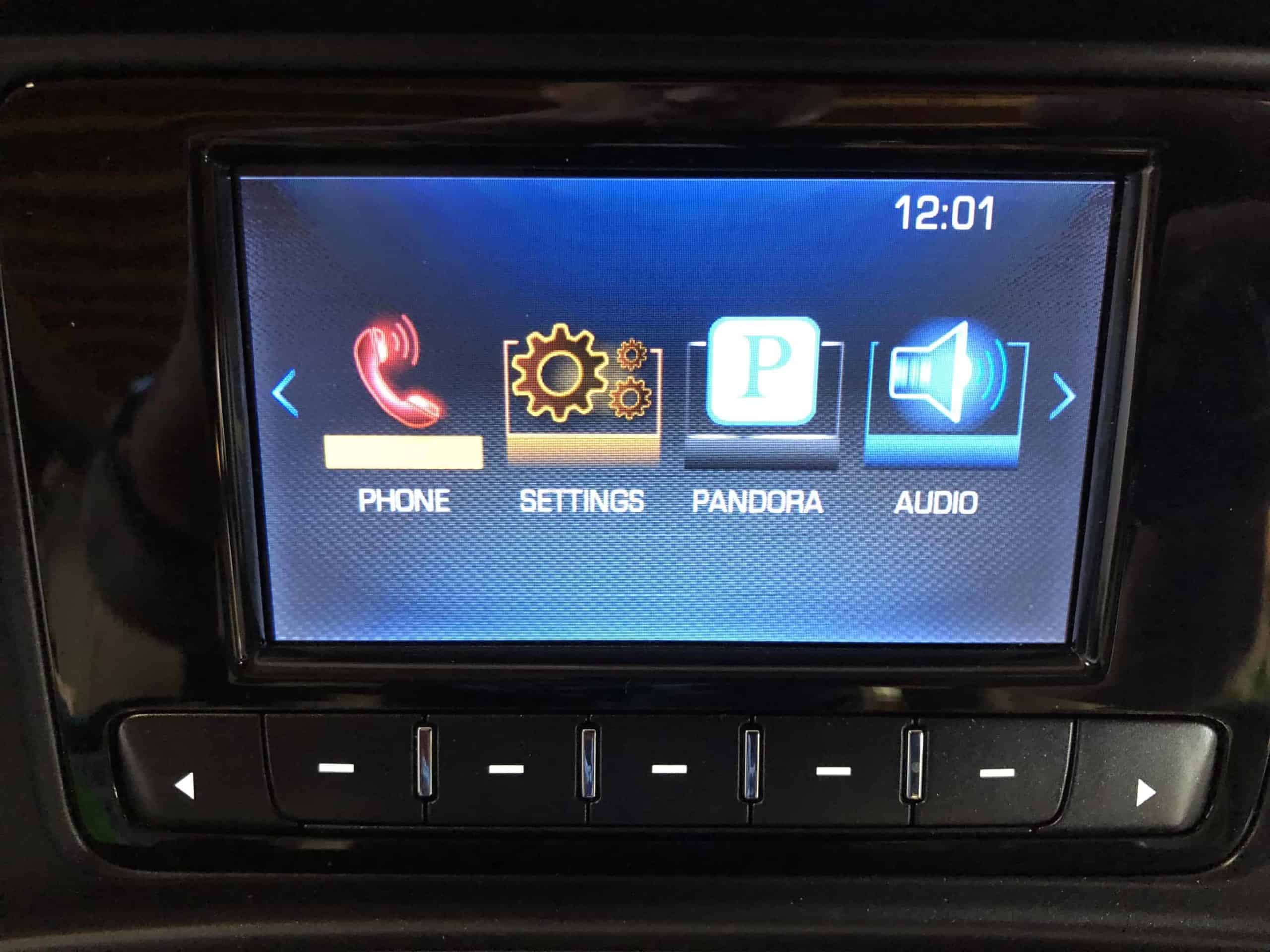
Credit: www.gm-navigation.com
How To Prevent Bluetooth Problems
Prevention is easier than constant troubleshooting. Try these tips:
- Limit paired devices. Delete old or unused phones from MyLink. This keeps the system’s memory clear and fast.
- Keep your software up to date. Regularly check for updates on both car and phone. Set reminders after major phone updates.
- Pair in park. Always pair devices while the car is parked for safety and fewer errors. Many systems won’t allow pairing while driving for security reasons.
- Avoid third-party accessories. Some aftermarket chargers or USB cables can cause interference. Use certified accessories to avoid unexpected issues.
- Check permissions after updates. Major phone updates can reset app and Bluetooth permissions. Confirm that apps like music and navigation still have Bluetooth access.
If you plan to sell your Chevy, clear all Bluetooth devices to avoid problems for the next owner.
Bluetooth Vs. Usb Vs. Android Auto/apple Carplay
Wondering if you should use Bluetooth, USB, or other connection methods? Here’s a quick comparison:
| Feature | Bluetooth | USB | CarPlay/Android Auto |
|---|---|---|---|
| Calls | Yes | Yes | Yes |
| Music Streaming | Yes | Yes | Yes |
| Navigation | No | No | Yes |
| Setup Required | Pairing | Plug in | Install App, Plug in/Pair |
| Reliability | Medium | High | High |
Bluetooth is convenient but sometimes less reliable than using a USB cable or the official apps. If you frequently lose connections, try switching to USB or CarPlay/Android Auto for a more stable experience. You may also notice better audio quality over USB.
When To Visit The Dealer
Most Bluetooth issues can be fixed at home, but sometimes you need a professional. Visit your Chevy dealer if:
- MyLink won’t power on, or the screen is dead.
- Bluetooth works with no phones at all.
- There are error messages you can’t clear.
- You suspect a hardware problem.
Dealers can run diagnostics and perform updates you can’t do yourself. In some cases, they can replace faulty hardware if needed.
Two Insights Most Drivers Miss
- Software updates on your phone can break Bluetooth, even if MyLink was working perfectly before. Always test your Bluetooth after major updates, and be ready to re-pair devices. Many users think their car broke, when it’s actually the phone’s update causing trouble.
- MyLink’s device memory fills up over time. Even if you only use one phone, old data from test pairings or previous owners can make Bluetooth unreliable. Regularly clear out old devices from the car’s memory.
Many users only try re-pairing their phone, but don’t realize the car’s internal list can also become corrupted. It’s not enough to just “forget” on your phone—you need to remove the device from the MyLink list as well.
Common Mistakes To Avoid
- Pairing while driving, which causes errors and is unsafe.
- Forgetting to update the car’s software, not just the phone.
- Leaving too many devices paired, causing confusion.
- Not checking app permissions after a phone update.
Avoid these, and your Bluetooth will be more reliable. Also, don’t overlook small details like keeping your phone’s Bluetooth “visible” during pairing, as many systems require this to connect.
Data Table: Top Bluetooth Issues And Their Fixes
Here’s a summary for quick reference:
| Problem | Most Likely Cause | Best Fix |
|---|---|---|
| No connection at all | Device not paired | Re-pair both devices |
| Connection drops randomly | Interference or old device list | Remove unused devices, move away from other Bluetooth sources |
| Calls work but music doesn’t | App permissions or phone settings | Allow Bluetooth access in app settings |
| Phonebook won’t sync | Permissions blocked | Enable contact sharing on your phone |
| Voice commands fail | Outdated software | Update MyLink and phone OS |
This table can be printed and kept in your glove box for reference. It’s a simple way to remember what to check first when problems happen.
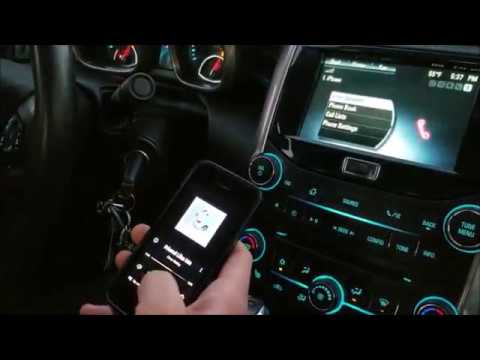
Credit: www.youtube.com
How To Get Help From Chevy
If you’re stuck, Chevy’s customer support can sometimes help remotely. You can:
- Call the Chevrolet customer support line.
- Use the Chevy Owner Center online for troubleshooting steps.
- Visit your local dealership.
Don’t hesitate to ask for help, especially if your car is under warranty. For more technical details on how Bluetooth works, you can check the Bluetooth Wikipedia page.
Frequently Asked Questions
Why Won’t My Chevy Mylink Connect To My Phone?
This usually happens because of software glitches, old paired devices, or compatibility issues. Start by deleting all paired devices on both the phone and MyLink, restart both, and re-pair them. Make sure both systems are updated to the latest software version.
If you still have trouble, try pairing with a different phone to check if the issue is with your phone or the car.
Can I Use Bluetooth For Navigation On Chevy Mylink?
Bluetooth only supports calls and audio streaming. For navigation, you need to use Android Auto or Apple CarPlay, which require a USB connection in most Chevys. Some newer models support wireless CarPlay/Android Auto. If navigation isn’t working, try checking the USB cable and make sure the app is allowed to run on your phone.
Why Does My Bluetooth Connection Drop When Someone Else’s Phone Is In The Car?
MyLink can store many phones, but only connect to one at a time. If another paired phone with Bluetooth enabled is present, MyLink may try to switch connections. Turn off Bluetooth on other devices or remove them from the car’s paired list.
This is especially common in cars with more than one regular driver.
How Do I Update My Chevy Mylink Software?
Some newer Chevys support over-the-air updates via Wi-Fi. For most models, you’ll need to visit a Chevy dealer who can update the software. Regular updates can fix bugs and improve Bluetooth performance. If you’re unsure, ask your dealer or check the car’s manual for instructions.
Is Bluetooth Less Reliable Than Usb Or Carplay/android Auto?
Yes, Bluetooth can be less stable, especially in older cars or after phone updates. USB and CarPlay/Android Auto offer more reliable connections and extra features like navigation and messaging. If you rely on your car for work or long trips, consider switching to USB or CarPlay/Android Auto for important calls or directions.
Conclusion
Getting your Chevy MyLink Bluetooth working again is possible with a systematic approach. Start with simple fixes, don’t skip the double reset, and keep both your car and phone updated. Stay patient and methodical—most issues can be solved without a dealer visit. But if nothing works, a professional can help diagnose hardware or deep software faults. With these tips, you can enjoy safe, hands-free driving and all the features MyLink offers. Bluetooth isn’t perfect, but with the right steps, you can make it reliable enough for daily use and avoid most common frustrations.