
Many people rely on Altec Lansing speakers for music, podcasts, and calls—at home, outdoors, and everywhere in between. These speakers are loved for their clear sound, tough build, and long battery life. But what happens when your Altec Lansing speaker suddenly stops charging? This is a frustrating problem that can leave you searching for answers, especially if you need your speaker for an event or trip.
If you’re reading this, you probably want to know why your Altec Lansing speaker is not charging and, more importantly, how to fix it. This article will guide you step by step. You’ll learn how to troubleshoot the issue, understand what might be wrong, and pick up tips to prevent charging problems in the future.
The goal is to help you get your speaker working again—without wasting money or time on unnecessary repairs.
Let’s look at the reasons why your speaker might not charge, how to fix each one, and what you can do if nothing works.
Common Reasons Altec Lansing Speaker Is Not Charging
When your speaker won’t charge, the problem can come from the speaker itself, the charger, or even the way you use it. Here are the most common causes:
- Faulty charging cable or adapter: This is the simplest and most overlooked cause. If the cable or adapter is damaged, your speaker won’t get any power.
- Dirty or blocked charging port: Dust, lint, or even tiny pieces of debris can stop the charger from connecting properly.
- Battery is completely drained: Sometimes, if the battery is empty for too long, it enters a deep discharge state and won’t charge as usual.
- Software glitches or firmware bugs: Rarely, an internal bug can block charging until the speaker is reset.
- Damaged battery: Over time, all batteries lose their ability to hold a charge.
- Overheating or extreme cold: Temperatures that are too high or too low can stop charging.
- Power source issues: If the wall socket, USB port, or power bank is faulty, the speaker won’t charge.
- Internal hardware failure: Sometimes, a problem with the speaker’s internal circuits or charging board is to blame.
Recognizing the cause is half the battle. Let’s move on to how to check each issue.
Step-by-step Troubleshooting Guide
Finding the exact reason your Altec Lansing speaker is not charging is easier if you follow a logical path. Here’s a guide that works for most users, even if you’re not tech-savvy.
1. Check The Charging Cable And Adapter
This is where many people find the problem. Cables and adapters can break without obvious signs.
- Try charging another device (like a phone) with the same cable and adapter.
- If it doesn’t work, replace them with new or known-good ones.
- Use an original or certified charger when possible. Cheap or generic chargers can fail or provide the wrong voltage.
Pro tip: Even a small cut or bend in the cable can stop charging. Don’t trust a cable just because it “looks fine.”
2. Inspect And Clean The Charging Port
A dirty or blocked port is a very common reason for charging failure.
- Use a flashlight to check for dust, lint, or debris inside the port.
- Clean gently with a wooden or plastic toothpick. Never use metal objects (they can damage the port).
- Use compressed air to blow out any remaining dirt.
- Make sure the port is dry before plugging in.
Non-obvious insight: In humid places, tiny drops of water can cause corrosion inside the port. If you see greenish or white powder, the contacts may need cleaning by a professional.
3. Test A Different Power Source
Sometimes, the wall outlet or USB port is the real problem.
- Plug another device into the same outlet or port to check if it works.
- Try charging your speaker from a different wall socket, computer USB port, or power bank.
- Avoid charging from old computers or weak power banks—they may not provide enough power.
Quick check: If your speaker only charges with some outlets or computers, the problem is likely with the power source.
4. Leave The Speaker Charging For Longer
If your battery is deeply drained, it may need more time to “wake up. ”
- Plug in your speaker and leave it charging for at least 1–2 hours, even if you don’t see lights or signs of charging.
- Some speakers show no lights until the battery has recovered a bit.
- After a few hours, check if the charging light comes on.
Beginner tip: Many people unplug too soon, thinking the speaker is dead. Give it time, especially if it was unused for weeks.
5. Reset The Speaker
Software bugs can stop charging, even if the hardware is fine.
- Find the reset button or combination for your model (usually holding the power button for 10–15 seconds).
- After resetting, try charging again.
- If you can, update the speaker’s firmware using the Altec Lansing app or website.
Non-obvious insight: Some models need to be turned off before charging. Read your manual to be sure.
6. Check For Overheating Or Cold
Batteries don’t charge well in extreme temperatures.
- If the speaker feels hot, unplug it and let it cool.
- If it’s cold, let it warm up to room temperature before charging.
- Don’t use or charge the speaker in direct sunlight or near heaters.
Real-world example: Leaving the speaker in a hot car can damage the battery and stop it from charging.
7. Inspect For Battery Or Hardware Damage
If none of the above works, the battery or charging circuit might be damaged.
- Look for swelling, leaking, or strange smells. These are signs of a bad battery.
- If your speaker was dropped or got wet, the internal hardware may be broken.
- At this point, professional repair or battery replacement is needed.
Warning: Do not try to open the speaker yourself if you’re not trained. Batteries can be dangerous.
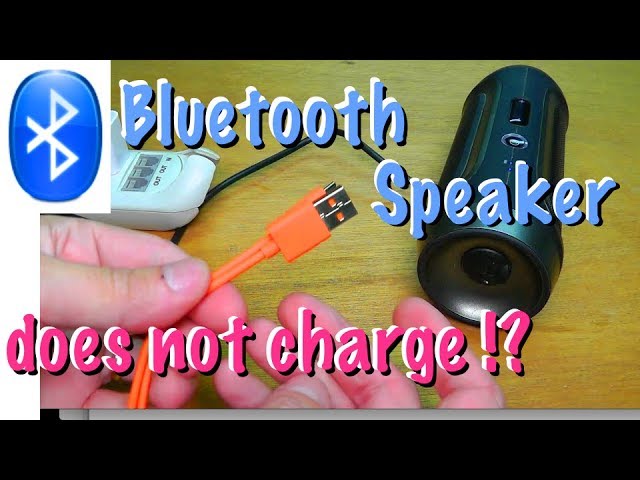
Credit: www.youtube.com
How To Prevent Charging Problems
It’s easier to prevent charging issues than to fix them. Here are some best practices:
- Always use the charger and cable that came with the speaker, or buy a high-quality replacement.
- Keep the charging port clean and dry.
- Don’t leave the speaker plugged in for days after it’s fully charged—this can wear out the battery.
- Store your speaker at room temperature, not in hot cars or freezing garages.
- Avoid draining the battery to zero every time. Charge when it gets below 20–30%.
- Update your speaker’s firmware if the brand releases updates.
Fact: Most lithium batteries last 2–3 years with normal use. After that, some drop in battery life is expected.
Comparing Altec Lansing Speaker Models And Charging Issues
Not all Altec Lansing speakers are the same. Some use different batteries, ports, or charging technology. Here’s a comparison of popular models and their charging features:
| Model | Charging Port Type | Battery Life (hours) | Supports Fast Charging |
|---|---|---|---|
| Mini H2O | Micro USB | 6 | No |
| Jacket H2O 4 | USB-C | 10 | Yes |
| IMW257 | Micro USB | 8 | No |
| LifeJacket Jolt | USB-C | 30 | Yes |
Insight: Models with USB-C are less likely to have port issues, since USB-C is more durable than Micro USB. But all speakers can face battery problems over time.
Signs Your Altec Lansing Speaker Battery Needs Replacement
A battery does not last forever. Here’s how to know if yours is failing:
- The speaker only works when plugged in—battery life is zero.
- Charge time becomes much longer, but play time is much shorter.
- The speaker shuts off suddenly, even when the battery was showing as “full.”
- The battery feels hot, swollen, or leaks fluid.
Important: If you see these signs, stop using the speaker and get a replacement battery from a trusted service center.
Table: Battery Issues Vs. Charging Problems
Here’s how to tell if your issue is with the battery or something else:
| Symptom | Likely Cause | Solution |
|---|---|---|
| No charging light, no sound | Cable/adapter or port issue | Test cable, clean port |
| Red light blinks, then goes off | Deeply drained battery | Charge for several hours |
| Speaker heats up when charging | Battery damage | Replace battery |
| Works only when plugged in | Old battery | Replace battery |
When To Contact Altec Lansing Support
If you have tried all the steps above and your Altec Lansing speaker still won’t charge, it’s time to get help.
- Check your warranty. Many models have a 1-year limited warranty.
- Contact Altec Lansing via their official support page or phone number.
- Be ready to provide your model number, purchase date, and a description of the problem.
- Do not open the speaker or try to fix the battery yourself if you want to keep your warranty.
Pro insight: Sometimes, Altec Lansing will offer a replacement or repair if your speaker is still under warranty—even if the problem is battery-related.

Credit: www.alteclansing.com
Real-world Examples Of Charging Issues
Sometimes, seeing what others experienced can help you solve your own problem.
- Case 1: A user’s LifeJacket speaker wouldn’t charge after a beach trip. A small grain of sand was blocking the port. After cleaning, the speaker charged like new.
- Case 2: A Mini H2O would not charge unless the cable was held at a certain angle. The cable had a broken wire inside. Replacing the cable fixed the problem.
- Case 3: One user found their speaker only charged with a specific power bank, not with their laptop or wall adapter. The real issue was a faulty USB port on their laptop.
Lesson: The cause can be as simple as a blocked port or a bad cable. Always check the easy fixes first.
Advanced Tips For Long-term Use
Want to keep your speaker working for years? Try these expert tips:
- Use a surge protector when charging from wall outlets. Power surges can damage the charging circuit.
- Charge your speaker every few months, even if you’re not using it. This keeps the battery healthy.
- Store the speaker with the battery at around 50% if you won’t use it for a long time.
- Don’t leave the speaker in the sun, on dashboards, or near radiators—heat kills batteries fast.
- If you often use your speaker outdoors, get a silicone port cover to keep dust out.
Advanced insight: If you’re comfortable, you can sometimes update the firmware yourself. New firmware can fix bugs that stop charging. Visit the official Altec Lansing website for instructions.

Credit: www.alteclansing.com
What To Do If Your Speaker Gets Wet
Many Altec Lansing speakers are water-resistant, but water in the charging port can still cause charging problems.
- If your speaker gets wet, shake out as much water as you can.
- Leave it in a dry place for at least 24–48 hours before charging.
- Do not try to charge a wet speaker. This can cause a short circuit.
- Consider using silica gel packs or uncooked rice to help absorb moisture.
Caution: Water damage is not always covered by warranty unless your model is rated for full submersion.
Alternatives If You Can’t Fix The Charging Problem
If your speaker is old or the battery is dead and out of warranty, you have a few choices:
- Replace the battery. Check with a local repair shop or the official service center.
- Use the speaker only while plugged in (not ideal for portable use).
- Recycle the speaker and buy a new one—look for models with USB-C, which are more reliable.
- Sell the speaker for parts (if other parts still work).
Environmental tip: Never throw electronics in the trash. Many stores and cities offer free recycling for small gadgets.
Comparison: Altec Lansing Vs. Other Brands
How does Altec Lansing compare to similar brands when it comes to charging reliability?
| Brand | Typical Charging Port | Battery Lifespan (years) | Warranty Support |
|---|---|---|---|
| Altec Lansing | Micro USB / USB-C | 2–3 | Good |
| JBL | Micro USB / USB-C | 2–4 | Excellent |
| Bose | Micro USB / USB-C | 3–5 | Very Good |
| Sony | USB-C | 3–4 | Good |
Insight: Altec Lansing offers solid reliability, but battery life and warranty support can vary. USB-C models are generally more robust.
Frequently Asked Questions
Why Does My Altec Lansing Speaker Only Charge With Some Cables?
Some cables are poorly made or can’t carry enough power. Always use the original cable or a certified replacement. Charging ports can also loosen over time, so a thicker or higher-quality cable may make better contact.
How Can I Tell If My Speaker Battery Is Completely Dead?
If the speaker shows no lights, makes no sounds, and doesn’t work even after hours of charging with different cables and adapters, the battery may be dead. Sometimes, a deeply drained battery will recover after several hours of charging.
Is It Safe To Replace The Battery Myself?
Replacing the battery yourself is risky if you don’t have experience. Lithium batteries can be dangerous if punctured. It’s safer to let a professional or service center handle battery replacement.
Can I Use My Speaker While Charging?
Most Altec Lansing speakers allow you to play music while charging, but it’s better for battery health to let it charge fully before use. If your speaker gets hot while charging and playing, unplug it.
Where Can I Get Official Support For My Altec Lansing Speaker?
You can visit the official Altec Lansing website or reach out through their support page: Altec Lansing Support. Always check your warranty before seeking third-party repairs.
Taking the time to troubleshoot your Altec Lansing speaker not charging problem can save you money and frustration. With careful checks and the right steps, you can often get your speaker working again—or know when it’s time for a replacement.